August 3, 2026
Daily Operations Efficiency Checklist for Multifamily Managers
Discover the daily operations efficiency checklist for multifamily managers. Boost productivity with targeted checks and synchronization strategies.

Run three shift checks daily, post one scoreboard metric, and sync your locker software to your PMS. That combination, as NetSuite frames it, is the practical core of operational efficiency: maximizing output while minimizing inputs without dropping service quality. For multifamily package management, that means:
- Start-of-shift check (15–30 min): Verify staffing, locker system status, and backlog before the first carrier arrives.
- Mid-shift check (10 min): Catch misdirected deliveries and service drift while there is still time to fix them.
- End-of-shift check (10–20 min): Close open tickets, capture the day’s data, and hand off with explicit open actions.
The primary scoreboard metric to display: order cycle time (package intake to resident pickup). The single integration that removes the most duplicate effort: locker software synced to your property management system (PMS).
Table of Contents
- What does a daily operations efficiency checklist look like for package management?
- Which KPIs should you track daily, and how do you build a shift scoreboard?
- How do you eliminate duplicate work through integrations and carrier workflows?
- What preventive maintenance and security checks should you run on lockers and package rooms?
- How do you roll out this checklist in 30, 60, and 90 days?
- Key Takeaways
- The checklist is only as good as the system behind it
- Luxer One lockers make this checklist operational from day one
- Useful sources
What does a daily operations efficiency checklist look like for package management?
A shift-based checklist is the fastest way to prevent service drift in multifamily package operations. Copy these items into your shift log or a mobile task app and run them every day.
Start-of-shift readiness (15–30 minutes)
- Confirm staffing matches the day’s plan; flag any coverage gaps before carriers arrive.
- Log into locker software, PMS, and scanner/printer; confirm all systems show green status.
- Check CCTV feeds are recording and access control is active on all package room entry points.
- Review overnight backlog: packages received after last shift’s close-out that need triage.
- Identify the day’s priorities (expected high-volume carriers, resident move-ins, maintenance windows).
- Verify receipt printer has paper and scanner batteries are charged.
Mid-shift in-process controls (10 minutes)
- Spot-check locker occupancy rate; flag compartments occupied beyond 48 hours for resident follow-up.
- Scan for misdirected deliveries or oversized items staged outside designated areas.
- Confirm carrier handoffs are logged with timestamps; note any carriers who bypassed the scan-in process.
- Check resident notification queue: all packages received since start-of-shift should have triggered an automated alert.
- Log any exceptions (wrong address, damaged package, carrier refusal) with an owner name, due date, and escalation criteria.
End-of-shift close-out (10–20 minutes)
- Confirm all packages received today are assigned to a locker compartment or a logged overflow location.
- Close or escalate every open ticket; no ticket should transfer to the next shift without an assigned owner.
- Record the day’s order cycle time, pickup rate, and open-action count in the scoreboard.
- Write one improvement note: what slowed the shift and what the fix is.
- Brief the incoming shift lead with open actions, pending carrier returns, and any system alerts.
Pro Tip: Treat this checklist as a diagnostic, not a sign-off form. If you are checking boxes without reading the answers, the checklist has become noise. When an item surfaces a problem, stop and log it as an ownerable action before moving on.

Which KPIs should you track daily, and how do you build a shift scoreboard?
Visible scoreboards turn efficiency goals into disciplined execution. Without them, teams lose momentum and managers lose the signal they need to escalate early. Track these core metrics daily:
| KPI | Definition | Data source | Escalation threshold |
|---|---|---|---|
| Order cycle time | Time from package intake scan to resident pickup | Locker software | High average triggers resident outreach |
| Error rate | Rate of misdirected or lost packages | Package room log + PMS | Elevated rate triggers carrier SOP review |
| Staff admin time | Portion of shift spent on data entry vs. resident tasks | Shift log | High portion triggers integration audit |
| Pickup rate within SLA | Portion of packages picked up within your SLA window | Locker software | Low pickup rate triggers notification audit |
| Open-action count | Unresolved tickets at shift close-out | Package room log | High count triggers supervisor review |
Scoreboard setup: Post it in the staff room or on the supervisor’s tablet. Refresh it hourly or in real time if your locker software supports a live dashboard. Use green/amber/red thresholds so a shift lead can read the board in under 10 seconds. An operational efficiency checklist approach works best when the scoreboard is physically visible during the shift, not buried in a report nobody opens until Friday.
How do you eliminate duplicate work through integrations and carrier workflows?
Siloed workflows and manual data copying between tools are the primary source of wasted time in package operations. A properly connected system, as Moxo describes, creates a single usable record that connects decisions, files, approvals, and timestamps automatically.
Integration checklist:
- Locker software ↔ PMS sync: resident unit numbers, move-in/move-out dates, and contact details should update automatically.
- Carrier scan-to-locker workflow: every carrier must scan the package barcode at intake, not just drop and leave.
- Single resident notification channel: pick one (email, SMS, or app push) and disable duplicate channels to prevent notification fatigue.
- Automated exception flags: configure your locker software to alert staff when a compartment exceeds your SLA window.
- Nightly reconciliation: schedule an automated report that flags any package in the system with no pickup scan after 48 hours.
Carrier SOP rules:
- Require carriers to use your property’s label format; reject non-conforming labels at intake.
- Oversized items that do not fit a locker compartment go to a designated overflow zone, logged immediately with a photo.
- Each carrier should have a named contact point for exceptions; post that list in the package room.
Automation quick wins: Enable auto-notifications on first scan. Use AI-powered label reading if your locker system supports it (Luxer One® lockers include this). Schedule a weekly reconciliation script to catch any packages that slipped through manual logging. For unresolved integration errors after 24 hours, escalate to your locker software support line rather than attempting manual workarounds that create new data conflicts.
What preventive maintenance and security checks should you run on lockers and package rooms?
Energy Star O&M guidance is clear: optimizing schedules and sequences of operation often delivers more long-term efficiency than expensive hardware upgrades. The same logic applies to locker systems.
Daily checks:
- Confirm all locker doors open and latch correctly; log any door that sticks or fails to latch.
- For refrigerated lockers, verify temperature is within the set range at start of shift.
- Check receipt printer and scanner status; clear any paper jams or error codes before carriers arrive.
- Review CCTV playback from the prior overnight period for any unauthorized access attempts.
Weekly tasks:
- Verify locker software and firmware are on the current version; schedule updates during low-traffic windows.
- Test door lock actuation on every compartment; a door that passes a visual check can still fail an actuation test.
- Conduct a full inventory of oversized items in the overflow zone; contact residents with items older than five days.
- Review all open maintenance tickets and close or escalate each one.
Monthly actions:
- Schedule preventive servicing per your locker manufacturer’s maintenance calendar.
- Audit access-control credentials: remove former residents and staff, confirm current staff have correct permission levels.
- Run a drill for peak-volume procedures (holiday season, move-in week) so staff know the overflow protocol before volume spikes.
When a locker door fails actuation testing or a software error persists after a restart, call technical support rather than logging it as a future task. Downtime during a high-volume delivery window costs more than the service call. Document every incident with a timestamp and resolution note so the data feeds your next improvement cycle. For outdoor locker performance in harsh climates, add a weatherproofing inspection to the monthly schedule.
How do you roll out this checklist in 30, 60, and 90 days?
A phased rollout lets you capture quick wins first, then layer in integrations and automation without disrupting daily operations.
30-day milestones:
- Measure baseline KPIs for all five metrics in the scoreboard table above.
- Run start/mid/end shift checks manually using this checklist; assign one owner per shift.
- Enable automated resident notifications if not already active.
- Set up the scoreboard in the staff room with green/amber/red thresholds.
- Complete frontline staff training on the checklist and exception-logging protocol.
60-day milestones:
- Complete PMS sync with locker software; verify resident data updates automatically.
- Distribute carrier SOP to all regular carriers; collect signed acknowledgment.
- Eliminate at least two manual data-entry steps identified in the 30-day baseline.
- Begin tracking cycle time trends week over week; target a measurable reduction.
- Activate scheduled nightly reconciliation reports.
90-day milestones:
- Review ROI signals: hours of admin time reallocated, reduction in package-related resident complaints, and drop in open-action backlog.
- Confirm pickup rate within SLA is at or above 85% consistently.
- Assess whether current locker capacity meets volume; if occupancy regularly exceeds 80%, plan for additional capacity. The space-efficient locker configuration guide from our team is a practical starting point for that conversation.
- Document the full operational process for new staff onboarding.
- Set targets for the next 90-day cycle based on the data you now have.
Key Takeaways
A shift-based daily operations efficiency checklist, a visible scoreboard showing order cycle time, and a locker-to-PMS integration are the three fastest levers for reducing admin time and improving pickup rates in multifamily package management.
| Point | Details |
|---|---|
| Run three shift checks daily | Start (15–30 min), mid (10 min), and end (10–20 min) checks prevent service drift and catch exceptions in real time. |
| Track five core KPIs | Order cycle time, error rate, staff admin time, pickup rate, and open-action count give you a complete daily picture. |
| Integrate locker software with PMS | A single source of truth eliminates manual data copying and frees staff for resident-facing work. |
| Follow a preventive maintenance schedule | Daily, weekly, and monthly checks, guided by Energy Star O&M best practices, reduce downtime and extend locker lifespan. |
| We support every step | Luxer One® lockers, automated package rooms, and daily on-site management services are built to support this checklist from day one. |
The checklist is only as good as the system behind it
Most property managers who struggle with package operations are not short on checklists. They are short on a system that makes the checklist mean something. A start-of-shift check that surfaces a locker error is useful only if the staff member running it knows exactly who to call, what to log, and how fast the issue needs to be resolved. Without that infrastructure, the checklist becomes a formality.
The harder truth is that the biggest efficiency gains in multifamily package management rarely come from working faster. They come from removing the work that should not exist in the first place: manual data entry that a PMS sync would eliminate, resident calls about packages that an automated notification would have prevented, and carrier handoff errors that a posted SOP would have stopped. The operational efficiency steps that NetSuite outlines for businesses apply directly here: document the process, reduce silos, and automate the repeatable parts. The checklist is the diagnostic. The integration is the fix.
Luxer One lockers make this checklist operational from day one
Property managers who run this checklist manually for 30 days consistently find the same bottleneck: the system behind the checklist is not connected. We close that gap with hardware and services built specifically for multifamily package operations.
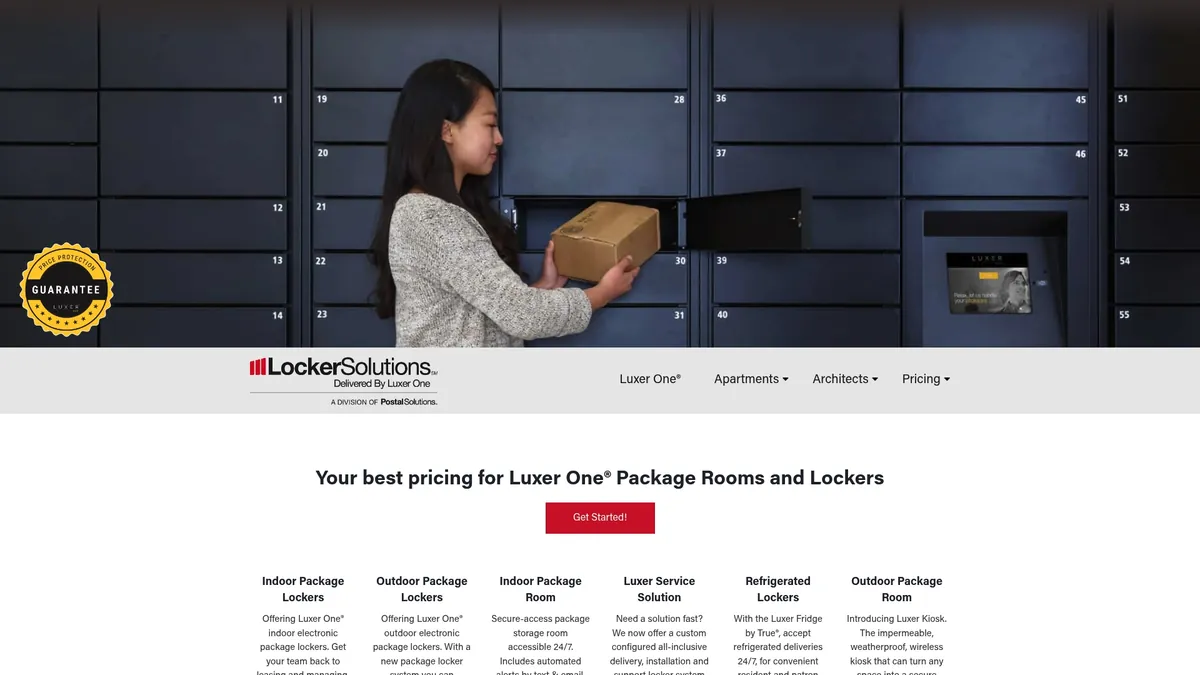
Reduced admin hours, faster resident pickups, and fewer package errors are the direct outcomes of deploying Luxer One® lockers with integrated PMS sync, automated notifications, and AI-powered label reading. We offer:
- Contactless delivery lockers with 24/7 resident access and automated alerts
- Refrigerated lockers for grocery and meal-kit deliveries
- Automated package rooms that handle high-volume properties without adding staff hours
- Package room management service for teams that want operations fully handled
- Unified access control that connects lockers, building entry, and security in one system
Nationwide installation and ongoing support are included. Request a site assessment at our site to see which configuration fits your property’s volume and layout.
Useful sources
- What Is Operational Efficiency? | NetSuite, definition and framing of operational efficiency as a ratio of resources to value delivered.
- 17 Steps to Improve Operational Efficiency | NetSuite, practical improvement steps including KPI tracking, automation, and process documentation.
- Fifteen O&M Best Practices | Energy Star, O&M scheduling and sequencing guidance that supports preventive maintenance recommendations.
- Operations and Maintenance Assessments | Energy Star, supports the argument that O&M adjustments often outperform capital retrofits.
- Operational Efficiency | FranklinCovey, scoreboard and accountability framework for sustaining efficiency gains.
- Operational Efficiency Checklist | ChiefViews, checklist-based approach to identifying workflow duplication and quick fixes.
- Operational Efficiency 101 | Moxo, automation and orchestration techniques for eliminating manual routing and creating a single usable record.
- Operational Excellence Checklist | Ocasta, escalation criteria, close-out actions, and converting issues to ownerable tasks.
- Small Building O&M Checklist | PNNL, customizable O&M checklist organized by inspection frequency (daily, weekly, monthly).
- Apartment Locker Setup Guide, practical setup steps that map to start-of-shift readiness items.
- Locker House Guide for Multifamily Property Managers, operational guidance for centralized locker rooms and daily preventive maintenance planning.
Recommended
Ready for a Luxer One® package locker quote?
Tell us your unit count and we'll send right-sized pricing with a fast response time.
Get my free quote