August 20, 2026
Portfolio Locker Standardization for Property Managers
Discover how portfolio locker standardization enhances package management efficiency for property managers, ensuring consistency across every property.
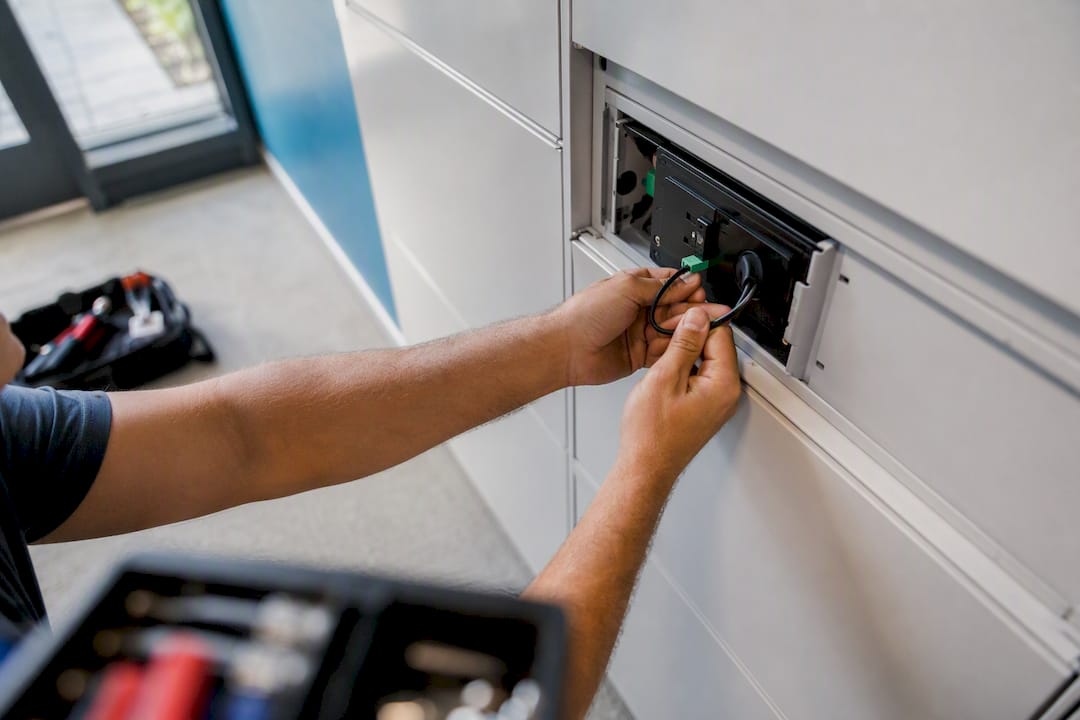
A portfolio locker standardization program is a defined set of hardware specs, PMS integration rules, placement and sizing standards, SOPs, and governance steps applied the same way across every property you manage. Get those five pieces right and package handling stops depending on which building you’re standing in.
Think of it as the operational spine that connects individual locker systems for multifamily package management into one portfolio. Locker Solutions builds this framework around Luxer One® hardware, but the discipline behind it borrows directly from portfolio governance principles the Project Management Institute has documented for decades: prioritize, standardize the controls, and let a central office track exceptions. A 2026 Anchin analysis found that as real estate portfolios scale, fragmented reporting and disconnected systems compound into slower close cycles and blind spots for leadership. Locker operations have the same failure mode.
Done right, standardization gets you:
- Reduced manual handling per package
- Faster resident pickup windows
- Consistent, comparable reporting across every property
- Clear vendor SLAs you can actually enforce
Pro Tip: Write your locker spec sheet before you shop vendors, not after. A spec written in response to a sales pitch usually bends to fit whatever that vendor already sells.
Key Takeaways
A portfolio locker standardization program works because consistent hardware, integration rules, and SOPs turn scattered property-level workarounds into measurable, comparable operations.
| Point | Details |
|---|---|
| Standardize five core elements | Hardware specs, software integration, placement rules, SOPs, and governance form the full program. |
| Pilot before scaling | Test the standard on one to three properties for 30 to 60 days before rolling out portfolio-wide. |
| Track five KPIs | Staff time per package, throughput, pickup time, incident rate, and uptime reveal whether the program works. |
| Build in a decision gate | Hardware and SOP deviations need portfolio signoff; minor layout tweaks stay local. |
| Locker Solutions supports the full rollout | Luxer One® hardware, PMS integration, and nationwide installation cover the standardization playbook end to end. |
Table of Contents
- Why Portfolio Locker Standardization Matters for Multifamily Operators
- What Operational Pain Points Does Standardization Solve?
- What Should You Standardize Across the Portfolio?
- How Do You Roll Out Standardization Without Losing Local Buy-In?
- How Do You Measure ROI on Standardized Locker Systems?
- What Belongs on the Implementation Checklist?
- What Does a Real Locker Standardization Deployment Look Like?
- What Data Privacy Rules Apply to Locker Systems?
- How Do You Handle Rollout Problems and System Failures?
- How Do You Integrate Lockers With Your Existing PMS?
- What Property Managers Get Wrong About Locker Standardization
- Get Standardized Locker Systems Across Your Portfolio
- Frequently Asked Questions
- Sources
Why Portfolio Locker Standardization Matters for Multifamily Operators
Package volume keeps climbing, and most property teams are running leaner staff than they were five years ago. That combination alone justifies standardizing how every building receives, logs, and hands off packages. Add inconsistent property-level workflows and zero portfolio-wide visibility, and you get a situation where regional managers can’t compare one community’s performance to another.
This isn’t just a package-room problem. Anchin’s research on scaling real estate portfolios found that fragmented systems produce compounding minor errors and reduced visibility for leadership as reporting cycles slow down. Locker operations generate the same kind of data: pickup times, incident logs, staff hours. When each property tracks it differently, or not at all, you can’t benchmark performance or catch problems early.
Standardization fixes the practical stuff too:
- Incidents close faster because every property logs them the same way
- Residents get a consistent experience whether they live in building 3 or building 30
- Regional managers can finally compare apples to apples across the portfolio
What Operational Pain Points Does Standardization Solve?
Walk into ten different properties in the same portfolio and you’ll usually find ten different package workflows. That’s the core problem. Package volume spikes unpredictably around holidays and move-in weekends, and staff coverage rarely scales with it. One property might have a leasing agent logging packages by hand in a notebook; another might have no logging system at all beyond “ask the resident if they remember.”
The data side is just as messy. Spreadsheets live on individual desktops, incident reports get emailed instead of logged, and nobody at the portfolio level can pull a clean report on pickup rates or shrinkage. Data fragmentation across disconnected systems is exactly what prevents leadership from benchmarking one property against another, a pattern well documented in ERP standardization research covering portfolio companies broadly.
The tactical symptoms show up fast once you look for them:
- Locker banks sized for a 150-unit building installed at a 400-unit property, creating backups within weeks
- Poor placement, tucked in a back hallway instead of near the main entrance, that quietly tanks pickup rates
- Access controls that vary property to property, so a resident who transfers buildings has to relearn the system
- No consistent SOP for holds, returns, or what happens when a package sits unclaimed for two weeks
None of these are hardware failures. They’re standardization failures, and they compound the longer they go unaddressed.
What Should You Standardize Across the Portfolio?
This is the actual playbook. Treat it as the spec sheet you hand to every vendor, every contractor, and every regional manager before a single locker gets installed.
Hardware specifications. Lock in module sizes, weatherproofing ratings for outdoor units, and criteria for when a property needs refrigerated lockers versus standard compartments. Coastal properties need different weatherproofing tolerances than inland ones, a distinction worth building into your spec from day one if your portfolio spans climates, as covered in Locker Solutions’ guide to coastal installations. Set minimum electrical and network connectivity requirements too, since a locker bank that loses connectivity during peak hours is worse than no locker bank at all.
Placement guidelines. Interior versus outdoor kiosk decisions should follow a rule, not a gut call by whoever’s on-site that week. Build in ADA access requirements and minimum clearance distances so every install passes inspection the first time. Properties with tight footprints benefit from reviewing compact locker design guidance before finalizing placement.
Software and integration rules. Every property needs the same PMS integration standard, the same authentication method for resident access, and the same alerting format. If one property’s lockers text residents and another emails them, you’ve already broken the consistent experience you’re trying to build. Define your data export and reporting format now, because retrofitting that later across dozens of properties is painful.
SOPs to standardize. Receiving and logging, resident notifications, hold and return procedures, incident reporting, camera retention windows, and maintenance schedules all need one version, not thirty.
Procurement checklist items. Site survey templates, minimum warranty terms, installation timelines, acceptance testing criteria, and contingency clauses belong in every contract, no exceptions.
Where local flexibility is fine. Minor layout adjustments, staffing processes tied to local lease structures, and optional add-ons like refrigeration can flex by property, as long as the decision follows a defined gate rather than a manager’s preference.
| Standard element | Portfolio-level minimum |
|---|---|
| Hardware | Locker modules sized for projected peak volume, not average volume |
| Connectivity | Dedicated network drop plus backup power for uptime during outages |
| Software integration | Direct PMS sync with real-time resident notification |
| SOPs | Written procedures for receiving, holds, returns, and incident logging |
| SLA terms | Defined response windows for maintenance and hardware failure |
Pro Tip: Align your reporting tags and chart-of-accounts codes for locker assets on day one. It’s far easier to build consistent tagging into the initial rollout than to reconcile thirty different labeling conventions two years in.
How Do You Roll Out Standardization Without Losing Local Buy-In?
Start small. Pilot the standard across one to three properties, run it for 30 to 60 days, and pay attention to what breaks. That evaluation window is where you catch the gaps between spec and reality, whether that’s a locker size that’s wrong for your resident mix or an SOP step nobody actually follows. Adjust before you scale, then roll out in waves, typically quarterly, so each phase benefits from lessons in the last.
Governance is what keeps the standard from eroding after rollout. Build a portfolio steering committee with a PMO-style sponsor overseeing intake and exceptions, a structure PMI’s portfolio management practices and Project Management Formula’s governance framework both point to as the difference between a standard that sticks and one that quietly drifts property by property. Keep specs and SOPs in one centralized repository everyone references, not a folder buried in someone’s email.
Change management matters just as much as the spec itself:
- Train staff on the new SOPs before go-live, not during it
- Give leasing teams a script for explaining the new system to residents
- Build a feedback loop so local issues surface fast instead of festering
A simple decision gate keeps exceptions in check: hardware deviations, integration changes, and SOP modifications need portfolio-level signoff. Minor placement tweaks or scheduling adjustments stay with the local manager.
How Do You Measure ROI on Standardized Locker Systems?
Track five numbers: staff time per package, package throughput per locker per day, average resident pickup time, unresolved incidents and shrinkage rate, and system uptime. These five tell you almost everything about whether the standard is working.
| KPI | How to measure it | Target direction |
|---|---|---|
| Staff time per package | Minutes spent on receiving, logging, and resident contact | Trending down after rollout |
| Package throughput | Packages processed per locker bank per day | Trending up without backups |
| Resident pickup time | Average hours from delivery notification to pickup | Shorter and more consistent |
| Incident/shrinkage rate | Unresolved packages or losses per deliveries | Trending toward zero |
| System uptime | Percent of time lockers are online and accessible | As close to perfect as possible |
The ROI math is straightforward: take baseline staff hours saved multiplied by your hourly burden rate, add avoided loss incidents multiplied by cost per incident, then weigh that against hardware, installation, and first-year maintenance costs. Western Computer’s research on ERP standardization notes that manual consolidation across systems is where most of the hidden labor cost hides, a pattern that applies directly to portfolios still tracking package data by hand. Run local dashboards daily, roll them up weekly for operations, and consolidate into a portfolio dashboard monthly for leadership.
What Belongs on the Implementation Checklist?
Before a single unit ships, your site survey needs to confirm power capacity, network access, physical footprint, ADA compliance, and clear camera sightlines. Skipping this step is the single most common reason installs run over budget or over schedule.
- Procurement: Evaluate vendors against warranty terms, SLA response times, acceptance testing plans, and insurance coverage before signing.
- Go-live SOPs: Document receiving, logging, resident pickup, escalation paths, incident reporting, and maintenance requests as standalone, postable procedures.
- First 30 days: Track adoption rates and flag any staff still defaulting to manual workarounds.
- Days 31 to 60: Audit data quality, check that reporting tags are populating correctly across the PMS integration.
- Days 61 to 90: Compare early KPI trends against baseline and decide whether the property is ready for full governance handoff to standard operations.
What Does a Real Locker Standardization Deployment Look Like?
A multifamily operator managing several hundred units across multiple properties typically starts with a baseline problem: overflowing package rooms, staff spending hours daily on manual logging, and no consistent way to compare properties. A phased Luxer One® deployment, starting with a pilot at one or two communities before scaling portfolio-wide, is the standard approach Locker Solutions recommends for exactly this situation.
The pattern holds across deployments: standardized hardware and SOPs reduce the staff hours spent hunting for misplaced packages, while consistent placement and sizing improve pickup rates because residents actually find the lockers convenient to use.
. The mechanics matter more than any single number: pilot first, measure before and after, then scale the wave that worked.
What Data Privacy Rules Apply to Locker Systems?
Locker systems handle resident names, unit numbers, delivery timestamps, and often photo or video capture at pickup. That’s personal data, and it needs the same handling discipline you’d apply to any resident record in your PMS.
Set a clear retention policy for camera footage and access logs. Thirty to ninety days is a common window, but the right number depends on your lease agreements and any state-level data retention rules that apply to your properties. Standardize this across the portfolio so you’re not defending a different retention period at every building if a dispute or law enforcement request comes up.
Access control data deserves the same rigor. If residents authenticate with a PIN, QR code, or mobile credential, that credential system needs consistent security standards across every property, not just the newest ones. Define who inside your organization can view footage or logs, and document that access hierarchy as part of your SOP set. Vendors offering unified access control should be able to show you exactly how resident data is stored, encrypted, and purged.
Finally, put data-sharing terms in writing with every locker vendor. Know exactly what resident data the vendor collects, where it’s stored, and whether it’s shared with third parties. This belongs in your procurement checklist alongside warranty and SLA terms, not as an afterthought once the contract’s already signed.
How Do You Handle Rollout Problems and System Failures?
Something will go wrong during rollout. Plan for it instead of hoping it doesn’t happen. The most common issues are power or connectivity failures at install, locker banks sized wrong for actual volume, and staff reverting to manual workarounds because the new SOP feels slower at first.

Build a contingency plan before you need one. For connectivity failures, define a manual fallback procedure so packages still get logged and residents still get notified, even if the automated system is briefly down. For undersized locker banks, set a clear threshold, say, three consecutive days of overflow, that automatically triggers a hardware review rather than waiting for a complaint to surface.
Staff resistance is the quieter failure mode. If the new standardized SOP takes longer than the old ad hoc method for the first two weeks, expect people to drift back to whatever they did before. Counter that by tracking adoption explicitly during the first 30 days, not just system performance. A property that’s technically running the new hardware but still logging packages on paper hasn’t actually standardized anything.
Keep an escalation path documented and posted where staff can see it: who to call for a hardware failure, who approves an exception, and how fast a maintenance ticket should get a response under your SLA. Vendor support responsiveness is worth vetting hard during procurement, since a locker bank that’s down for a week during a slow support cycle erases whatever labor savings you were counting on.
How Do You Integrate Lockers With Your Existing PMS?
Integration is where most standardization efforts stall. Every portfolio runs on some combination of property management software, and not every locker vendor integrates cleanly with every PMS platform. The mismatch shows up as double data entry, delayed resident notifications, or reporting that requires manual reconciliation every month, the exact fragmentation pattern research on ERP standardization flags as the biggest hidden cost in portfolio operations.
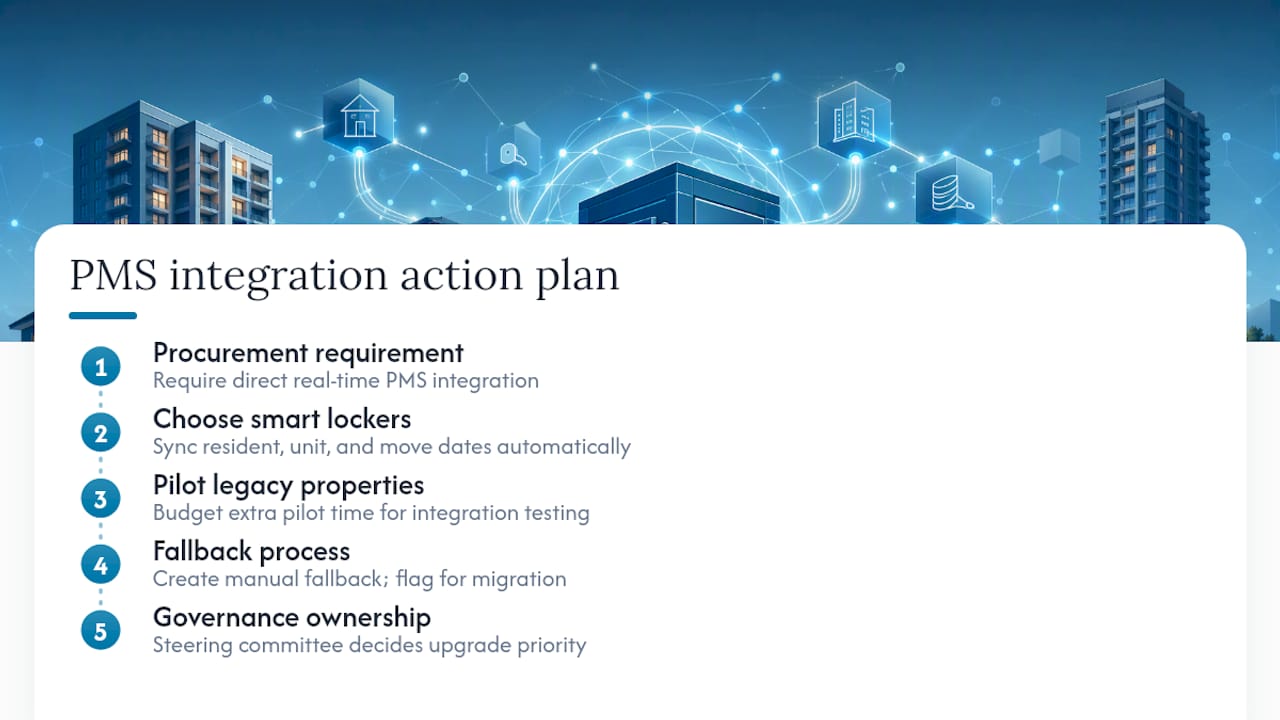
The fix starts at procurement. Require any vendor you evaluate to demonstrate a direct, real-time integration with your specific PMS, not a workaround involving spreadsheet exports and manual uploads. Smart locker systems built with integration in mind sync resident data, unit assignments, and move-in/move-out dates automatically, which eliminates the lag that causes packages to get logged under the wrong resident.
Legacy systems at older properties are the toughest case. If a property runs an older or less common PMS, budget extra time during the pilot phase for integration testing, and don’t assume the same timeline that worked at your newest property will work there too. Build a fallback manual process for any property where integration genuinely can’t happen yet, but flag that property for priority migration rather than letting it become a permanent exception. A steering committee, the same one overseeing your broader governance model, should own the decision on when a non-integrated property gets prioritized for a PMS upgrade or a locker vendor switch.
What Property Managers Get Wrong About Locker Standardization
Most operators treat locker standardization as a hardware decision. Buy the right lockers, install them, done. That’s backward. The hardware is the easiest part to get right and the least likely to be the reason a rollout fails.
The actual failure point is governance, or the lack of it. A property team left to build its own SOPs will build something reasonable in isolation and completely inconsistent with the property next door. That’s not a hardware problem. It’s a decision-support problem, and it traces straight back to whether anyone owns the standard after installation day.
The overrated fix is a single, rigid, portfolio-wide mandate with zero local flexibility. That approach breaks the first time a coastal property needs different weatherproofing than an inland one, or a smaller community genuinely doesn’t need refrigerated capacity. Standardize the controls that matter for reporting and consistency. Leave room for the decisions that don’t affect the portfolio view.
If you’re prioritizing one thing first, prioritize the reporting tags and integration rules before you finalize a single hardware order. Everything else is easier to fix later than a data structure that’s already fragmented across thirty properties.
Get Standardized Locker Systems Across Your Portfolio
Locker Solutions builds the standardization layer this article just walked through directly into every Luxer One® deployment, so you’re not stitching together specs, SOPs, and reporting formats from scratch across dozens of properties.
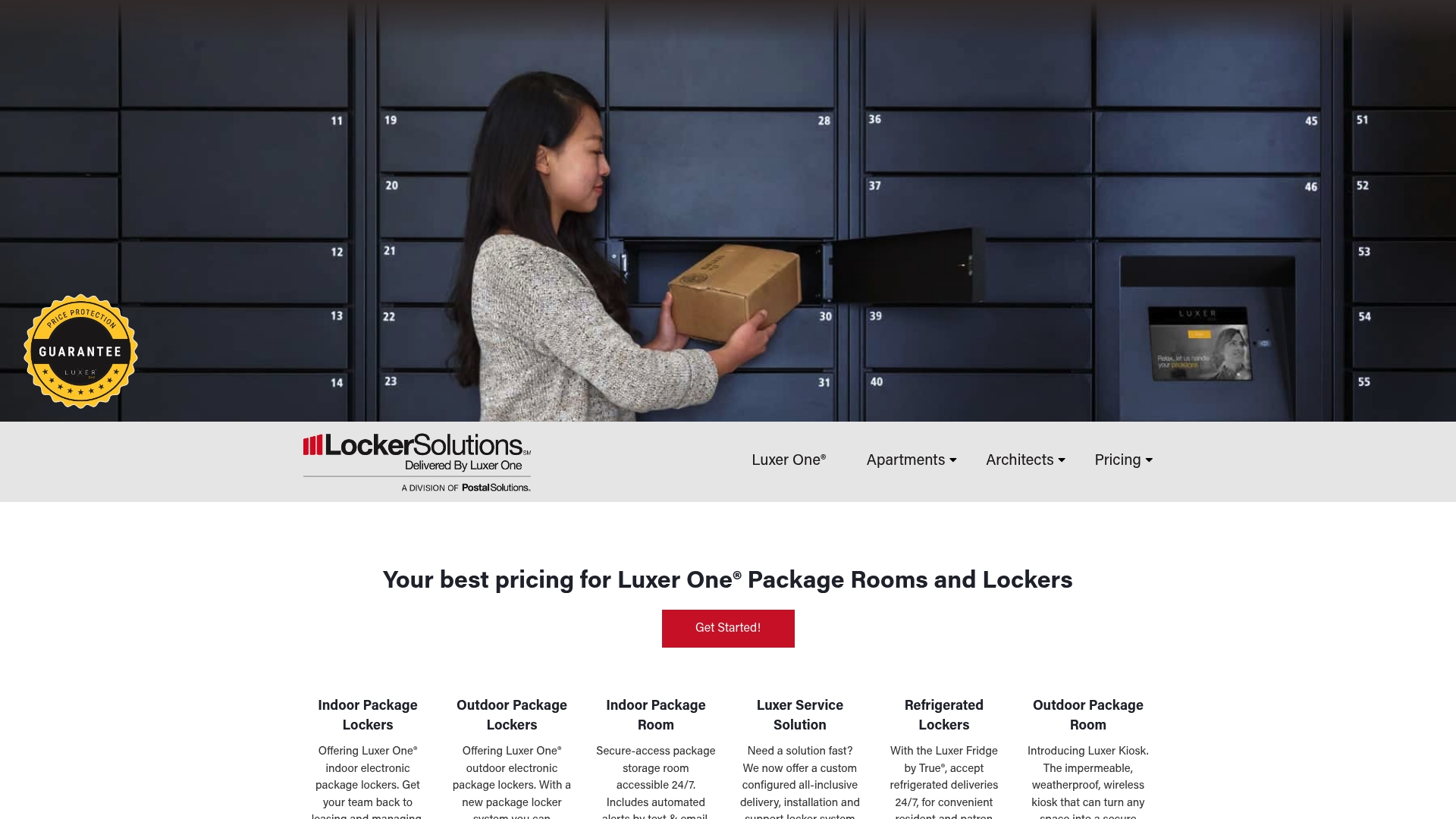
Where a lot of portfolios stall is the integration step: getting locker hardware, PMS data, and resident notifications to actually talk to each other the same way at every community. Locker Solutions handles that natively, with unified access control and PMS sync built into the hardware from install day, plus nationwide installation support so a rollout wave doesn’t grind to a halt waiting on a regional contractor. Properties needing weatherproof outdoor units, refrigerated compartments, or fully automated package rooms can standardize the spec once and apply it portfolio-wide. If your team doesn’t have onsite staffing bandwidth to run the new SOPs, daily package room management covers that layer too. Start with a site survey and vendor evaluation for your next property or your first pilot wave, and build your standard around a system already engineered for portfolio scale.
Frequently Asked Questions
What is portfolio locker standardization? It’s the practice of applying the same hardware specifications, software integration rules, placement standards, and SOPs to package locker systems across every property in a multifamily portfolio rather than letting each community set its own approach.
How long does a locker standardization rollout take? Most programs run a 30 to 60 day pilot at one to three properties, then scale in quarterly waves. Full portfolio rollout timing depends on portfolio size, but the pilot-and-evaluate structure stays the same regardless of scale.
What KPIs matter most for measuring locker standardization success? Staff time per package, package throughput per locker, average resident pickup time, unresolved incident and shrinkage rates, and system uptime give the clearest picture of whether the standard is working.
Does standardization mean every property gets identical lockers? No. Core specs, integration rules, and SOPs stay consistent, but placement adjustments, staffing processes, and optional features like refrigeration can flex by property within a defined decision gate.
Who should own locker standardization governance? A portfolio steering committee with a PMO-style sponsor, following the same governance model outlined in PMI’s portfolio management framework, keeps the standard consistent and manages exceptions as the program scales.
Sources
- Real Estate Financial Reporting for Growing Portfolios - Anchin, Block & Anchin LLP
- Portfolio management practices — Project Management Institute
- Portfolio management best practices — Project Management Formula
Recommended
- Compact Locker Design for Urban Properties: A Property Manager’s Guide — Locker Solutions Blog
- Locker House Guide for Multifamily Property Managers — Locker Solutions Blog
- Smart Lockers for Property Managers: 2026 Guide — Locker Solutions Blog
- Top 3 Lockermd.com Package Locker Alternatives 2026 — Locker Solutions Blog
Ready for a Luxer One® package locker quote?
Tell us your unit count and we'll send right-sized pricing with a fast response time.
Get my free quote