September 19, 2026
Require the UL Listing File for Smart Lockers, U.S. Property Managers
A procurement-first compliance guide for U.S. property managers. Learn which UL listing file, electrical submittals, ADA checks, and paperwork to require...
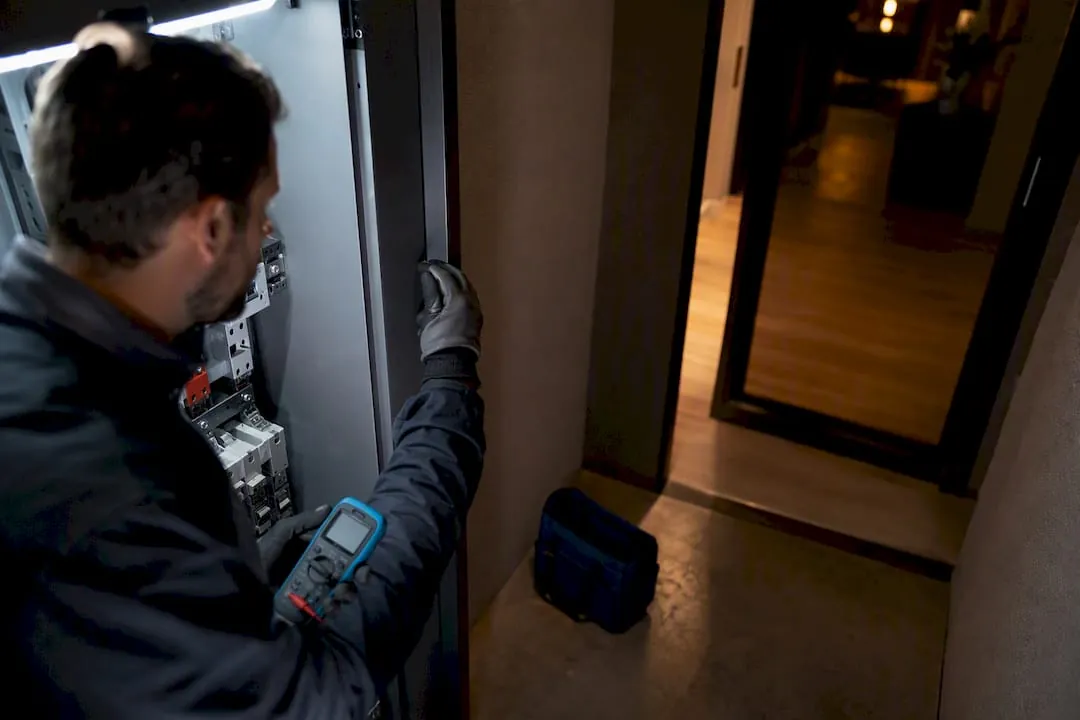
A verified UL listing on a smart locker system tells you the electrical and mechanical components have passed independent safety testing, which matters for permitting, insurance, and liability. It does not automatically cover cybersecurity, ADA compliance, or local code acceptance. Before signing any purchase order, ask the vendor for the exact UL listing or file number and the underlying product submittals, then verify those documents against your local building department’s requirements.
TL;DR:
- A UL listing verifies the safety of smart locker electrical and mechanical components but does not confirm cybersecurity or ADA compliance.
- Obtain the exact UL file number and scope, along with factory inspection evidence, to ensure product configuration matches local requirements.
- Authorities and insurers favor UL-listed equipment as it reduces inspection time and lowers perceived operational and fire risks.
- UL categories focus on hazard and enclosure safety, but do not directly address fire alarm integration or accessibility standards.
- Continuous factory follow-ups and updated listings are essential when expanding existing locker deployments or upgrading technology features.
Table of Contents
- What Does It Mean for a Smart Locker to Be UL Listed?
- Why Does UL Listing Matter for Owners, Insurers, and Inspectors?
- Which Codes and Authorities Intersect With a Smart Locker’s UL Listing?
- Procurement Checklist: What to Require Before You Sign Off
- How Luxer One Lockers Support UL-Compliant Deployments
- What Does UL Testing Actually Check for a Connected Locker?
- What UL Listing Categories Apply to Smart Lockers?
- How Do UL Standard Updates Affect Smart Locker Compliance?
- Our Take: Compliance Paperwork Beats Compliance Assumptions
- Ready to Specify a UL-Compliant Locker System?
- Sources
- FAQ
What Does It Mean for a Smart Locker to Be UL Listed?
A UL listing means a specific product, or a defined family of products, went through Underwriters Laboratories testing and met a published safety standard for that equipment category. It is not a blanket claim about a brand. Every listing lives in a file, identified by a listing number, and that file specifies exactly which model configurations, power supplies, and components are covered.
For smart lockers, which combine electronic locks, network hardware, sensors, and often in-bay power for charging or refrigeration, the testing usually focuses on the electrical and mechanical side: component safety, power supply behavior, wiring insulation, and thermal performance under normal and fault conditions. Smart locker systems rely on cloud software layered over that hardware, and UL testing generally stops at the hardware boundary. It does not certify the cloud platform, the mobile app, or the encryption protecting resident data.
That distinction trips up a lot of buyers. A UL mark on the locker chassis says nothing about whether the vendor’s software meets ADA workflow requirements or whether the system would pass a local fire marshal’s review of an emergency power-loss scenario. Those are separate questions you have to ask separately.
Before you approve a purchase order, request:
- The exact UL listing or file number, not just a general “UL listed” claim on a spec sheet.
- A summary of what the test scope actually covered (which components, which configurations).
- Evidence of factory follow-up inspections, since UL listings depend on ongoing quality control at the manufacturing site, not a one-time test.
- Documentation for any retrofit modules, if you’re adding electronic locks to an existing locker bank rather than buying new.
Why Does UL Listing Matter for Owners, Insurers, and Inspectors?
Authorities having jurisdiction, the AHJs who review your plans and inspect your site, lean heavily on UL listings because it saves them from re-testing every piece of electrical equipment that comes through the door. An inspector who sees a valid UL mark and file number on a locker’s power supply typically treats that component as pre-vetted, which speeds up plan review and reduces the odds of a failed inspection holding up your occupancy date.
Insurers factor certified equipment into their risk math too. A UL-listed electrical system is a lower-risk installation than an uncertified one, and that can shape underwriting conversations, especially for larger multifamily properties adding several locker banks or a full package room. Certified equipment also tends to run more reliably day to day, since the same testing that satisfies inspectors also weeds out design flaws that cause premature failures, nuisance faults, or service calls.
- AHJs generally accept UL-listed equipment faster during plan review and site inspection.
- Insurers may view UL-listed electrical systems more favorably in risk assessments.
- Reliable, tested hardware tends to mean fewer maintenance calls over the equipment’s life.
Pro Tip: Local code variations are real. An AHJ in one city may still require supplemental documentation even for UL-listed equipment, so never assume a listing alone closes out your electrical permit.
Which Codes and Authorities Intersect With a Smart Locker’s UL Listing?
Always ask for the specific UL standard number tied to the product, since UL tests are product specific and a listing for one locker configuration does not automatically extend to another model or a different power setup. Once you have that number, a handful of other U.S. codes and authorities come into play depending on how the system is powered, mounted, and used.
NFPA publishes the codes that inform the National Electrical Code, which governs how powered lockers get wired, breaker and grounded on your property. If the locker bank sits near an emergency egress path or ties into building fire alarm systems, NFPA guidance on emergency systems becomes directly relevant to your electrical contractor’s installation plan.
The ADA design standards set reach ranges and clearance requirements for accessible compartments, and this is often where installations run into trouble, since a UL listing says nothing about compartment height or approach clearance. Facilities handling student records or health-related deliveries should also flag FERPA or HIPAA considerations, and any locker system that collects resident data benefits from checking FTC business guidance on data handling practices.
Practical checks to run:
- Confirm NEC compliance on wiring, breaker sizing, and grounding for every powered unit.
- Ask whether any locker ties into fire alarm or emergency lighting circuits, and if so, get NFPA-referenced documentation.
- Verify ADA reach and clearance on at least one accessible compartment per bank, backed by measurements in the submittal.
- If a vendor claims strong cybersecurity, ask for evidence mapped to a recognized framework like ISO/IEC 27001 rather than a marketing claim alone.
Procurement Checklist: What to Require Before You Sign Off
A UL listing is the starting point, not the finish line. The gap between “the vendor says it’s compliant” and “the inspector agrees” gets closed by paperwork, and property teams that skip this step are the ones who end up rescheduling occupancy walks.
- Document package. Require the UL listing file, a full electrical submittal, wiring diagrams, IP or weatherproof rating documentation for outdoor and refrigerated units, plus installation and maintenance manuals.
- Fail-safe behavior. Confirm in writing whether compartments unlock (fail-safe) or stay locked (fail-secure) during a power outage, and get the emergency-release procedure your maintenance staff would actually use.
- Monitoring and logging. Ask how the system logs access events and alerts staff to malfunctions, since operational workflows matter to daily property operations as much as the certificate does.
- Accessibility proof. Get ADA-specific documentation showing which compartments meet reach and clearance standards, or what alternative pickup workflow covers residents who can’t use a standard bank.
- Site readiness. Confirm power feed requirements, dedicated breaker or fuse specs, cellular or Wi-Fi backup for connectivity, and ventilation needs if you’re installing refrigerated lockers.
- Service and lifecycle terms. Lock in warranty length, SLA response times for service calls, the firmware update policy, and whether spare parts are stocked regionally or shipped on demand.
Pro Tip: Keep every one of these documents in a single submittal binder tied to the purchase order. When your local inspector asks a question mid-walkthrough, having the answer on hand beats calling the vendor and waiting three days for a callback.
A detailed ADA compliance resource for commercial buildings is worth reviewing alongside your locker submittal, particularly if your property is undergoing broader accessibility upgrades at the same time.
How Luxer One Lockers Support UL-Compliant Deployments
We work exclusively with Luxer One® systems, covering indoor, outdoor, and refrigerated configurations along with unified access control that ties package pickup and building entry into one credential.
That focus means specification help isn’t an afterthought. Property teams get support pulling listing documentation, mapping electrical submittals to their site’s power setup, and coordinating installation timelines around occupancy dates. The deployment process is designed to align submittal review and installation scheduling to help ensure timely completion, so paperwork and scheduling proceed without unnecessary delays.
What Does UL Testing Actually Check for a Connected Locker?
UL testing for smart lockers works through standard electrical and mechanical safety evaluation applied to the specific components in the unit, not a locker-specific standard invented from scratch. Testers evaluate the power supply for overheating and fault conditions, check wiring insulation and strain relief, and confirm that enclosures adequately contain any electrical fault so it can’t reach a user’s hand or a nearby combustible surface.
For units with in-bay power, common in lockers designed for device charging, testing extends to how that power delivery behaves under short-circuit or overload conditions. Refrigerated locker models add another layer: compressor and refrigerant-handling components get evaluated separately, since they carry different failure modes than a standard dry locker bank.
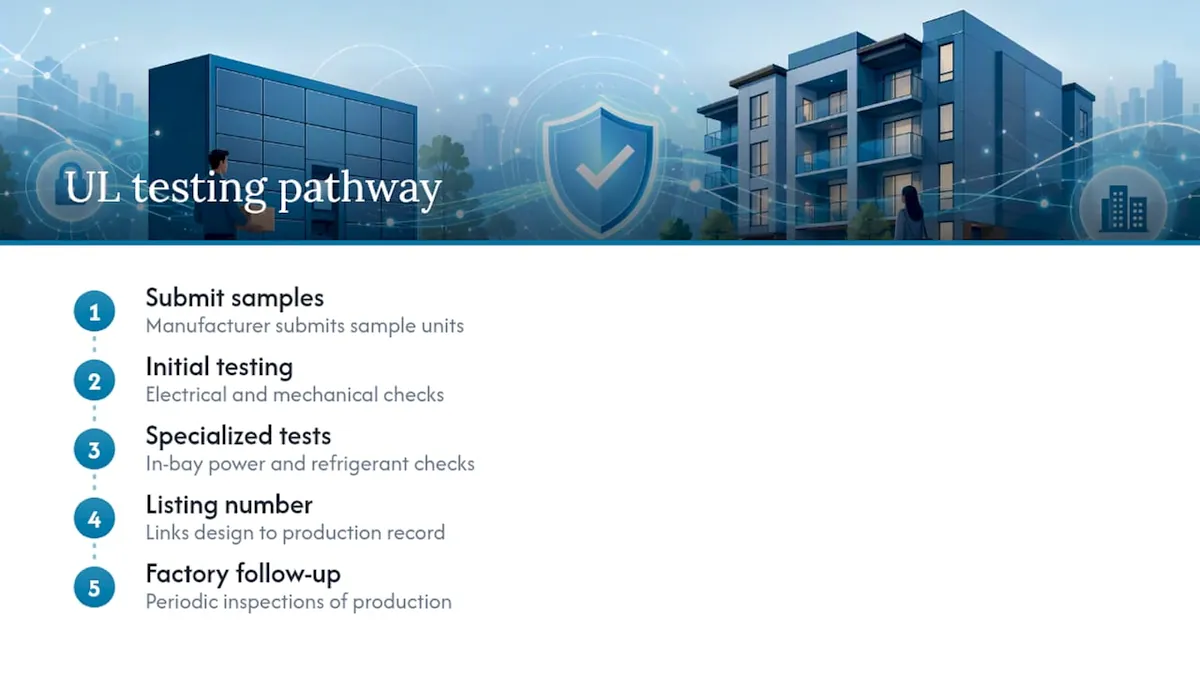
The listing process isn’t a single event. Manufacturers submit samples for initial testing, but the ongoing part of the relationship is factory follow-up, where UL representatives periodically inspect production facilities to confirm the units coming off the line still match what was originally tested and approved. That’s why a listing number matters more than a logo on a spec sheet: the number ties back to a specific, continuously monitored production record, while a logo alone proves nothing about which configuration was actually tested.
What UL Listing Categories Apply to Smart Lockers?
Smart lockers typically fall under general safety categories covering electrical equipment and enclosures rather than one dedicated “smart locker” standard, since UL organizes its work around component and hazard types instead of finished-product names.
The two categories that matter most for a property manager reviewing a vendor’s paperwork are electrical hazard testing, which covers shock and fire risk from wiring, power supplies, and connected components, and enclosure and mechanical safety testing, which covers whether the cabinet construction adequately contains those hazards and withstands normal use without failure. Refrigerated units pull in an additional layer tied to refrigerant-handling equipment, and outdoor kiosks get evaluated for weatherproofing and IP ratings relevant to their intended exposure.
None of these categories address fire alarm integration directly. If a locker bank sits near an egress corridor or connects to a building’s fire detection system, that’s a separate NFPA and local fire code question, not something the UL listing on the locker itself resolves. Treat the listing as confirmation the equipment won’t start a fire or shock a user under normal operation, and treat everything about how it interacts with your building’s broader fire and life-safety systems as a distinct review.
How Do UL Standard Updates Affect Smart Locker Compliance?
UL periodically revises its standards as technology changes, and connected, IoT-enabled hardware like smart lockers is one of the categories most likely to see updated test criteria as power delivery, wireless connectivity, and battery backup components evolve. A listing issued several years ago under an older standard revision doesn’t automatically become invalid, but it also doesn’t automatically reflect the newest safety criteria for emerging features like higher-wattage charging bays.
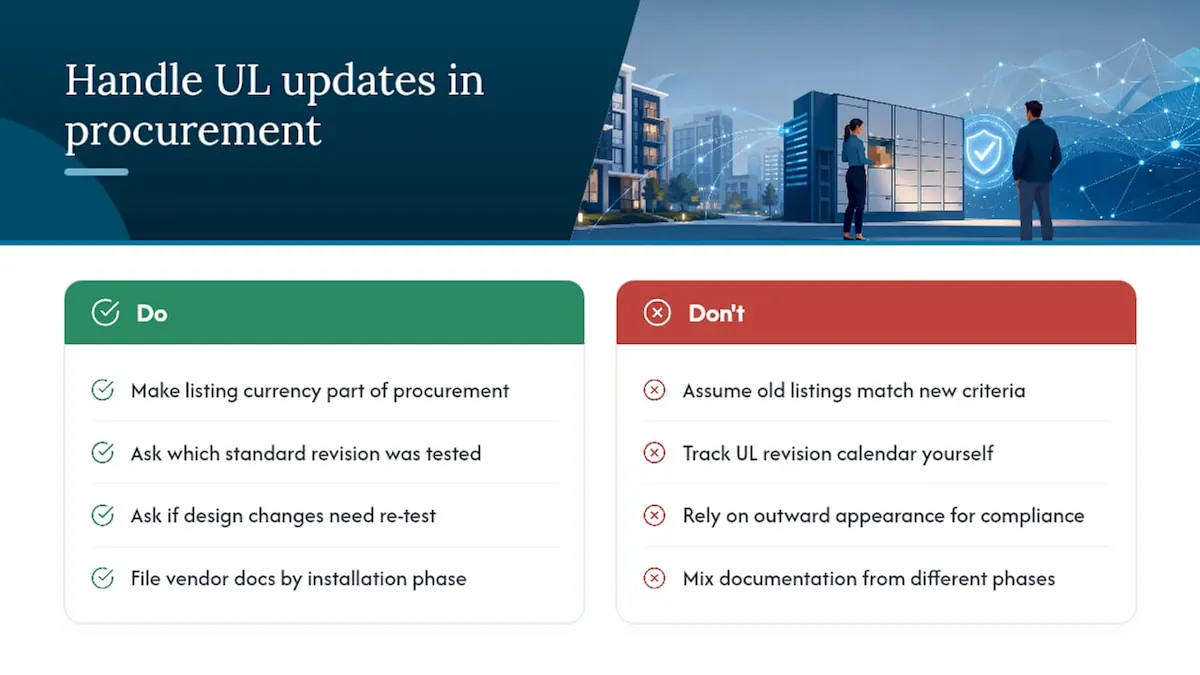
The practical move for a property manager isn’t to track UL’s standard revision calendar yourself. It’s to make listing currency part of every new procurement conversation. Ask the vendor which standard revision the current listing was tested against, and ask whether any recent design changes, a new power supply, added charging capacity, a new enclosure material, required a re-test or an updated listing file.
This matters most when you’re expanding an existing locker deployment. A bank installed three years ago and a new bank ordered today might carry listings tested against different standard revisions, even if they look identical on the outside. Keep vendor documentation dated and filed by installation phase, so if a question comes up during a future inspection or insurance review, you can show exactly which standard version covered which equipment.
Our Take: Compliance Paperwork Beats Compliance Assumptions
The biggest mistake we see property teams make isn’t skipping UL entirely. It’s treating a listing like a finish line instead of the start of a documentation trail. A vendor who hands you a spec sheet with a UL logo and nothing else hasn’t given you what an inspector, an insurer, or an ADA review actually needs.
Conventional advice treats “UL listed” as a checkbox. It should be treated as a request: for the file number, the test scope, the factory inspection record, and the electrical submittal that turns a certificate into something your local AHJ can actually approve. Most compliance headaches on locker installations trace back to that missing paperwork, not to bad equipment.
Prioritize the document trail first, before you even compare feature lists between vendors. A property manager who insists on the full submittal package, electrical documentation included, upfront will move through permitting faster than one who assumes a UL sticker settles every question. That habit protects your timeline more than any single feature a locker vendor can pitch you.
Ready to Specify a UL-Compliant Locker System?
The company offers assistance to property teams by coordinating paperwork and installation timelines together. They support requesting UL listing files, reviewing electrical submittals against site power setups, and confirming ADA compartment requirements before shipment.
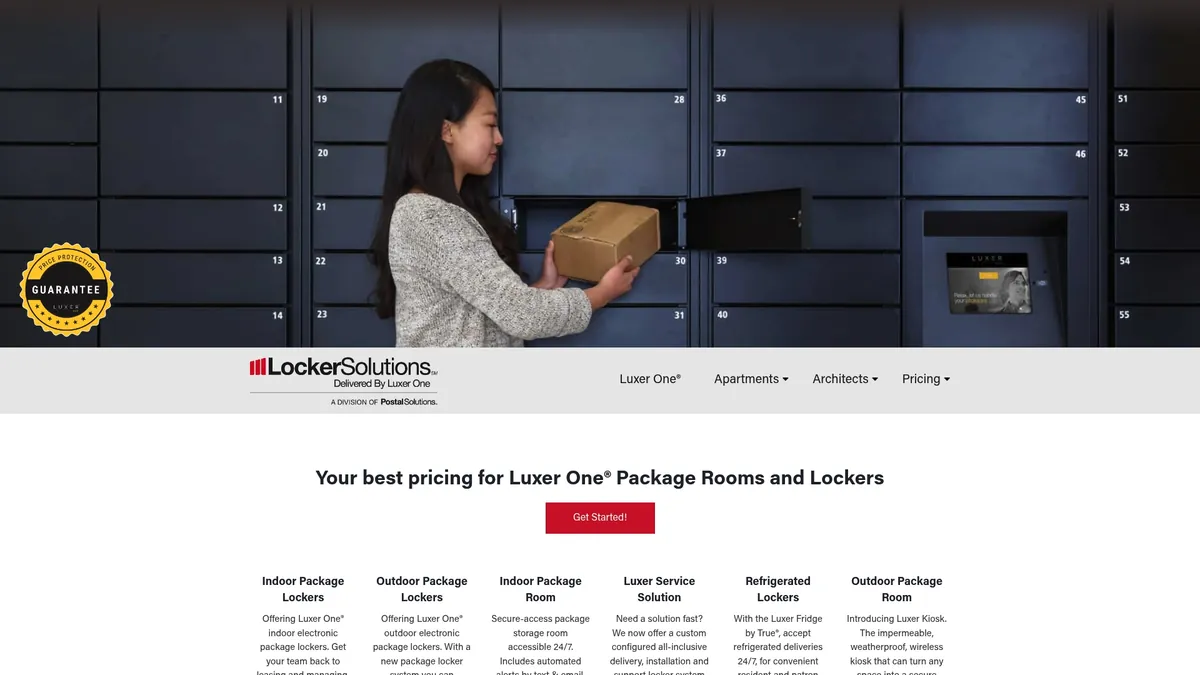
Whether you need indoor units for a leasing office, a weatherproof outdoor kiosk, or refrigerated lockers for grocery and meal-kit deliveries, the specification process starts the same way: a site survey and a documentation review. Visit the Luxer One lockers product page to request a quote and start that survey today.
Sources
- ADA: Law and regs, design standards
- NFPA, National Fire Protection Association
FAQ
Which Companies Offer Smart Lockers?
Several manufacturers serve the U.S. multifamily and commercial markets with UL-listed electronic locker hardware, ranging from indoor package lockers to refrigerated and outdoor kiosk models. We provide Luxer One® systems specifically, covering indoor, outdoor, and refrigerated configurations along with unified access control for residential properties.
Are USPS Smart Lockers Free?
USPS-managed parcel lockers, where they exist, are typically provided as part of a building’s mail infrastructure and aren’t billed directly to residents for basic pickup. Privately deployed smart lockers, like the systems multifamily properties install for all-carrier package acceptance, are purchased or leased by the property owner rather than the postal service.
Who Are the Manufacturers of Smart Lockers?
Smart locker manufacturers range from large logistics-equipment companies to specialized locker makers, each producing hardware that combines electronic locks, sensors, and cloud-based management software. Smart lockers generally include in-bay power for charging, and manufacturers vary in whether they build for offices, education, healthcare, or multifamily residential use.
Which Digital Locker Brand Is the Best?
The right choice depends on your property’s size, climate, and whether you need refrigerated or outdoor-rated units, not a single universal answer. We work exclusively with Luxer One® systems and can help you compare indoor, outdoor, and refrigerated configurations against your specific site requirements and UL documentation needs.
Does a UL Listing Cover ADA Compliance for Smart Lockers?
No. A UL listing addresses electrical and mechanical safety only, not accessibility. ADA compartment reach and clearance requirements are a separate check, governed by the ADA design standards, and vendors should provide separate documentation proving compliance.
Recommended
Ready for a Luxer One® package locker quote?
Tell us your unit count and we'll send right-sized pricing with a fast response time.
Get my free quote