September 18, 2026
Courier Locker Ops: Nearly Halved Delivery Time for Property Managers
Property managers' playbook: issue scoped courier credentials, train drivers, secure access control, and track KPIs to shrink delivery time.
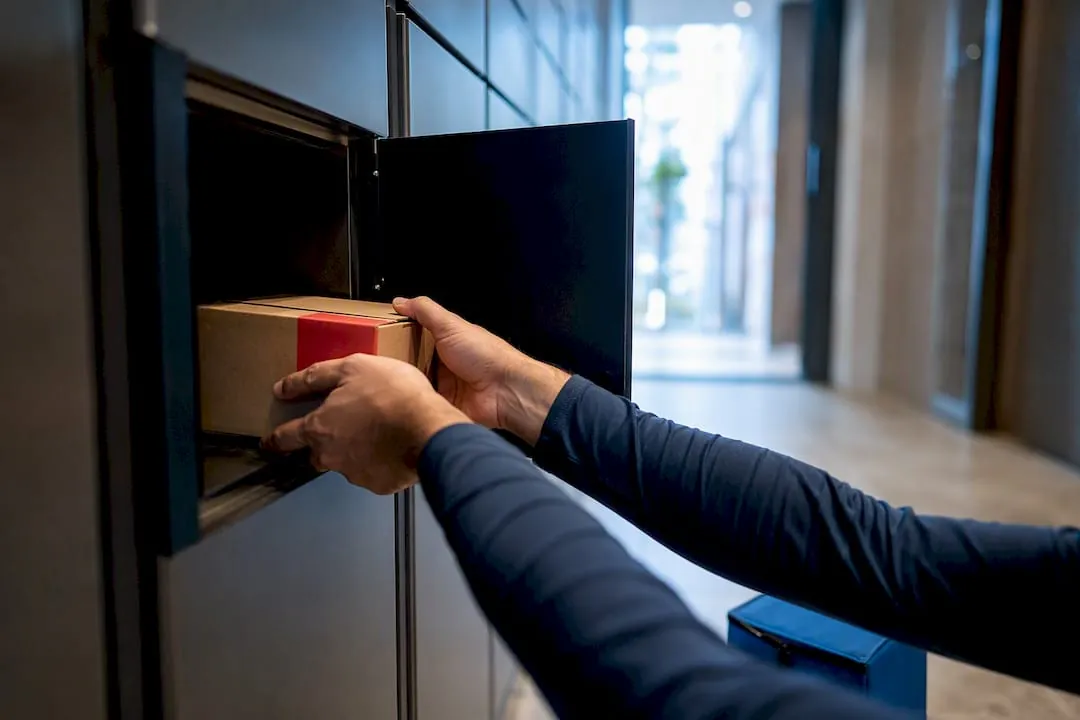
Yes, properly onboarded courier lockers work, and they work fast. A trained driver can drop a package in 10 to 15 seconds once credentials are set up correctly, and field research confirms the operational payoff: faster drop-offs, fewer failed deliveries, and tighter route consolidation. The rest of this guide walks through how to build that system, from credential design to the KPIs that prove it worked.
TL;DR:
- Proper onboarding of courier lockers can reduce delivery time per stop by nearly half and cut dwell time by about a third, significantly increasing route efficiency.
- Credential issuance should include time-limited, property-specific access via PIN, QR code, or app, with clear fallback procedures for full or oversized lockers to prevent delays.
- Training must involve a short, in-person demonstration with visual aids and scheduled shadowing to ensure driver adoption and minimize habit reverting.
- Integrating lockers with real-time access control, notifications, and property systems requires role-based permissions, scoped credentials, and rigorous testing to avoid security breaches.
- Starting with an onsite site survey, early stakeholder engagement, and clear KPI tracking from the outset are essential for a successful, scalable locker implementation.
Table of Contents
- What Does Courier Onboarding for Lockers Actually Change?
- How Do You Onboard a Courier for Locker Access?
- How Do You Get Carriers to Actually Use the Lockers?
- What Access Control and Integration Setup Do You Need?
- What’s Involved in Deploying Courier Lockers Onsite?
- How Do You Measure Whether the Locker Rollout Worked?
- How We Support Your Onboarding Rollout
- What Property Teams Consistently Get Wrong on Their First Rollout
- Ready to Start a Courier Onboarding Pilot?
- Sources
- FAQ
What Does Courier Onboarding for Lockers Actually Change?
The biggest myth in last-mile operations is that lockers are just a convenience feature for residents. They are also a direct lever on driver time, and the data backs that up in ways most operations managers underestimate.
A peer-reviewed field study published in Transportation Research Part E found that installing parcel lockers cut average in-building delivery time significantly and reduced vehicle dwell time at the curb substantially. Resident satisfaction in that same sample was high. Those numbers matter because dwell time, not driving time, is often the hidden cost eating into route density. Every extra minute a driver spends buzzing units, waiting on an elevator, or knocking on doors is a minute that does not get spent on the next twelve stops.
Route consolidation is the second lever. Multi-drop routes through a single building, where a driver might previously make five or six separate stops across different floors, collapse into one locker-bank interaction. Instead of five interactions worth of buzzer codes, waiting, and knock-and-hope deliveries, the driver walks in once, scans a batch of packages into open compartments, and leaves. That shift alone is why many operations teams see locker sites outperform non-locker sites on stops-per-hour, even before counting the reduction in failed deliveries.
Failed deliveries drop for a simple reason: a locked, secure compartment removes the two biggest failure triggers, no one home and no safe place to leave the package. That has a knock-on effect on claims and reshipment costs, which rarely show up in delivery-time metrics but hit the bottom line just as hard.
Here’s the before-and-after most sites report once lockers replace direct-to-door drops:
- Before: Driver calls or buzzes each recipient, waits for access, sometimes leaves a package at risk of theft or damage.
- After: Driver scans packages into pre-assigned compartments in one visit, no resident contact required.
- Before: Oversized items get returned to the depot when no one answers.
- After: An oversized locker compartment absorbs bulky items on the first attempt.
- Before: Route density suffers because multi-unit stops eat disproportionate time.
- After: One locker-bank stop replaces what used to be several separate delivery attempts.
Field data snapshot: the same study found dwell time cut by roughly a third and delivery time nearly halved, with satisfaction scores that suggest residents notice the difference too, not just the courier’s dispatcher.
How Do You Onboard a Courier for Locker Access?
Onboarding a courier is not a one-time badge swipe. It is a short sequence of credential issuance, physical interaction training, and logging setup, and getting each step right is what separates a smooth locker rollout from one where drivers quietly go back to leaving packages on doormats.
- Issue scoped credentials. Every carrier gets a carrier ID tied to a specific property or route, paired with either a rotating PIN, a QR code, or a mobile app credential. Time-limit the access window to the courier’s typical delivery hours so a lost or shared credential does not leave a standing security gap.
- Walk through the physical interaction. At the locker bank, the driver selects the recipient (often by scanning the package label), the system assigns an open compartment sized to the item, and the driver places the package and closes the door. Vendor workflow guides from providers like Quadient describe this same select, size, deposit sequence as the industry standard, and when the credential and locker software are configured correctly, that whole exchange takes 10 to 15 seconds.
- Confirm the automatic log. The system timestamps the drop, and many setups support optional photo capture as proof of delivery. That photo becomes the difference between a five-minute phone call and an instant resolution when a resident later disputes receiving a package.
- Trigger the notification. The recipient gets a PIN, QR code, or app alert the moment the compartment locks, closing the loop without the driver needing to make contact.
- Set the oversize and full-locker fallback. If the package does not fit a standard compartment, the driver routes it to a designated oversized unit. If every compartment, including oversized, is full, the workflow should escalate to a direct-delivery attempt or a secure staging area rather than leaving the driver stranded with no protocol.
Pro Tip: Build the fallback path into initial training, not as an afterthought. Drivers who hit a full locker bank without a clear next step tend to abandon the locker entirely for that stop and revert to old habits, which undoes the time savings you’re trying to capture.
Signature capture is optional in most locker deployments, since the compartment lock itself functions as proof of secure drop-off, but some enterprise clients still require it for high-value shipments. Decide that policy before go-live rather than mid-rollout, because inconsistent rules across carriers create confusion at the locker face.
The oversized compartment deserves its own line item here because it is the single most common onboarding gap. Vendor and implementer guidance consistently points to a meaningful share of packages not fitting standard-size compartments, which is why every locker bank needs at least one oversized unit built into the initial configuration rather than added after the first complaint.
How Do You Get Carriers to Actually Use the Lockers?
Training is where most locker rollouts quietly fail. The hardware works fine; the problem is that a new driver on an unfamiliar route defaults to whatever is fastest in the moment, and if the locker workflow feels unfamiliar, that default is knocking on the leasing office door instead.
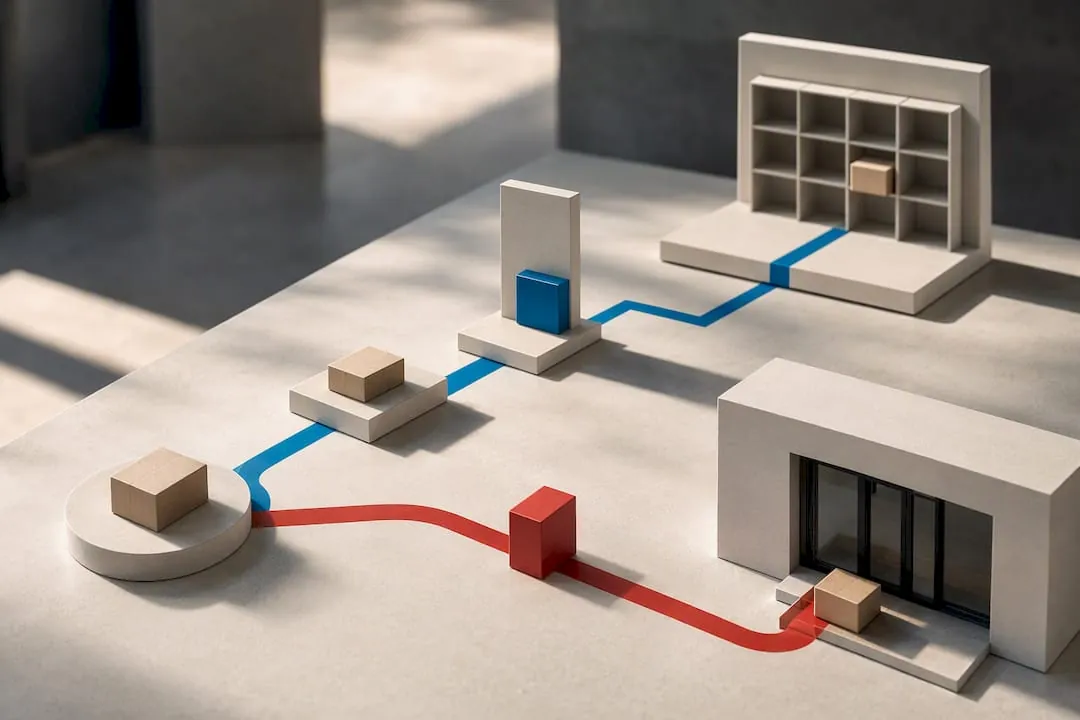
A train-the-trainer model solves this more reliably than a one-time onboarding email. Designate one or two staff members, either property team members or a site contact from the carrier’s own dispatch, who can walk a new driver through the locker in under two minutes on their first visit. That first live demonstration, done in person at the actual locker bank, does more for adoption than any printed manual.
Physical reference materials matter more than most teams expect:
- A locker-mounted sticker with the three-step process (select, size, deposit) visible at eye level.
- A laminated one-page quick guide taped inside the delivery vestibule for drivers who miss the initial training.
- A flyer left with the property manager to hand to substitute or seasonal drivers who were not part of the original onboarding.
Pro Tip: Durable, visible signage outperforms digital onboarding for driver populations with high turnover. Seasonal and gig-economy drivers rarely read an emailed PDF before their first stop, but they will glance at a sticker on the locker itself.
Schedule a short shadowing period for the first week after go-live, where a trainer or property staff member is available to answer questions in real time. Follow that with a credential walkthrough at the 30-day mark to catch drivers who never got proper onboarding, which happens often with rotating carrier staff and third-party delivery contractors.
Enforce a few operational rules from day one: drivers select the correctly sized compartment rather than forcing oversized items into standard slots, they report locker errors through the designated channel instead of skipping the locker for that delivery, and they follow the oversize escalation path rather than improvising. Consistency here is what keeps failed-delivery rates down after the initial pilot excitement fades.
What Access Control and Integration Setup Do You Need?
Locker hardware is only half the system. The access control layer, the part that decides who gets in, for how long, and what gets logged, is where enterprise deployments either scale cleanly or turn into a security liability.
Most locker deployments integrate with three categories of systems: resident or recipient notification platforms, property management systems for unit and tenant data, and carrier or 3PL systems for delivery scheduling and driver credentials. These integrations typically run through APIs that push notifications, sync occupancy data, and validate carrier identity in real time rather than relying on a static access list that goes stale the moment a driver changes routes.
Role and permission design matters as much as the API connections themselves. Enterprise role-based access control models, the kind described in carrier platform documentation, scope each account to only the actions it needs. A delivery driver’s credential should authorize compartment access and drop-off logging, nothing more. A property manager’s credential should authorize configuration and reporting, not carrier-level drop-off actions. Blurring those lines is how a single compromised credential turns into a building-wide access problem.
Least-privilege token design is the difference between a courier integration that fails safely and one that fails catastrophically. When a driver credential is scoped only to time-limited, delivery-only actions, a lost phone or a departed employee is a minor incident. When that same credential can touch resident data or configuration settings, it is a breach.
JWT-based authentication patterns illustrate this in practice: tokens generated for integration flows should carry the narrowest scope that still lets the workflow function, and they should expire on a schedule that matches the actual delivery window rather than staying valid indefinitely.
Credential lifecycle management needs four stages built in from the start:
- Issue credentials tied to a specific carrier ID and property, not a shared generic login.
- Time-limit the access window to match actual delivery hours or route assignments.
- Revoke immediately when a driver leaves a route, a contract ends, or a device is reported lost.
- Log every access event with a timestamp, so disputes and audits have a clean trail.
For sites juggling multiple carrier types, national parcel services, regional couriers, and gig-economy 3PL drivers from marketplace platforms, this scoped approach is what keeps the system auditable. Each carrier type gets its own credential class, and IT teams can pull a permission report by carrier without wading through a single undifferentiated access log.
What’s Involved in Deploying Courier Lockers Onsite?
Deployment planning starts weeks before a single locker touches a wall, and skipping the site survey is the most common reason installs run over budget or over schedule.
- Run the site survey. Confirm available power and network connectivity at the proposed locker location, check ADA and accessibility clearance around the unit, and measure for at least one oversized compartment alongside standard sizes.
- Choose indoor versus outdoor placement. Indoor lobbies suit properties with controlled foot traffic; outdoor kiosks fit properties where carriers need after-hours or weatherproof access without entering the building.
- Loop in stakeholders early. Operations needs to sign off on workflow changes, IT needs to approve network and API integration points, property management needs to confirm placement and resident communication, and your carrier contacts need advance notice of the new credential process.
- Confirm the vendor installer timeline. Ask directly how many weeks between contract signing and functional go-live, and whether that estimate includes network configuration or just physical hardware placement.
- Set pilot milestones. A typical rollout moves from installation to a two-to-four-week carrier onboarding window, followed by a 30-day review where you compare delivery time, failed-delivery rate, and driver adoption against your pre-locker baseline.
- Budget by category, not as one lump sum. Separate hardware and installation costs, ongoing software or access-control licensing, and any optional on-site package management service if staff bandwidth is limited.
- Ask vendors pointed questions. Does the quote include oversized compartments as standard, or as an add-on? What is the actual installation timeline in weeks, not a vague estimate? Is training material included, or is it a separate line item?
Success at the end of a pilot looks specific, not vague. If any of those three are missing at the 30-day mark, that is your signal to revisit training or compartment sizing before scaling to additional sites.
How Do You Measure Whether the Locker Rollout Worked?
Pick the right KPIs before go-live, not after, because retrofitting measurement onto a rollout that is already three months old means you have no clean baseline to compare against.
Five metrics matter most for courier onboarding specifically:
| KPI | What it captures | Why it matters for lockers |
|---|---|---|
| Delivery time per stop | Minutes from arrival to departure at the site | Direct measure of the interaction speed lockers are meant to improve, ideally tracked with specialized construction management software that helps optimize last-mile deliveries and staging on active job sites. |
| Vehicle dwell time | Total curb or parking time per delivery visit | Captures the dwell-time reduction lockers are documented to produce |
| Failed-delivery rate | Percentage of attempted deliveries not completed | Should drop sharply once no-one-home failures are removed |
| Locker utilization | Percentage of compartments in active use | Flags undersized deployments before backlog becomes a complaint |
| Pickup lag | Time between drop-off and resident pickup | Signals whether notification and locker size are working together |
Design your before-and-after comparison over a defined window, ideally four to eight weeks pre-locker and the same length post-locker, using the same route and driver pool where possible to avoid confounding variables like seasonal volume swings. The field study behind the dwell-time findings captured vehicle GPS dwell data and locker-open timestamps as its core evidence, which is a reasonable template for a smaller-scale internal pilot: instrument the locker’s own timestamp logs and cross-reference against driver GPS or route software you already use.
What the evidence shows: the same peer-reviewed study found delivery time nearly halved and dwell time down about a third after locker installation, a scale of improvement worth replicating in your own before-and-after tracking rather than taking on faith.
Translating time savings into cost reductions is straightforward once you have the dwell-time delta: multiply minutes saved per stop by stops per day, then by your fully loaded driver-hour cost. A modest few-minute reduction per stop, compounded across a multi-stop route and a full week of deliveries, adds up to real capacity, either more stops per shift or the same stops finished earlier.
How We Support Your Onboarding Rollout
Building this system from scratch, hardware, credentialing, training materials, and access control, is a heavier lift than most property and operations teams want to take on alone. We work as a national Luxer One® partner, supplying the physical and software layers this guide has walked through.
The product lineup covers the sizing gap discussed earlier: indoor lockers, outdoor kiosks, and refrigerated compartments for perishable deliveries, all configurable with oversized units built into the initial layout rather than bolted on later. Unified access control ties courier credentials, resident access, and property staff permissions into one system instead of three disconnected logins.
On the support side, The vendor’s team handles physical setup through white-glove installation instead of leaving property staff to figure out mounting and network configuration. Training assets, including driver-facing quick guides, are typically included as part of a rollout package.
Specifics worth confirming directly with our team before signing:
- Installation timeline for your specific site configuration and locker count.
- Whether refrigerated or oversized compartments are included in the base quote or priced separately.
- What ongoing maintenance and support looks like after the first 90 days.
- Availability of on-site package management if your team lacks bandwidth for daily locker oversight.
If your property is weighing a pilot, requesting a site visit is the fastest way to get sizing and placement questions answered against your actual floor plan rather than a generic layout.
What Property Teams Consistently Get Wrong on Their First Rollout
Locker sizing is the mistake nobody catches until week three. Teams order a bank of standard compartments, skip the oversized unit to save on the quote, and then watch drivers abandon the locker entirely for anything larger than a shoebox. Add at least one oversized compartment at initial installation, not as a change order later.
Carrier refresh cadence is the second underestimate. Delivery workforces turn over constantly, especially gig and seasonal drivers, and a training program that only covers the initial rollout leaves every new driver improvising. Run driver shadowing in the first week and repeat a lighter version of it every 30 days.
Integration testing gets rushed more often than any other phase. Teams test the locker hardware thoroughly and treat the API connections, notifications, PMS sync, carrier credentialing, as an afterthought that “should just work.” Monitor open-locker counts and failed-notification logs closely in the first two weeks; that data surfaces integration gaps faster than any manual audit.
If you are choosing between building this in-house or working with a turnkey partner, the operational complexity here, credentialing, training, access control, and multi-carrier support, is exactly the kind of thing worth pressure-testing with a pilot rather than a full-property rollout on the first try.
Ready to Start a Courier Onboarding Pilot?
You now know what a well-run locker rollout requires: scoped credentials, trained drivers, oversized compartments, and clean KPI tracking from day one. What most property teams lack is not the plan, it’s the hardware, install crew, and training materials to execute it without pulling staff off their regular workload for six weeks.
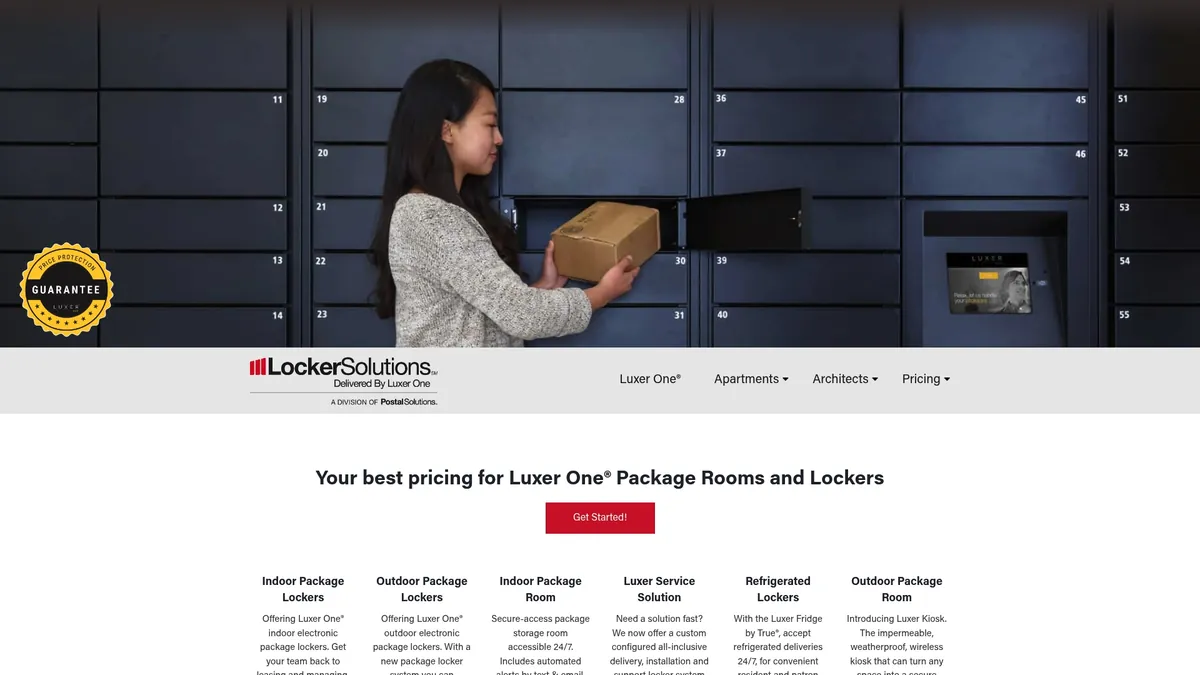
We supply all three as one package: indoor lockers, outdoor kiosks, refrigerated units, and smart package rooms, white-glove installation that handles the physical and network setup your IT team would otherwise own, and driver-facing training assets ready for day one instead of built from scratch. A pilot typically moves from site survey to functional go-live in 4-6 weeks, with deliverables that include your locker configuration, courier credential setup, and the quick-reference materials your trainers hand to drivers on their first visit. If your property is still running direct-to-door delivery and watching failed attempts pile up, request a quote or site visit through our product overview and get sizing and timeline answers specific to your building.
Sources
- Do parcel lockers reduce delivery times? Evidence from the field
- Do parcel lockers reduce delivery times? Evidence from the field (Urban Freight Lab PDF)
- Courier Enterprise roles & permissions (documentation)
FAQ
How Do Courier Lockers Work?
A courier scans or selects the package recipient at the locker terminal, the system assigns a compartment sized to the item, and the driver places the package and locks it. The recipient then gets a PIN, QR code, or app notification to retrieve it, and the whole driver-side interaction typically takes 10 to 15 seconds once a carrier is properly onboarded.
How Do I Find a Locker for My Package?
Check the delivery notification you received, since most carriers send a PIN, QR code, or app alert with the specific locker location and compartment number. If the notification does not specify a location, contact the carrier directly or check with your building’s property office, since locker banks are usually installed in a lobby or designated delivery area.
Why Does My Package Say Delivered to a Locker?
Carriers use lockers as a secure alternative to leaving a package at your door, especially in multifamily buildings where no-one-home deliveries are common. Once a driver scans your package into a compartment, tracking updates to “delivered” because the item is now secured and accessible only with your PIN or code.
Can Couriers Use Any Parcel Locker System?
Couriers need scoped credentials for a given locker system, so access is not automatic across every locker brand or property. That is why onboarding, issuing a carrier ID with a time-limited PIN or QR credential, matters: it is what turns a generic locker bank into a system a specific carrier can actually use.
What Does It Cost for Courier Onboarding Setup?
Costs for hardware, installation, and access control depend on property size and configuration, so current pricing information is available directly through our team rather than a fixed published rate. Requesting a quote gets you numbers specific to your locker count and whether refrigerated or oversized units are included.
Recommended
Ready for a Luxer One® package locker quote?
Tell us your unit count and we'll send right-sized pricing with a fast response time.
Get my free quote