September 12, 2026
Require These 3 Failovers for Multifamily Locker Offline Access
Checklist for multifamily teams: require three failovers and on-site acceptance tests to ensure locker offline access works during outages.
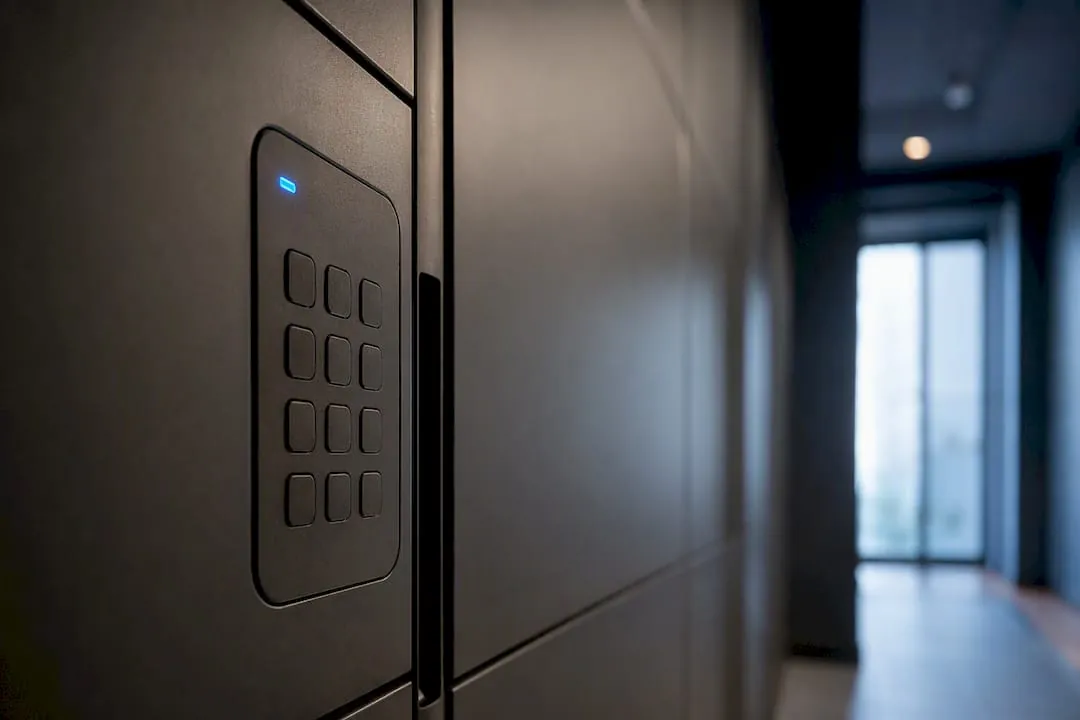
Locker offline access refers to the local, on-device mechanisms that let a package locker open without a live connection to the cloud or carrier network. The short version: any system you buy needs three failovers working together. Cached local authentication (PIN, RFID, or Bluetooth), a battery or UPS that bridges the outage, and a documented mechanical or admin override for when both of those fail too.
TL;DR:
- Proper offline locker systems must support at least three failover mechanisms: local authentication, battery backup, and mechanical override.
- Vendors should provide clear documentation on supported offline credentials, battery capacity, and override procedures during procurement.
- Conducting and documenting offline scenario tests, including power failures and sync behavior, is essential before system handover.
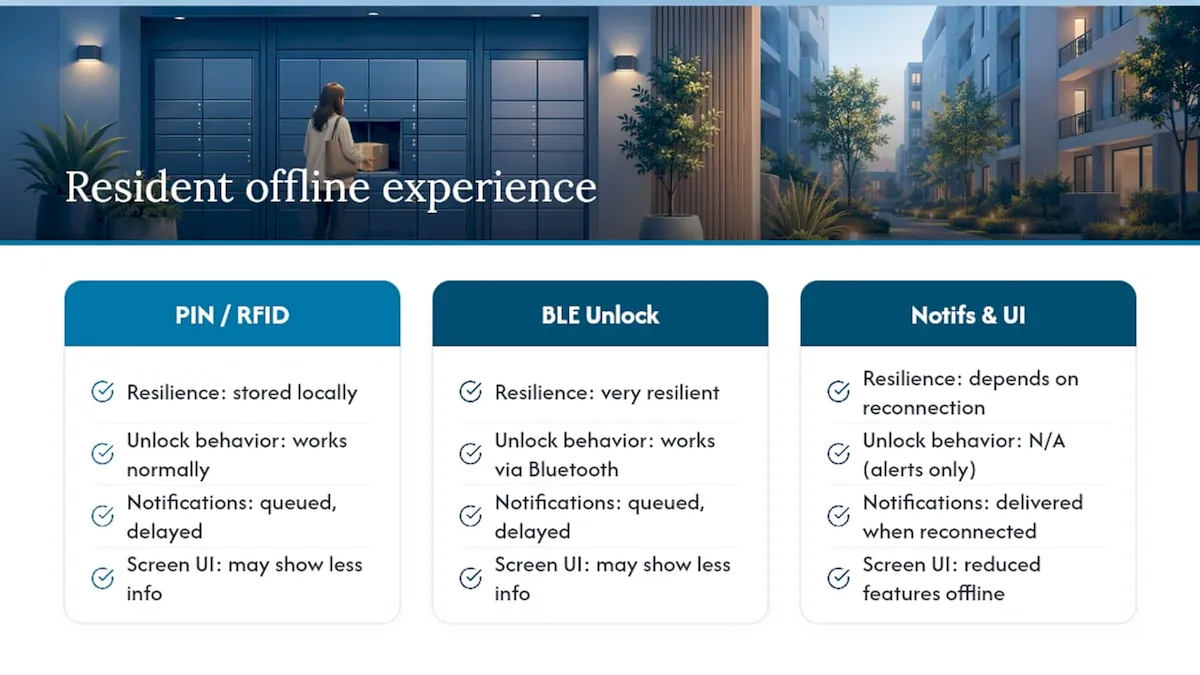
- Residents experience delays in notifications during outages, but core functions like PIN and RFID unlock usually remain operational on local caches.
- Regular offline testing and a documented maintenance plan prevent failures during power or network outages and improve overall resilience.
Table of Contents
- Primary Locker Offline Access Methods and How They Work
- Procurement Checklist: What to Require From a Locker Vendor
- Operations During an Offline Event: What Staff Should Actually Do
- How We Build and Validate Offline Resilience
- What Offline Mode Feels Like for Residents (and Where It Falls Short)
- Balancing Redundancy, Cost, and Resident Experience
- Specify a Locker System Built for Outages, Not Just Sunny Days
- Sources
- FAQ
Primary Locker Offline Access Methods and How They Work
Offline capability isn’t one feature. It’s a stack of fallbacks, and each one covers a different failure mode.
Local authentication is the first line of defense. Modern smart lockers store an on-device cache of valid credentials, PIN codes, RFID/NFC tags, or Bluetooth pairing keys, so a resident can still open their compartment when the network drops. That cache has real limits, though: most controllers hold a finite number of credentials and refresh them on a schedule, so a unit offline for days rather than hours may start rejecting newly issued codes it never received. Smart lockers built with onboard processors and local locks are designed around exactly this problem, running PIN, RFID, and QR access locally instead of routing every request through a server.
Battery backup and UPS runtime cover power loss specifically, which is a different failure than a dropped internet connection. Three factors determine whether a unit stays functional during a power failure: local authentication, battery backup, and how well the system syncs and reconciles once connectivity returns. Industry guidance points to LiFePO4 battery packs, hot-swap battery modules for high-traffic sites, and external 12V/24V ports that let a technician plug in a portable power source during extended outages.
Mechanical overrides and admin consoles are the last resort. Every installation should have a documented master key procedure and an on-site admin console that operates independent of the cloud, so staff can force open a stuck compartment during a resident emergency.
- Local auth: cached PINs, RFID/NFC, BLE direct unlock
- Power: battery/UPS runtime, hot-swap packs, external power ports
- Manual: master keys, on-site admin console, staged technician access
Mixed-hardware estates add a wrinkle. When a property runs lockers from more than one vendor, relying on individual vendor portals often falls short; a controller-level integration layer that treats “offline” as a normal, recoverable state rather than an error prevents a lot of dead-end troubleshooting.
Pro Tip: Ask your vendor whether BLE unlock works when a resident’s phone has zero cell bars but Bluetooth is on. Some systems require a data ping to authorize even a local unlock, which defeats the purpose.
Procurement Checklist: What to Require From a Locker Vendor
Before you sign anything, get specific answers on paper. A vendor who can’t answer these clearly during an RFP won’t handle a real outage any better.
- Authentication types supported offline. Ask exactly which methods work with zero connectivity, PIN, RFID, BLE, and how many credentials the controller caches locally before it needs a refresh.
- Battery and UPS specifications. Get the chemistry (LiFePO4 is now standard for a reason), the rated runtime under typical load, and how often the system runs automatic UPS self-tests.
- Mechanical override and key custody. Who holds the master keys, how many exist, and what’s the audit trail when one gets used?
- Sync and reconciliation behavior. Confirm that offline opens get queued and logged locally, then reconcile automatically once the connection returns without creating duplicate notifications or losing events.
- Service commitments. Pin down the emergency unlock response time, the scheduled UPS testing cadence, and whether the vendor will run an on-site offline-acceptance test before handover.
Put the answers into the contract itself, not just the sales conversation. Specify the acceptance test, the battery maintenance schedule, and remediation terms if the property experiences repeated offline failures within a warranty period. If your property runs Bluetooth or RFID access alongside the locker system, confirm both platforms cache credentials the same way, or you’ll end up with residents who can unlock the building but not their package.
Pro Tip: Request the offline-acceptance test in writing as a condition of final payment, not a courtesy. Vendors move faster when the check clears on it.
Operations During an Offline Event: What Staff Should Actually Do
When a locker bank goes dark, the first ten minutes set the tone for how residents experience the rest of the outage.
Leasing staff should have a pre-written resident notification ready to post at the locker bank and push through the property app: what’s happening, what residents can still do (many systems still allow local PIN or BLE unlock even offline), and a rough timeline. Maintenance should follow a staged access workflow: check the UPS status light first, confirm whether the unit is on battery power or fully down, and only pull the mechanical override if the admin console itself is unreachable.
Acceptance testing at handover matters more than most property teams realize. A proper test simulates carrier and cell loss, cuts main power to check the failover to battery, and confirms that opens performed offline actually get queued instead of silently dropped. One factor worth building into your test plan: battery runtime needs scale with foot traffic, so a 300-unit property with heavy delivery volume needs a longer bridging window than a boutique 40-unit building running the identical hardware.
After service restores, someone needs to own reconciliation: sync the offline event log, cross-check it against carrier delivery manifests, and flag any failed open attempts as maintenance tickets rather than letting them disappear into the log.
- Post resident notice immediately, with a realistic timeline
- Check UPS/battery status before reaching for the master key
- Reconcile logs and carrier manifests once connectivity returns
- File any failed-open events as maintenance tickets, not just log noise
Documenting backup power capacity and test results isn’t just good practice. It also gives your insurer and legal team something concrete if a liability question ever comes up around a delayed or failed package retrieval.
How We Build and Validate Offline Resilience
Offline readiness isn’t a spec sheet line item for us. It’s built into how systems get specified, installed, and handed off.
- Indoor and outdoor electronic package lockers and weatherproof kiosks specified with battery and UPS options sized to the property’s expected package volume, complemented by expert advice from the Fence & Gate Installation Cost Calculator Los Angeles for integrated access-control enhancements
- Unified access control integrations that keep locker authentication and building entry working from the same local credential set during an outage
- Ongoing maintenance support, including scheduled battery checks rather than a one-time install-and-forget approach
Some installations reflect this approach in practice: staff walk-throughs covering mechanical override procedures, and offline scenario testing built into the handover process rather than assumed. A typical install includes documented UPS maintenance intervals and an acceptance test that simulates a dropped connection before the property ever takes possession of the system, so problems surface during commissioning instead of during a resident’s first real outage.
What Offline Mode Feels Like for Residents (and Where It Falls Short)
Even a well-specified system changes the resident experience once it drops offline, and property teams should set expectations accordingly.
Local PIN and RFID unlock generally keep working without a hitch, since those credentials already live on the controller. Notifications are where things get shakier: a resident who gets a package delivered during an outage may not get the pickup alert until the system reconnects and processes the queued event, sometimes hours later. That delay isn’t a system failure. It’s a mechanism doing exactly what queued offline events are designed to do, but residents who don’t understand that will assume the locker lost their package.
Screen-based interfaces on some units may also run in a reduced mode offline, showing fewer real-time status details or disabling features like live video verification during pickup. BLE direct unlock tends to be the most resilient resident-facing method, since it doesn’t depend on a cellular signal at the phone, only Bluetooth range to the unit.
The practical fix isn’t a technical one. It’s clear signage and app messaging that tells residents the system is running on local backup and that notifications may lag, set before an outage happens, not scrambled together during one.
Balancing Redundancy, Cost, and Resident Experience
Offline capability is operational insurance, and like any insurance, the right amount depends on what you’re protecting. A 40-unit garden-style property with light delivery volume doesn’t need the same UPS runtime as a 400-unit high-rise where package volume peaks every afternoon. Spend more on battery capacity where traffic is heaviest; lean on mechanical and admin overrides as the backstop everywhere else. What I’d push back on is treating offline testing as a one-time box to check at install. Run it annually, document the results, and hand that documentation to your leasing team, not just your maintenance file.
Specify a Locker System Built for Outages, Not Just Sunny Days
Most vendors will sell you a locker. Fewer will hand you a documented battery maintenance schedule, a mechanical override plan with clear key custody, and an actual offline-acceptance test before you take possession. That gap is where properties get burned during their first real outage.
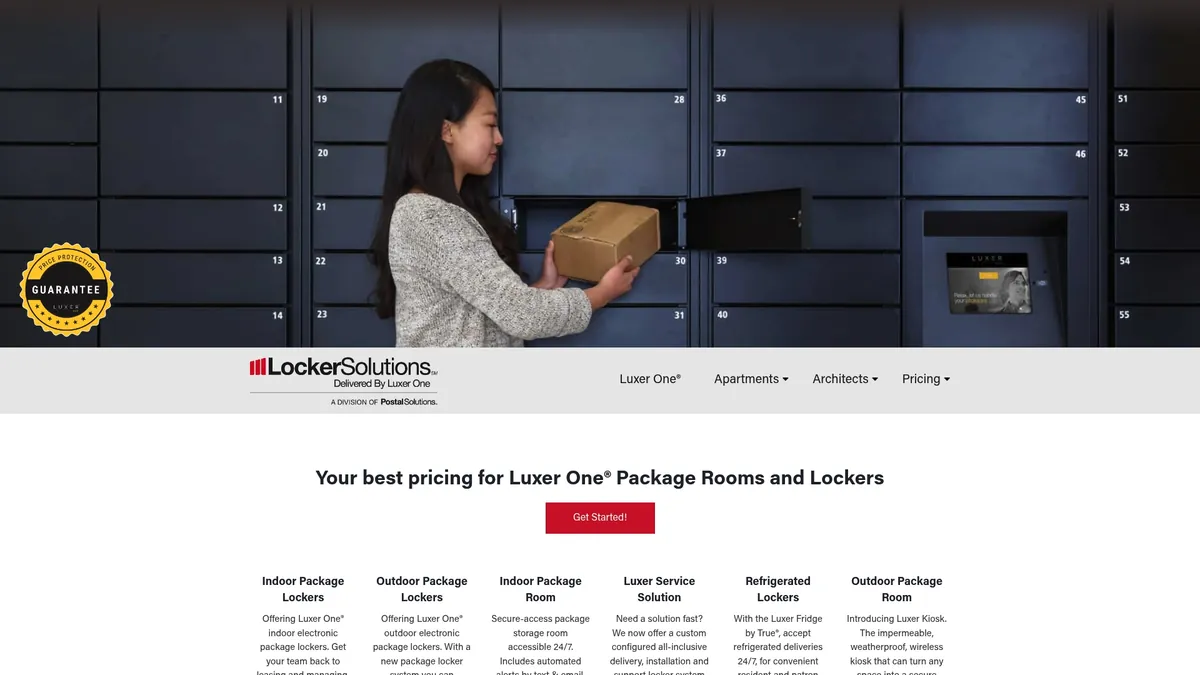
We supply and install indoor and outdoor package lockers, weatherproof kiosks, and refrigerated units sized with battery backup that matches your property’s traffic, not a generic default. Every install can include an on-site offline-acceptance test and a scheduled UPS maintenance plan, so your team knows exactly what happens during the next power blip before it happens. If your property also needs entry and locker access running on the same local credentials, the Luxer Access unified access control system is built to keep working when the network isn’t. For properties that want a fully staffed backup layer during outages or peak volume, the package room management service adds on-site staff coverage on top of the hardware. Request a site survey to get a battery-sizing recommendation and an offline-acceptance test scoped to your building.
Sources
For deeper technical context on battery sizing, credential caching, and offline sync behavior, see the sourced findings linked throughout this article from locker software and hardware specialists.
- Parcel Locker Software That Spots a Dead Door First
- Can Your Storage Locker Operate When the Internet is Down? How to Choose One That Works Offline
- Power failure backup lockers Netherlands 2026: emergency power Checklist - Dynamic Concepts - Locker Testers & Certificatie Nederland 2026
FAQ
What Does “Offline Access” Mean for a Package Locker?
It means the locker can authenticate a user and open a compartment using credentials and logic stored locally, without needing an active connection to the cloud or carrier network.
How Long Should a Locker’s Battery Backup Last During an Outage?
Runtime needs scale with traffic, but most guidance points to a minimum bridging window of several hours, with high-volume properties requiring longer runtimes or external power port options.
What Happens to Package Notifications During an Offline Event?
Notifications typically queue locally and send once connectivity restores, which can create a delay between delivery and resident alert, a normal part of how offline events reconcile, not a lost package.
Can Staff Still Open Lockers Manually if Both Power and Network Fail?
Yes, if the system includes a documented mechanical override with clear key custody procedures, which every installation should have as the final fallback behind local auth and battery power.
Do We Test Offline Scenarios Before Handover?
Yes, installations can include on-site offline-acceptance testing and staff walk-throughs covering mechanical overrides, along with a documented UPS maintenance schedule.
Recommended
Ready for a Luxer One® package locker quote?
Tell us your unit count and we'll send right-sized pricing with a fast response time.
Get my free quote