September 6, 2026
Deploy Carrier Ready After Hours Package Pickup for Property Managers
A deployment checklist for property managers to implement carrier‑ready after-hours package pickup with lockers or automated package rooms. Go live in 2–4...
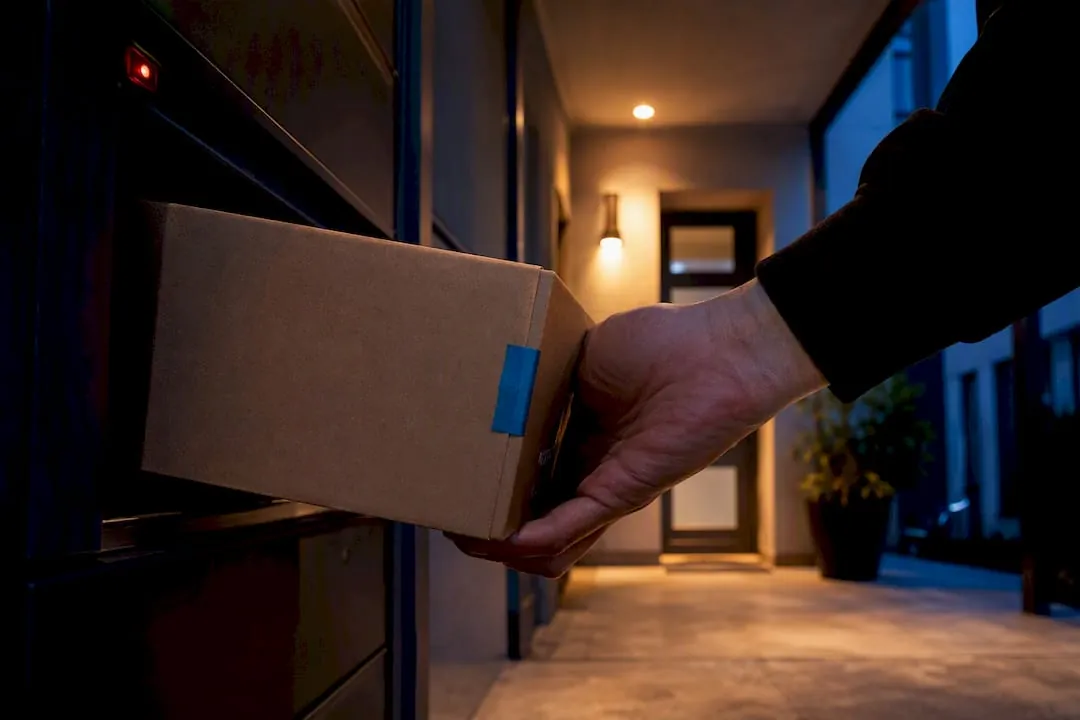
After-hours package pickup means on-site, carrier-integrated smart lockers or automated package rooms that let residents retrieve deliveries around the clock without staff on duty. The right move for most multifamily properties is a locker bank or automated package room with standardized carrier protocols and instant resident notifications, such as certain systems installed nationwide. Get that piece right and the after-hours pickup problem mostly solves itself.
TL;DR:
- Proper carrier onboarding and clear standard operating procedures are essential to prevent missed scans and ensure reliable resident notifications.
- Volume and property size determine whether fixed lockers suffice or if more flexible, AI-powered package rooms are necessary.
- Carrier compliance is the most common operational issue, so training drivers and issuing permanent credentials improve system reliability.
- A typical system deployment takes two to four weeks, with site selection, technical prep, and resident onboarding being critical phases.
- We offer systems with optional refrigerated compartments and managed services to support high-volume or perishables deliveries.
Table of Contents
- What Makes 24/7 Package Pickup Possible for Apartment Residents?
- How Do Carrier Scanning and Resident Notifications Actually Work?
- How Should You Choose Between Lockers and an Automated Package Room?
- What’s the Week-by-Week Rollout Plan From Signing to Go-Live?
- Why Carrier Compliance Makes or Breaks Every Deployment
- Deploy After Hours Pickup With Luxer One Lockers
- Sources
What Makes 24/7 Package Pickup Possible for Apartment Residents?
The mechanics are simple once carriers scan into the system correctly. A driver arrives, opens a compartment sized to the parcel, scans it, and the software fires a notification to the resident with a code or QR link for retrieval. No staff member touches the box. No lobby waiting period. No 9-to-5 window that fights against a resident’s work schedule.
The payoff shows up first in staff hours. Front-desk teams that used to spend a chunk of every shift signing for packages, calling residents, and chasing lost items get that time back once a locker bank or automated package room takes over intake. That recovered time tends to go toward leasing tours, maintenance follow-up, or just a calmer front office.
Security is the second win, and it is a bigger deal than most operators expect going in. Every touch gets logged: which driver delivered it, when, into which compartment, and when the resident retrieved it. That chain of custody kills most “I never got my package” disputes before they start, since the system has a timestamp for every step. Parcel lockers cut down on porch piracy and front-desk sorting disputes specifically because there’s a digital record nobody can argue with.
Resident satisfaction follows the same logic. Americans shipped more than 70 packages per person in 2025, and a huge share of that volume now arrives on weekends or after 6 p.m. Residents want:
- Pickup access at 11 p.m. after a late flight, not just during office hours
- Instant text or app alerts the moment a package lands, not a note taped to their door
- Weekend retrieval without a front-desk employee present
- No line, no waiting on a leasing agent to dig through a back room
Pro Tip: If your property gets regular grocery or meal-kit deliveries, ask about refrigerated compartments early in the conversation. Retrofitting cold storage later usually costs more than specifying it up front.
How Do Carrier Scanning and Resident Notifications Actually Work?
Every after-hours system runs on the same basic chain: a carrier drops off, the system logs it, and the resident gets notified. Where properties run into trouble is usually one specific link in that chain, not the whole thing.
- Carrier intake. A driver walks up to a kiosk, logs in with a touchscreen interface, and scans the package barcode. This step is the single biggest point of failure in the entire system, because a driver who skips the scan or shoves a parcel into the wrong compartment breaks the notification chain downstream.
- Compartment assignment. Software matches parcel size to an open compartment, locks it, and records the assignment.
- Resident notification. The system sends a text, email, or app push with a PIN or QR code, usually within seconds of the scan.
- Retrieval. The resident walks up any time, day or night, enters the code or scans the QR link, and the compartment door releases.
Behind that flow sits the hardware and software stack that makes it reliable: touchscreen kiosks, LTE, Wi-Fi, or Ethernet connectivity, IR sensor locks, and often camera integration for audit trails. Property management software integration matters too, since it lets the system tie deliveries to specific unit numbers and resident contact records automatically rather than through manual entry.
Locker banks and automated package rooms solve the same problem differently. Fixed lockers are simple and predictable, but they’re capped by however many compartments physically fit on the wall. AI-powered package rooms handle overflow better. Some deployments report triple the usable storage density compared with fixed locker banks, because the room dynamically manages space instead of reserving a fixed slot per package. The tradeoff is that a package room asks more of driver intake accuracy, since there’s no single labeled compartment to fall back on.
How Should You Choose Between Lockers and an Automated Package Room?
Start with three numbers: unit count, average daily package volume, and available space. A 60-unit garden-style property with light delivery traffic rarely needs the same setup as a 400-unit high-rise where package volume spikes every afternoon. Match the hardware to that reality instead of buying whatever a sales rep pushes hardest.
When you’re comparing vendor proposals, put these questions on the table:
- Which national carriers does the system integrate with, and how is driver onboarding handled at launch?
- What’s the actual installation timeline from signed contract to functioning system?
- What does the maintenance service level agreement cover, and what’s the response window for a broken unit?
- Can the system expand later without a full hardware swap if package volume grows?
- Is a refrigerated compartment option available now or as a future add-on?
- Does the system integrate with existing property management software and access control?
- What’s covered under warranty, and what uptime guarantee backs the hardware?
Red flags show up fast once you know what to look for. A vendor with no concrete plan for training carriers at launch is setting you up for weeks of failed scans. Opaque or bundled fees that hide the real cost per door are common enough to ask about directly. Watch for vague answers about chain-of-custody logging, and be skeptical of any provider who can’t name specific markets where they’ve installed and maintained systems before.
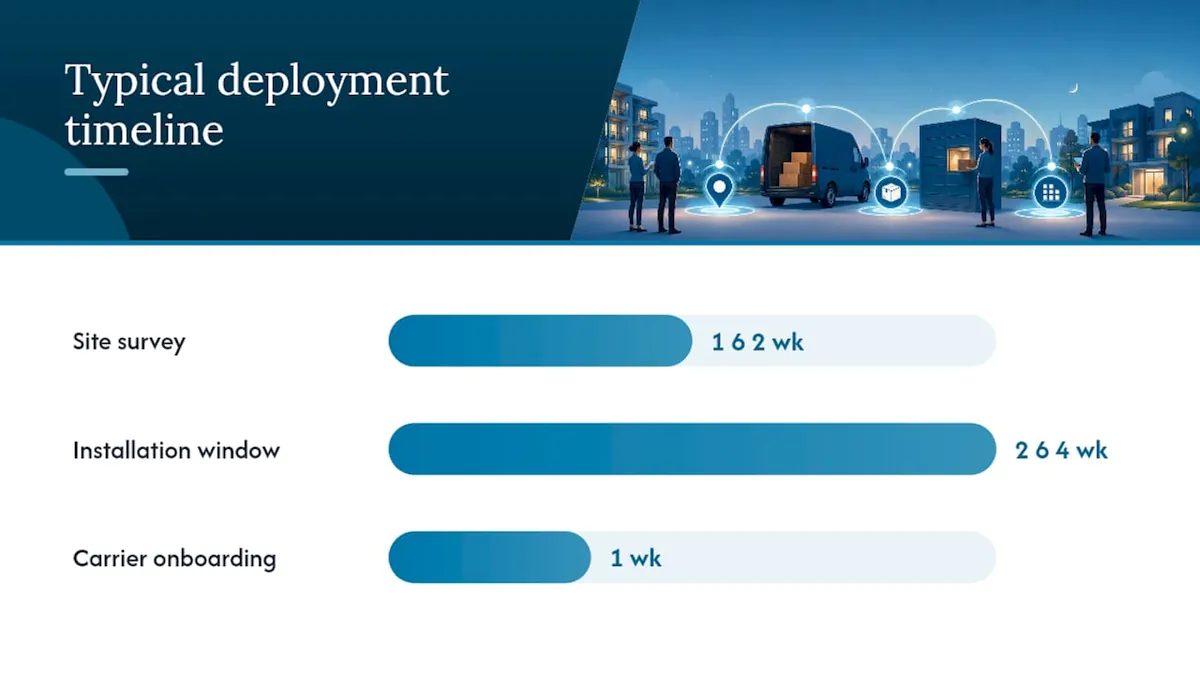
On timeline and cost: expect a site survey within the first one to two weeks, installation scheduled around a two to four week deployment window for most standard configurations, and carrier onboarding running in parallel during the final week before go-live. Costs vary heavily by unit count, indoor versus outdoor hardware, and whether refrigerated compartments are included, so treat any flat number a vendor quotes over the phone with some skepticism until a formal survey happens.
What’s the Week-by-Week Rollout Plan From Signing to Go-Live?
A typical deployment moves through five phases, and skipping steps is where most delays come from.
- Site selection (week 1). Pick a spot in a natural resident foot path that’s also easy for carriers to reach without weaving through the building. Outdoor units need weatherproofing, adequate lighting, and ADA-compliant clearance around the kiosk.
- Technical prep (weeks 1 to 2). Confirm power availability and network connectivity, whether that’s LTE, Wi-Fi, or hardwired Ethernet, and finalize any camera integration requirements before hardware arrives.
- Carrier onboarding (weeks 2 to 3). Build a one-page pictorial standard operating procedure for drivers, set up the QR or PIN scan process, and schedule initial training sessions with regular-route carriers who service the property.
- Resident onboarding (weeks 3 to 4). Send notification templates explaining how the system works, post signage near the units, publish a troubleshooting contact, and set a clear unclaimed-package policy.
- Pilot and go-live (weeks 4 and beyond). Run a short pilot period, monitor compartment usage and notification delivery, and adjust capacity or carrier training based on what actually happens in the first two weeks.
| Deployment Phase | Primary Task | Typical Timing |
|---|---|---|
| Site selection | Confirm location, lighting, ADA access | Week 1 |
| Technical prep | Power, network, camera setup | Weeks 1 to 2 |
| Carrier onboarding | SOP, driver training, credentials | Weeks 2 to 3 |
| Resident onboarding | Signage, notifications, support contact | Weeks 3 to 4 |
| Pilot and go-live | Monitor, adjust, report | Week 4 onward |
If your installation includes structural site work, coordinating with a firm experienced in commercial earthwork and site staging ahead of delivery can prevent last-minute access conflicts during install week.
Why Carrier Compliance Makes or Breaks Every Deployment
Property managers consistently underestimate one thing: the entire notification chain depends on drivers actually following the scan protocol. Skip that step, and a package sits in a locker with no alert sent, which residents experience as a lost package even though it’s four feet away behind a locked door. Carrier compliance is the single most common operational failure operators report, ahead of hardware issues or software bugs.
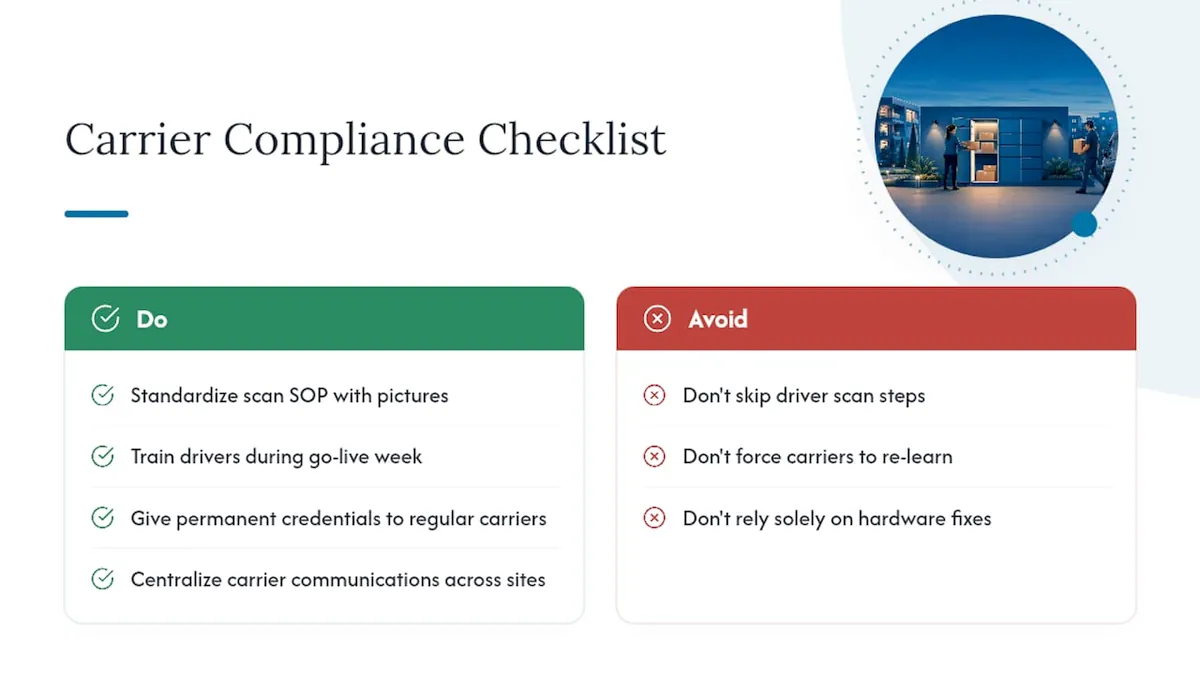
Fix it at the source. Standardize the scan procedure with a pictorial SOP, train drivers the week the system goes live, and issue permanent credentials to carriers who service the route regularly rather than making them re-learn the process every visit.
Choosing between lockers and a package room comes down to volume and overflow risk. High-volume properties benefit from a package room’s flexible capacity. Lower-volume properties do fine with a fixed locker bank and lower complexity. For multi-property portfolios, centralize carrier communications and keep the SOP identical across every site. Consistency is what actually gets adopted by drivers who rotate between routes and properties.
Deploy After Hours Pickup With Luxer One Lockers
We install Luxer One® systems built specifically for the carrier compliance and volume challenges covered above: indoor and outdoor parcel lockers, refrigerated compartments for perishables, and fully monitored automated package rooms for higher-volume properties.
Deployments typically run on a 4-6 week timeline from signed agreement to go-live, backed by installation and ongoing maintenance support, so a property doesn’t have to manage carrier onboarding or hardware troubleshooting alone. For properties that want daily on-site oversight instead of a self-service model, our package room management service handles intake and resident coordination as an ongoing service rather than a one-time install.
If you’re evaluating options for a property right now, the practical next step is a site survey. Request one through our automated package room guide to get a real specification match for your unit count, delivery volume, and available space before you commit to hardware.
Sources
- Package Lockers Have Become a Real Amenity in Multi‑Family. Here’s What to Know.
- Apartment Package Lockers
Recommended
Ready for a Luxer One® package locker quote?
Tell us your unit count and we'll send right-sized pricing with a fast response time.
Get my free quote