September 4, 2026
7x Faster Check In: AI Label Reading for Property Teams
How property and locker teams deploy AI label reading: integration patterns, pilot metrics, and steps to cut check in time and reduce misroutes.
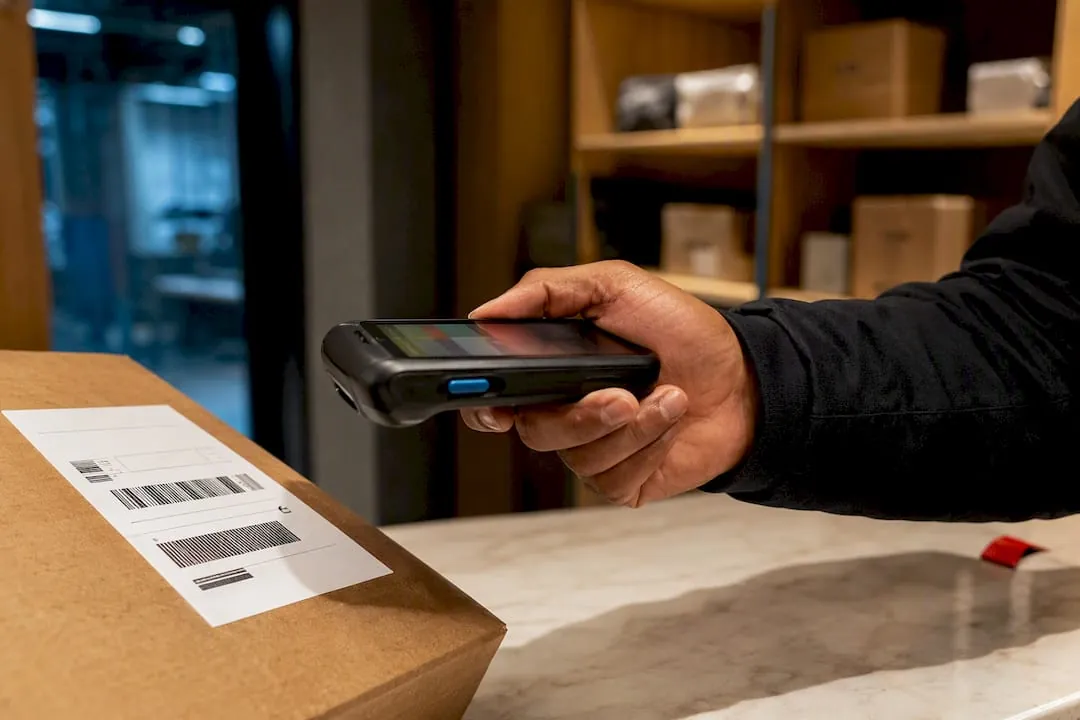
AI label reading extracts the exact fields a workflow needs, barcodes, expiry dates, lot numbers, serials, weights, and addresses, from a single scan of a physical or freight label. It replaces manual keying and squints-at-the-label guesswork with structured data that flows straight into a receiving system, a retail register, or a parcel locker’s routing logic. The immediate payoff is speed and fewer exceptions, which matters most in warehouse receiving, retail weight and expiry capture, and parcel locker check-in.
TL;DR:
- High-performing AI label reading can process up to seven times faster than manual entry, significantly boosting warehouse and parcel throughput.
- Resilient models reconstruct damaged or partial barcodes and flag uncertain fields for quick human review, reducing rescans and delays.
- Deployment options include ready-to-use apps, customizable SDKs, or fixed hardware setups, each suited for different operational scales and flexibility needs.
- Pilot programs should include diverse label samples, realistic conditions, and targeted success metrics to accurately gauge true performance in production.
- Integrating label data directly into existing systems reduces errors, speeds check-in processes, and minimizes misroutes, especially in property and package operations.
Table of Contents
- How AI Label Reading Actually Works
- Common Real-World Challenges and How AI Handles Them
- Deployment Options: App, SDK, or Fixed Hardware
- Where Label Data Actually Goes: Integration Patterns
- What Accuracy and ROI Actually Look Like
- A Pilot Checklist That Produces Real Answers
- Our Perspective on Label Capture and Property Operations
- A Note From Our Team
- How We Help You Deploy Label Capture at Scale
- Sources
How AI Label Reading Actually Works
The technology stacks four components: optical character recognition (OCR), barcode symbology decoding, computer vision, and machine learning field classification. OCR reads the printed text. Barcode decoders handle UPC, Code 128, or GS1 formats. Computer vision locates where things sit on the label. Machine learning decides what each text block actually means.
That last piece is what separates modern label reading from older scan-and-hope tools. High-performing systems treat the whole label as a cohesive entity, using spatial relationships and nearby cue text to decide which numbers are a lot code and which are a price. A “LOT” label sitting three millimeters above a string of digits tells the system that string is a lot number, not a phone number or a zip code. That is contextual reasoning, not just character recognition.
This is where pre-built label blocks come in. Vendors ship templates tuned for common formats, grocery markdowns, shipping labels, pharmaceutical lot codes, so a team doesn’t have to teach a system what a nutrition label looks like from scratch. Custom label definitions let developers extend those templates when a vertical has its own layout quirks. Product label OCR tools commonly pull product name, barcode, ingredients, allergen text, expiry date, and certification marks into structured fields automatically.
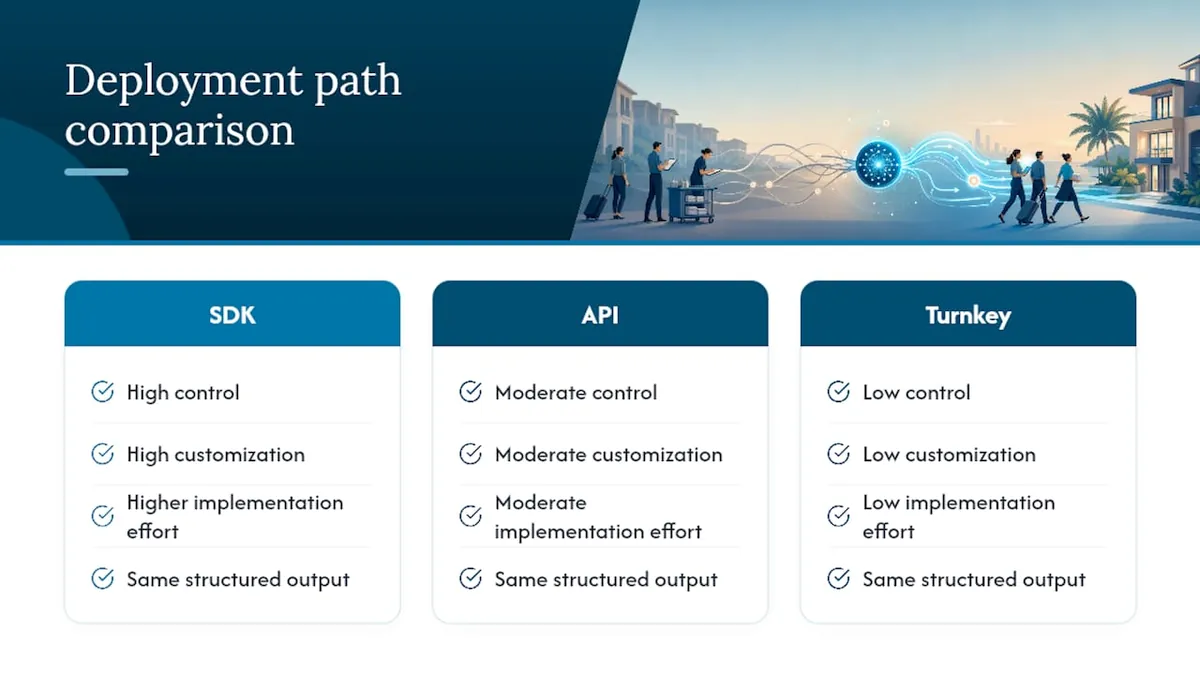
On the technical side, this logic gets delivered three ways: as an SDK you embed in your own app, as an API you call from a backend, or as a turnkey app you install and start scanning with. Each path returns the same structured output; they differ in how much control and customization you get.
Common Real-World Challenges and How AI Handles Them
Labels in the real world are rarely pristine, and that is exactly where legacy scanning breaks down.
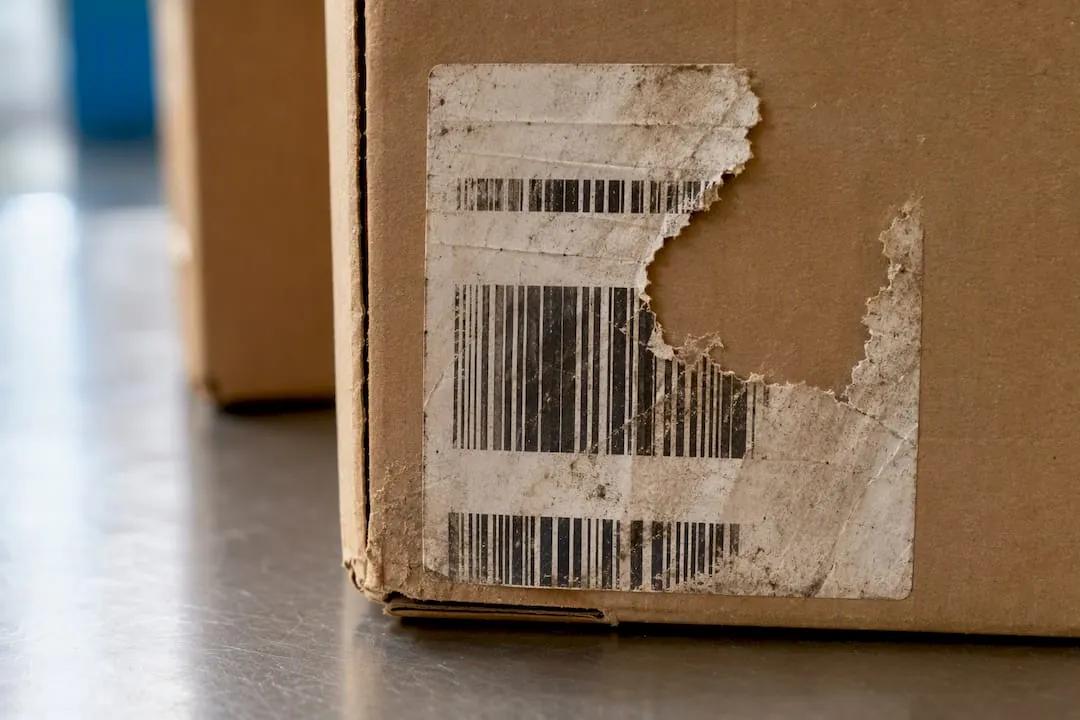
Damaged, soiled, or partially torn labels used to mean a rescan or a manual override. Resilient decoding models now reconstruct partial barcodes and flag anything below a confidence threshold for a quick human check rather than a hard failure. Multiple barcodes on one label, a shipping carton with a carrier barcode, an inner SKU barcode, and a hazmat code, gets sorted through correlation logic and format validation: the system checks each code’s structure against known patterns before deciding which one is the shipment identifier.
Handwritten annotations and low-contrast printing (think faded thermal labels) call for OCR models trained specifically on that noise profile, with a fallback review step for anything the model can’t resolve confidently. Environmental variables, poor lighting, odd camera angles, glare off plastic wrap, get handled upstream through image preprocessing and smarter camera or lighting setup rather than asking the AI to compensate after the fact.
The common thread across all four problems is the same: validation flows that let a worker correct one flagged field without rescanning the whole label. That single design choice is what keeps exception handling fast instead of turning into a bottleneck.
Deployment Options: App, SDK, or Fixed Hardware
Three deployment patterns cover almost every use case, and picking the wrong one is the most common rollout mistake teams make.
-
Turnkey or express apps. These get you scanning within days with no development work. They fit proof-of-concept pilots, seasonal operations, or sites that don’t have engineering resources to spare. Pre-built label blocks mean you’re not configuring templates from zero.
-
SDK integration. Embedding an SDK into an existing app gives you custom UI, workflow logic, and validation screens built around how your team actually works. This is the right call for anyone running a receiving system, a WMS interface, or a locker check-in app that needs label data feeding directly into existing screens.
-
Fixed-station cameras and handhelds. High-throughput receiving docks benefit from mounted cameras tuned for one angle and one lighting setup, scanning continuously as items pass. Smartphone-based capture trades some of that throughput for flexibility, useful for mobile teams or distributed locker sites where installing fixed hardware at every location isn’t practical.
Video-stream setups need one more consideration: deduplication filters and region-of-interest scanning to stop the same label from triggering repeated detections as it passes through frame after frame.
Where Label Data Actually Goes: Integration Patterns
Extracted fields are only useful once they land somewhere. SKU, lot number, expiry date, and weight typically map straight into ERP or WMS records, replacing a manual entry step that used to introduce transcription errors at exactly the point where accuracy matters most.
Edge cases route to a human-in-the-loop validation screen. Validation flows let a worker confirm or correct a single flagged field, an ambiguous digit, a smudged date, without rescanning the entire label or restarting the transaction. That correction gets logged, which matters for audit trails later.
APIs and webhooks push extracted data downstream automatically: a notification fires, an item routes to a specific locker ID, or a record writes to an audit log. In a parcel locker context, this looks like a carrier scan reading the label, extracting recipient information, and the system allocating a locker slot in the same motion, or flagging an exception if the address doesn’t match any resident on file. Structured JSON or CSV export also plugs into automation tools like Zapier or Make for teams that want simple ingestion without custom development.
What Accuracy and ROI Actually Look Like
Vendors and buyers both need a common yardstick, and the honest answer is that raw accuracy percentages mean less than throughput gains measured in a real pilot.
Statistic to know: AI-powered label capture can run up to seven times faster than manual data entry, a figure drawn from vendor case examples comparing scan-based extraction against typed entry.
Speed alone isn’t the whole story. When structuring a pilot, track time per item, exception rate (how often a scan needs human correction), downstream correction volume, and any revenue protected by catching mislabeled or expired stock before it ships. Run a genuine before/after comparison: measure the manual process for a set period, then measure the AI-assisted process under the same volume and conditions, not in a quiet test lab. Pilot accuracy depends heavily on how representative your sample labels are; a pilot run only on clean, well-lit labels will report accuracy numbers the production floor never sees again.
A Pilot Checklist That Produces Real Answers
Running a pilot without a plan wastes the one chance to get decision-grade data. Follow this sequence:
- Build a representative label corpus covering every format, condition, and failure mode you’ll actually see in production, not just the clean examples sitting on top of the stack.
- Choose a deployment mode and test it under real conditions, actual dock lighting, actual carrier packaging, not a demo booth.
- Set success metrics up front, then run a genuine before/after measurement against your current manual process.
- Map the integration path early, including how exceptions get handled and how carriers or vendors need to coordinate on label placement or format.
Pro Tip: Run the pilot long enough to hit at least one bad-weather week and one high-volume day. A pilot that only sees ideal conditions will overstate your real-world accuracy by a wide margin.
Our Perspective on Label Capture and Property Operations
Label reading removes the weakest link in package check-in: manual transcription. When a carrier drops a package and a system reads the label instead of a staff member typing an address by hand, misroutes drop and check-in speeds up immediately. Fewer misroutes mean fewer resident complaints and fewer packages sitting in the wrong bin.
Property teams evaluating a deployment partner should expect straightforward configuration, a rapid installation timeline, and ongoing maintenance support, not a system left to degrade after go-live; learn more about how to maximize property efficiency with AI-driven solutions. That combination is what turns a pilot into a permanent fixture of daily package operations rather than a one-off experiment.
A Note From Our Team
Across deployments, the pattern holds: sites that pilot with a genuinely messy label sample catch problems early; sites that pilot with clean labels get surprised later. Coordinate with your carriers on label placement before go-live, and size your pilot to at least a few hundred packages so the data means something. For deeper operational detail, our contactless delivery resources cover related routing workflows.
How We Help You Deploy Label Capture at Scale
We help property teams deploy smart lockers and package rooms with AI-powered label reading built into the check-in process, so recipient data gets captured accurately the moment a carrier drops a package.
A pilot engagement typically starts with a defined property or building, a measurement window comparing check-in speed and misroute rate before and after deployment, and support from our installation team throughout, with installation completed in 4-6 weeks from signed agreement. We handle configuration, integration with existing access control systems, and ongoing maintenance so the system keeps performing after the first month, not just during the demo. If your property is weighing package room management against a self-serve locker bank, our team can walk through both models against your actual package volume.
Ready to see it on your property? Request a locker system quote and we’ll scope a pilot around your building’s specific carrier traffic.
Sources
- How AI-Powered Label Scanning Reads Like a Human - Scandit blog
- Product Label AI OCR & Data Extraction | Alphamoon
Recommended
Ready for a Luxer One® package locker quote?
Tell us your unit count and we'll send right-sized pricing with a fast response time.
Get my free quote