August 31, 2026
Avoid Buying the Wrong Package Room Attendant Service for Multifamily Managers
A procurement checklist for multifamily managers to pick a package room attendant service that fits staff, space, and peak-volume needs and avoids costly,...
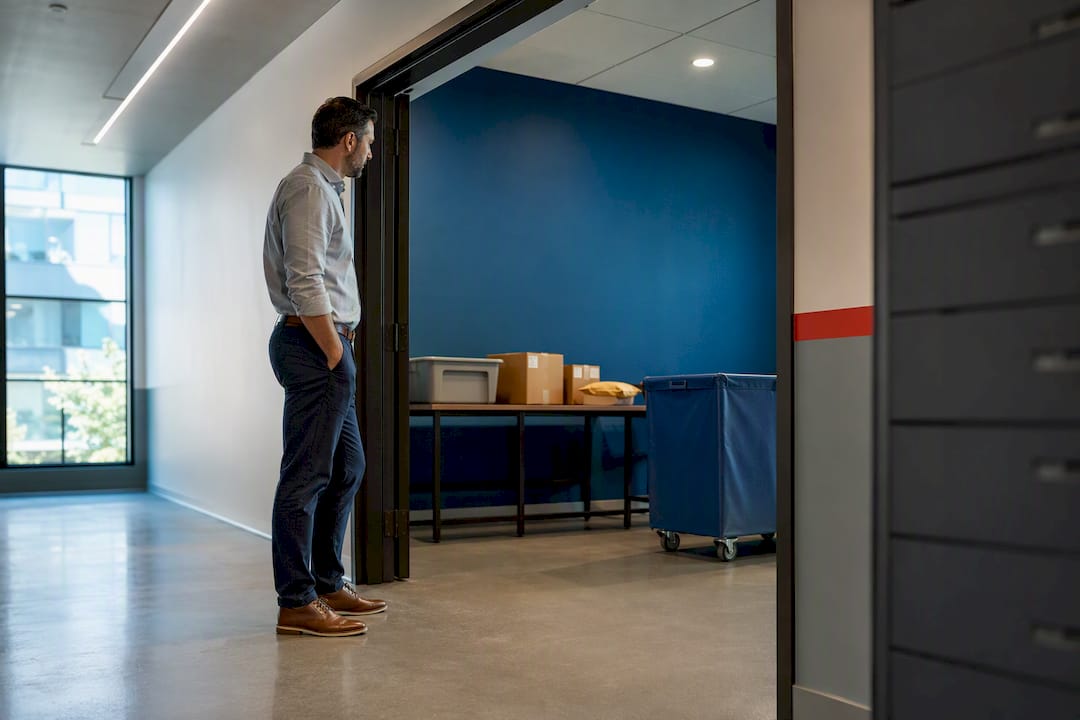
Match the solution model to your property’s volume, space, and staffing reality before you look at any vendor’s brochure. High-rise buildings with 300+ units usually need an AI-powered package room; suburban mid-rises often do better with locker banks; smaller portfolios frequently get more value from a hybrid staffed setup. Locker Solutions, which builds and services Luxer One® systems, is worth evaluating directly against whatever else you’re considering, using three criteria: daily package volume with peak-season multipliers, available square footage and power, and your current staffing hours.
TL;DR:
- Assess your property’s package volume, peak surges, and available space before choosing between locker banks, AI-powered rooms, or hybrid staffed setups.
- Measure carrier compliance and define clear operational workflows early to prevent common failures during implementation and peak periods.
- Match the package solution model directly to your property size and volume, as high-rise buildings benefit most from AI rooms, while smaller portfolios suit hybrid systems.
- Consider upfront hardware costs as capital expenses and ongoing software, maintenance, or staffing as operating costs to accurately evaluate ROI.
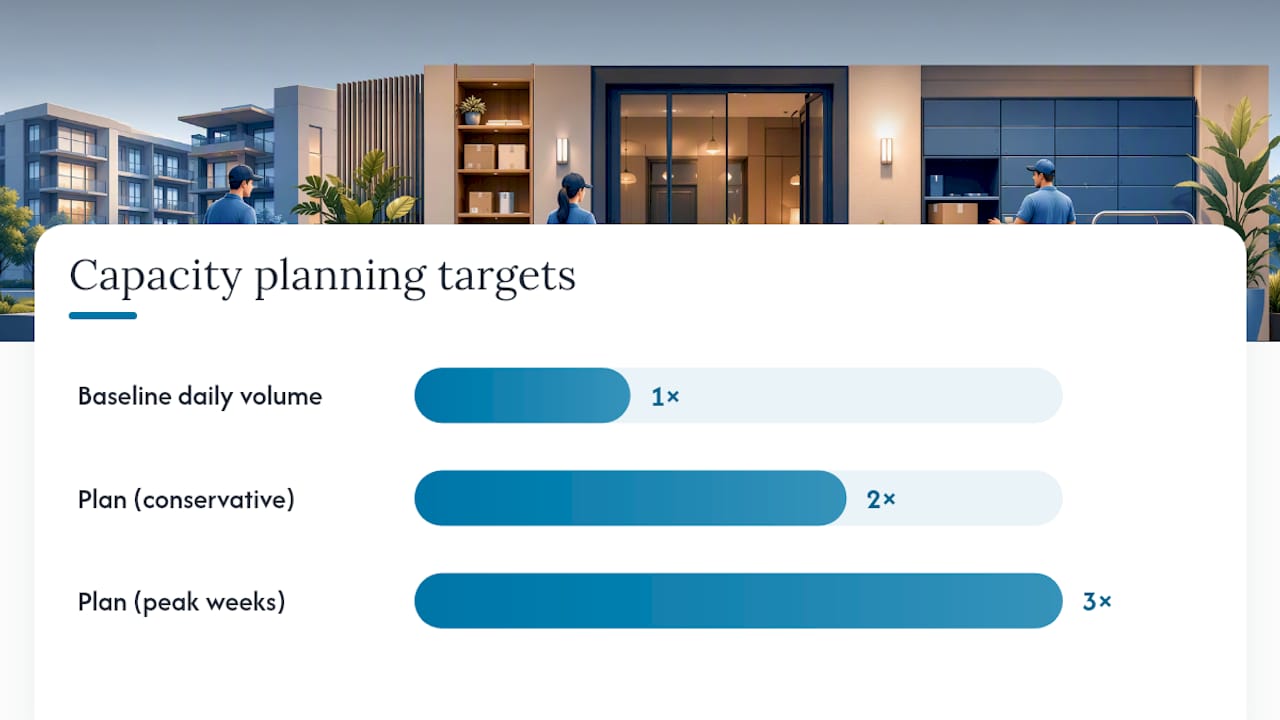
- Plan for peak volume surges at two to three times your baseline capacity, and ensure access control integration to streamline resident pickup and staff management.
Table of Contents
- What Should You Look For in a Package Room Attendant Service?
- What Are the Main Package Room Solution Models?
- How Do You Roll Out a New Package Room Without It Falling Apart?
- What Does a Package Room Attendant Service Cost, and What’s the Return?
- What Twenty Years of Package Room Deployments Actually Teach You
- Get a Package Room That Matches Your Property, Not a Generic Install
- Sources
What Should You Look For in a Package Room Attendant Service?
Most procurement mistakes happen before anyone even talks to a vendor. Teams tour a demo unit, like the touchscreen, and sign a contract without ever measuring their own package flow against the box they’re buying.
Start with the numbers instead. Residents now receive an average of 10.65 packages per month, up from 9.41 the year before, so whatever capacity felt adequate two years ago is probably tight today. Pull your last 90 days of package logs if you have them, and note the highest single day, not just the average.
Primary criteria to weigh, in order:
- Daily package volume and how sharply it spikes during peak weeks
- Total unit count and resident density per floor or building
- Current staffing model, including who has time to handle a package room
- Square footage, electrical capacity, and door access at the proposed location
- Resident expectations, since a 24/7 self-serve building sells differently than a full-service concierge property
- Total budget, split clearly between what you can capitalize and what has to run through operating expense
Once you’ve sized the problem, the vendor conversation changes shape. These are the questions that separate a workable proposal from one that fails in month three:
- How does the system handle a driver who refuses to scan or use the kiosk?
- What’s the documented workflow when a package doesn’t fit the assigned locker or bin?
- Does the platform integrate with our property management system and existing access control, or does it run as an island?
- What are the maintenance response times, and are they written into the contract as an SLA or just implied?
- How does the system handle a 3x volume spike during a holiday week, and what’s the overflow plan?
- Can we see resident pickup-time or staff-touch data after go-live, or is reporting an add-on?
Pro Tip: Ask every finalist vendor to walk you through what happens on the worst day they’ve had at a comparable property, not their best case. The answer tells you more about their operations team than any spec sheet.
The decision flow itself is simple, even when the underlying math isn’t: measure your volume and peak, confirm the space and power you actually have, narrow down which model categories fit that reality, press vendors on carrier compliance and service guarantees, and only then run the cost comparison. Skip a step and you’ll find out about it during your first snowstorm-delayed delivery surge.
What Are the Main Package Room Solution Models?
Four models dominate the multifamily market right now, and each one targets a different property profile.
Smart lockers assign each incoming package to a locker compartment, text or email the resident a code, and let them retrieve it any time. They’re straightforward to install, easy for residents to understand, and reasonably priced for mid-volume buildings. The tradeoff is fixed capacity: once every locker is full during a holiday surge, packages back up in the lobby regardless of how good the software is.
AI-powered smart package rooms use computer vision to identify, sort, and store packages in a shared room rather than dedicated compartments, which gives them far more flexible capacity than a locker bank. One deployment at Stuyvesant Town cut pickup time and staff touches dramatically after switching from a locker-only setup. These systems cost more upfront but scale better for properties above roughly 300 units.
Off-site third-party delivery routes packages to a nearby depot for resident pickup or scheduled drop-off, keeping volume entirely off your property. It solves space constraints instantly but adds friction residents notice immediately, and it does little to differentiate a building competing on amenities.
Hybrid staffed rooms pair a smaller locker bank for after-hours access with a supervised room for oversized or perishable items. This model tends to fit smaller portfolios best, since full locker installs often aren’t worth the capital outlay below a certain unit count, and a hybrid setup lets a property scale up later without ripping out hardware.
How Do You Roll Out a New Package Room Without It Falling Apart?
Deployment fails less often because of bad hardware and more often because nobody planned the boring operational details.
Start with a real site survey: measure the proposed room or kiosk footprint, confirm available electrical circuits, check door access hours, verify camera sightlines cover the intake point, and note whether refrigerated storage needs its own outlet. Then move to carrier onboarding, since this is where most systems quietly break down.
Steps that prevent the most common failures:
- Build a one-page pictorial SOP for FedEx, UPS, and Amazon drivers showing exactly how to scan and stage a package
- Set up QR or PIN workflows drivers can use in under 15 seconds, because anything slower gets skipped
- Confirm PMS and access-control integration points before installation day, not after
- Define staging protocols for oversized furniture and perishable grocery deliveries separately from standard parcels
- Get maintenance SLAs in writing, including guaranteed response windows, before you sign
The failure modes worth naming directly: undersized capacity that can’t absorb a holiday surge, carrier drivers who never adopt the scanning workflow because nobody trained them, and maintenance contracts vague enough that a broken unit sits dark for two weeks. Standardized carrier communication materially improves driver compliance, which sounds unglamorous but is often the single biggest predictor of whether a system works six months after installation.
Pro Tip: Plan capacity for 2 to 3 times your baseline daily volume during peak weeks, not your average day. Nominal capacity numbers from a spec sheet almost never account for the week before Christmas.
Access-control integration deserves its own line item too. A system that shares credentials with your existing unified access control setup saves residents from juggling a second app and saves your team from managing two separate credential databases.
What Does a Package Room Attendant Service Cost, and What’s the Return?
Costs break into buckets, and knowing which is capital versus operating changes how your finance team evaluates the deal. Hardware (lockers, kiosks, refrigerated units) is typically a capital expense. Software subscriptions, maintenance contracts, and optional daily attendant staffing run through operating budget instead.
Cost buckets to model separately:
- Hardware and installation (capital)
- Software or platform subscription fees (operating)
- Ongoing maintenance and support contracts (operating)
- Optional on-site daily attendant labor (operating)
- Access-control integration if bundled separately
Low-volume suburban properties often land on locker banks with modest capital outlay and low monthly fees. Mid-volume buildings frequently justify a hybrid model that spreads cost across a smaller locker footprint plus staffed overflow handling. High-volume high-rises tend to see the fastest payback from AI-powered rooms, since the labor savings compound.
That labor savings is the real ROI driver, as Arthur helps maximize property efficiency by dramatically improving staff productivity and operational metrics. One deployment handling roughly 75 packages a day found that manual handling with 4 to 5 touches per package consumed multiple staff-hours daily that automation eliminated almost entirely. Add in reduced theft claims, fewer lost-package disputes, and the retention benefit of residents who simply have a better move-in-to-move-out experience, and the math usually favors whichever model matches your actual volume rather than whichever one looked most impressive in a sales demo.
What Twenty Years of Package Room Deployments Actually Teach You
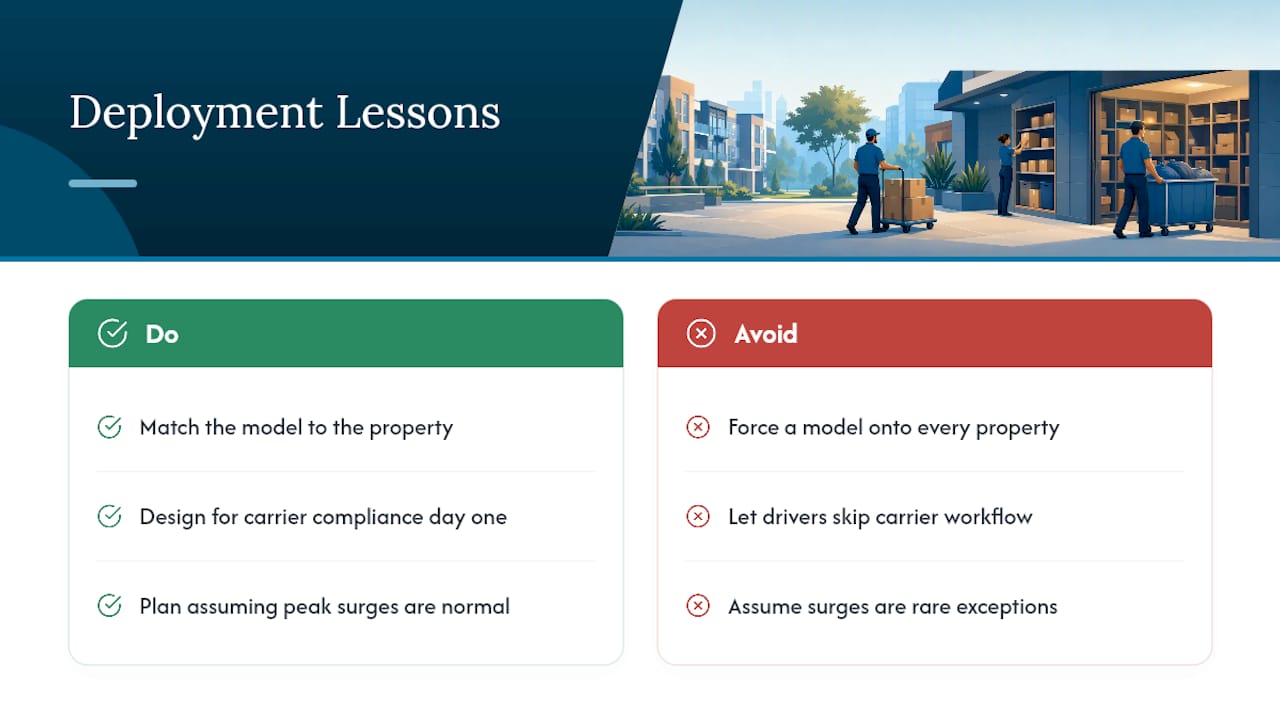
Three lessons repeat across nearly every property Locker Solutions has worked with. Match the model to the property, not the other way around. Design for carrier compliance from day one, because drivers who skip the workflow break the whole system regardless of hardware quality. Plan for peak surges as the rule, not the exception.
Locker Solutions builds Luxer One® hardware and software specifically to handle those surges, with the PMS integrations and maintenance backing that keep systems running when volume spikes. Run the checklist above against your property, then bring us the results for a site assessment.
— Locker Solutions
Get a Package Room That Matches Your Property, Not a Generic Install
Locker Solutions is the direct route to a package system built around your building’s actual volume, not a one-size-fits-all locker wall. The offering covers Luxer One® smart lockers, AI-powered automated package rooms, refrigerated units for grocery and perishable deliveries, weatherproof outdoor kiosks, and daily on-site package room management for properties that want a fully staffed solution.
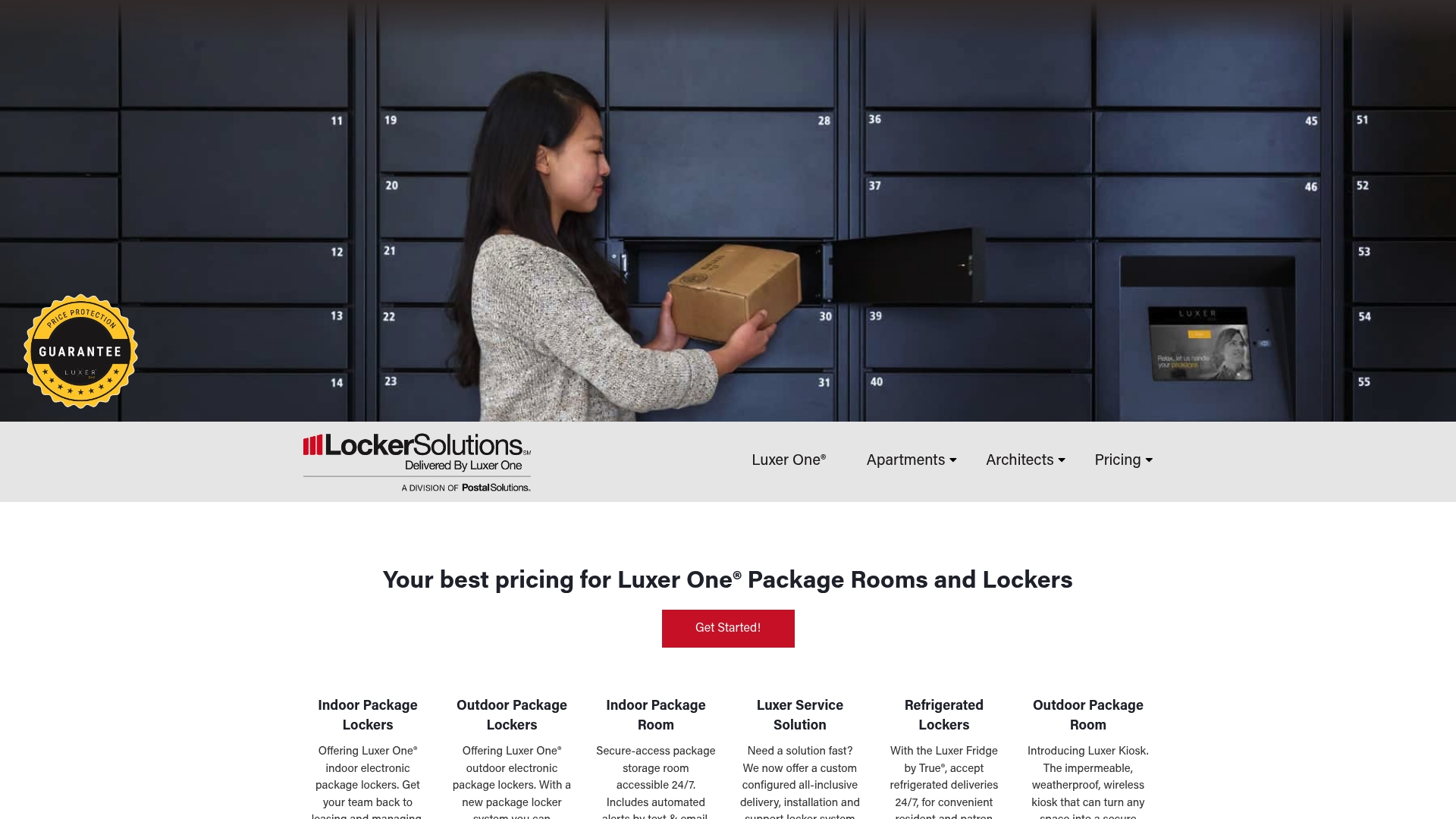
Every option ships with the PMS and access-control integrations covered earlier in this guide, backed by nationwide installation and maintenance support, so the system you sign for is the one still running smoothly a year later. Rapid deployment timelines mean you’re not waiting through an entire leasing season to solve a volume problem residents already notice. If your building fits the mid-size profile discussed above, the outdoor kiosk line is worth a look for properties without indoor space to spare.
Request a site assessment and quote through the Package Room Management Service page to get a proposal scoped to your actual unit count and package volume.
Sources
- A Framework for Solving Multifamily’s Package Management Problem | Insights by Blueprint
- Multifamily data research: package delivery pain points — MRI Software
- Scalable Solutions for Multifamily’s Growing Package Problem - Multifamily & Affordable Housing Business
- Multifamily Package Management Solutions Impact Resident Retention — Techscribe
Recommended
Ready for a Luxer One® package locker quote?
Tell us your unit count and we'll send right-sized pricing with a fast response time.
Get my free quote