October 13, 2026
Unified Access Control Lockers: 6 NIST Checks for Property Managers
Compare locker connectivity, lock options, tokens, and standards, then turn NIST and zero trust guidance into an RFP checklist for property managers.

Unified access control lockers combine electronic locking hardware, resident credentialing, and a connected software platform into a single system that manages who can open what, and when. The priority for buyers is simple: secure, auditable credentials paired with reliable connectivity matter more than any single feature on a spec sheet. Property managers evaluating options like Luxer One from Locker Solutions should weigh architecture and security standards before comparing bells and whistles.
TL;DR:
- Match connectivity to site conditions: battery powered Bluetooth suits quiet indoor halls, while outdoor kiosks need cellular or wired WiFi with backup.
- Require short lived, cryptographically verifiable credentials, hardware backed key storage, continuous token monitoring, multifactor authentication for administrators, and timestamped audit logs.
- Choose systems that cache recently issued credentials locally, so basic access continues during brief outages; test whether failures otherwise leave compartments locked or exposed.
- Request property management API credentials at contract signing, and verify network, power, and mounting before shipment; prepared installations typically take two to six weeks.
- Ask for a live audit log demonstration and verify staff can trace each opening by person and time; staged pilots expose workflow problems before expansion.
Table of Contents
- How unified access control lockers work: connectivity and system architecture
- Key electronic and wireless lock capabilities to compare
- Security, tokens, and standards you should require
- Deployment and integration considerations: site prep, PMS/API, and timeline
- Real-world use cases and deployment patterns
- Checklist: specify requirements for unified access control lockers
- How Locker Solutions implements unified access control
- Balancing high security with low-friction resident access
- Locker Solutions services: unified access control, installation, and support
- FAQ
- Sources
How unified access control lockers work: connectivity and system architecture
Every unified access control locker system rests on the same basic chain: a lock mechanism at the edge, a gateway or controller that talks to that lock, a cloud platform that holds policy and user data, and an API layer that lets the platform talk to other software. How each link in that chain is built determines reliability, latency, and how well the system scales across a portfolio.
Connectivity is the first decision point, and the right choice depends heavily on where the locker sits and how often it needs to report status.
- Wi-Fi offers high bandwidth and easy integration with existing building networks but depends on consistent power and a strong signal, which can be a problem in parking garages or detached mailrooms.
- Bluetooth works well for low-density indoor installations and battery-operated locks, though its range is limited to a room or hallway.
- LoRaWAN suits large campuses needing long-range, low-power communication for status updates rather than high-bandwidth tasks.
- NB-IoT and other cellular options are the standard choice for outdoor kiosks and standalone structures where running network cable isn’t practical.
- Cellular backup is increasingly treated as a baseline requirement rather than an upgrade, since it keeps a locker bank operational even when on-site internet fails.
Design decisions here should be driven by site constraints rather than a one-size-fits-all preference: battery-powered Bluetooth locks fit a quiet interior hallway, while an outdoor kiosk exposed to weather and foot traffic typically needs cellular or Power over Ethernet backed Wi-Fi for dependable uptime.
Beyond the lock itself, a local gateway or controller usually handles short-term logic, queuing commands and caching credentials so the locker can still function during a brief outage. The cloud platform above that gateway is where policy lives: who has access, which compartments are assigned, and how long a credential remains valid. An API layer connects that cloud platform to property management software, so a lease signed today can translate into locker access tomorrow without manual entry.
Offline mode deserves specific attention during evaluation. A locker that can’t verify a credential when connectivity drops either fails open (a security risk) or fails closed (a resident frustration). The better approach caches a short list of valid, recently issued credentials locally, so a resident can still retrieve a package even if the gateway briefly loses its connection. Gateway and cloud architecture choices also affect how a system scales: a platform built for dozens of properties under one dashboard behaves very differently from a point solution designed for a single building, and portfolio owners should ask directly how many sites a single admin account can manage before performance or support degrades.
Key electronic and wireless lock capabilities to compare
Once the architecture question is settled, the next layer of comparison is what the lock and software actually let a resident, courier, or staff member do day to day. These features shape both daily operations and how residents feel about the system.
Credential types vary widely across vendors, and most portfolios end up supporting more than one simultaneously:
- Mobile app credentials let residents unlock a compartment with a phone, often via Bluetooth or a generated code, with no physical key to lose.
- QR codes work well for one-time courier access or guest pickup without requiring an app download.
- RFID or NFC badges suit properties that already issue access cards for building entry, keeping one credential type for both doors and lockers.
- PINs provide a fallback for residents without smartphones or for staff performing manual overrides.
Our blog on locker authentication methods breaks down these trade-offs in more detail for teams building out their requirements list.
Contactless workflows extend beyond unlocking a single door. Scheduled release windows let a courier drop a package during a defined delivery hour, and integration with major carriers means a locker can accept and log a delivery without staff intervention. Hardware resilience matters just as much as the software layer: tamper detection that flags forced entry attempts, weatherproof enclosures rated for outdoor exposure, refrigerated compartments for perishable deliveries, and a mechanical key override for technician access when electronics fail entirely.
On the management side, look for an admin dashboard with granular roles (property staff should not need the same permissions as a regional operations manager), detailed audit logs tied to every open event, remote unlock for staff handling exceptions, and automated notifications so residents know the moment a package arrives.
Pro Tip: Ask any vendor for a live demo of the audit log, not just a screenshot. The real test is how quickly staff can trace who opened a specific compartment and when.
Security, tokens, and standards you should require
Unified access control lockers are, at their core, identity systems protecting physical goods, which means the security standards that govern digital access control apply directly. The National Institute of Standards and Technology’s guidance on tokens and assertions, IR 8587, recommends continuous monitoring of identity and access tokens, short-lived cryptographically verifiable credentials, phishing-resistant multi-factor authentication, and lifecycle controls that retire tokens on a schedule rather than leaving them valid indefinitely.
Short-lived credentials, protected key storage, and continuous token monitoring reduce the window an attacker has to misuse a stolen or forged credential.
That principle should translate into specific locker requirements: a credential issued for a single delivery window should expire after that window closes, not remain valid indefinitely. NIST IR 8587 recommends hardware-backed key storage, such as a hardware security module or equivalent, for systems protecting moderate- or higher-impact resources, which helps reduce the risk that compromised signing keys expose credentials (NIST IR 8587).
Zero trust principles reinforce this further. NIST SP 800-207A describes multi-tier policy enforcement that combines identity-tier and network-tier controls, favoring context-aware authorization over simply trusting a token because it hasn’t expired yet. Applied to a locker portfolio, that means a credential check should consider more than validity: did the request come from an expected device, at a plausible time, from a location consistent with the resident’s unit? For large portfolios spanning multiple properties, the same guidance favors cloud-native platforms with well-documented APIs and identity federation support over brittle, one-off integrations built property by property.
An earlier draft of this NIST guidance, the 2025 initial public draft of IR 8587, put particular emphasis on token refresh policies and key scoping, limiting what a single token can do even if it’s intercepted. Buyers should ask vendors directly how tokens are scoped, how often they refresh, and whether key material ever leaves a protected hardware boundary. Multi-factor authentication for administrative accounts, combined with tamper logs that timestamp every physical and digital access attempt, rounds out the baseline a property should expect from any system handling resident packages and personal information.

Deployment and integration considerations: site prep, PMS/API, and timeline
A unified access control rollout moves faster when the groundwork is done before equipment arrives. The most common delays trace back to the same handful of missed steps.
- Confirm network readiness first. Test signal strength at the planned locker location, whether that’s Wi-Fi, cellular, or a hardwired connection, before hardware ships.
- Verify power and mounting conditions. Outdoor kiosks need weatherproof electrical access and a pad or anchor point that meets the manufacturer’s load specifications.
- Request property management system API credentials early. Pulling client IDs and API keys from a platform like Yardi at project kickoff, rather than waiting for the site survey, avoids delays that can stretch into months.
- Line up courier and carrier integrations. Confirm which delivery platforms need to recognize the new locker bank so packages route correctly from day one.
- Coordinate with building access and surveillance systems. If the locker system shares credentials with building entry or ties into existing camera feeds, map that integration before installation day, not after.
- Schedule staff training alongside go-live. Admin dashboard access, audit log review, and override procedures should be familiar to on-site staff before residents start using the system.
Timeline drivers are fairly consistent across projects: API credential delays, site readiness issues, and unclear integration ownership are the three most common reasons a rollout slips past its target date. Teams that resolve those three items before equipment ships typically see much smoother installation windows.
For outdoor kiosks requiring structural mounting or electrical work beyond a standard install, coordinating with a general contractor for pad preparation and weatherproofing, such as Exterior Genie’s commercial construction services, can prevent delays tied to site conditions that fall outside a locker vendor’s scope.
Pro Tip: Request your property management system’s API credentials and client-specific IDs the same week you sign a vendor contract, not during the site survey. It’s the single fastest way to avoid a stalled rollout.
Maintenance doesn’t end at installation. Firmware updates should push automatically or on a predictable schedule, remote diagnostics should flag hardware issues before a resident reports a broken lock, and a documented support service level agreement should spell out response times for both software and physical hardware failures.
Real-world use cases and deployment patterns
Unified access control lockers show up differently depending on the type of property and the volume of traffic they handle.
- Multifamily residential properties use lockers primarily for package workflows: refrigerated compartments for grocery and meal-kit deliveries, scheduled courier access, and resident credentialing tied directly to lease records.
- Campus environments, including universities and corporate sites, often tie locker access to an existing ID card system, reducing front-desk congestion during peak drop-off and pickup hours.
- Retail and last-mile pickup locations rely on timed handoff windows, where a courier or customer has a narrow window to retrieve an order before the compartment resets for the next user.
The choice between a cloud-managed and an edge-first architecture often comes down to scale and connectivity reliability. A single-building deployment with strong network infrastructure can lean heavily on cloud processing, while a multi-site portfolio with variable connectivity, or a remote campus building, benefits from edge-first logic that keeps basic access functions running locally even when the cloud connection drops. Our guide on how parcel lockers work step by step walks through this workflow in more operational detail.
Checklist: specify requirements for unified access control lockers
Before sending out a request for proposal, property teams should confirm the following baseline requirements are addressed by every vendor under consideration.
- Confirm connectivity type, fallback behavior during outages, and backup power duration.
- Require short-lived tokens, multi-factor authentication for admin accounts, hardware-backed key storage, and full audit logging.
- Define support response times, spare parts availability, and realistic installation timelines in writing.
- Ask who owns resident data, how long audit logs are retained, and whether the API is documented for PMS integration.
| Requirement area | What to confirm |
|---|---|
| Connectivity | Primary protocol, cellular or battery backup, offline credential caching |
| Security | Token lifetime, MFA for admins, hardware-backed key storage, tamper logs |
| Operations | Support SLA, firmware update cadence, spare parts lead time |
| Integration | PMS API documentation, courier platform compatibility, data ownership terms |
Our audit log and RFP field guide lays out specific fields to request from any vendor during this stage.
How Locker Solutions implements unified access control
We deploy unified access control systems built for rapid installation, typically completed within two to six weeks, with custom configurations matched to property size and climate. Our offerings include indoor and outdoor parcel lockers, refrigerated compartments, automated package rooms, and ongoing maintenance support backed by local teams. Details on configurations and site requirements are available on our access control page and our parcel locker workflow guide.
Balancing high security with low-friction resident access
The temptation in locker procurement is to treat security and convenience as a trade-off, but the strongest systems don’t ask residents to choose. Short-lived tokens paired with smooth, near-invisible reauthentication keep access tight without making residents fumble through repeated logins. Audit trails deserve first priority among investigative controls: when something goes wrong, a clear log of who accessed what and when resolves disputes faster than any other feature on the system. Staged pilots, rather than portfolio-wide rollouts, let a team catch friction points before they scale.
— Locker Solutions
Locker Solutions services: unified access control, installation, and support
We bring secure lockers, unified access control, and on-site package room management together under one vendor relationship, so property teams aren’t stitching together hardware, software, and staffing from separate providers. Our systems are built for rapid deployment with configurations suited to a property’s size and climate, backed by local maintenance support after installation.
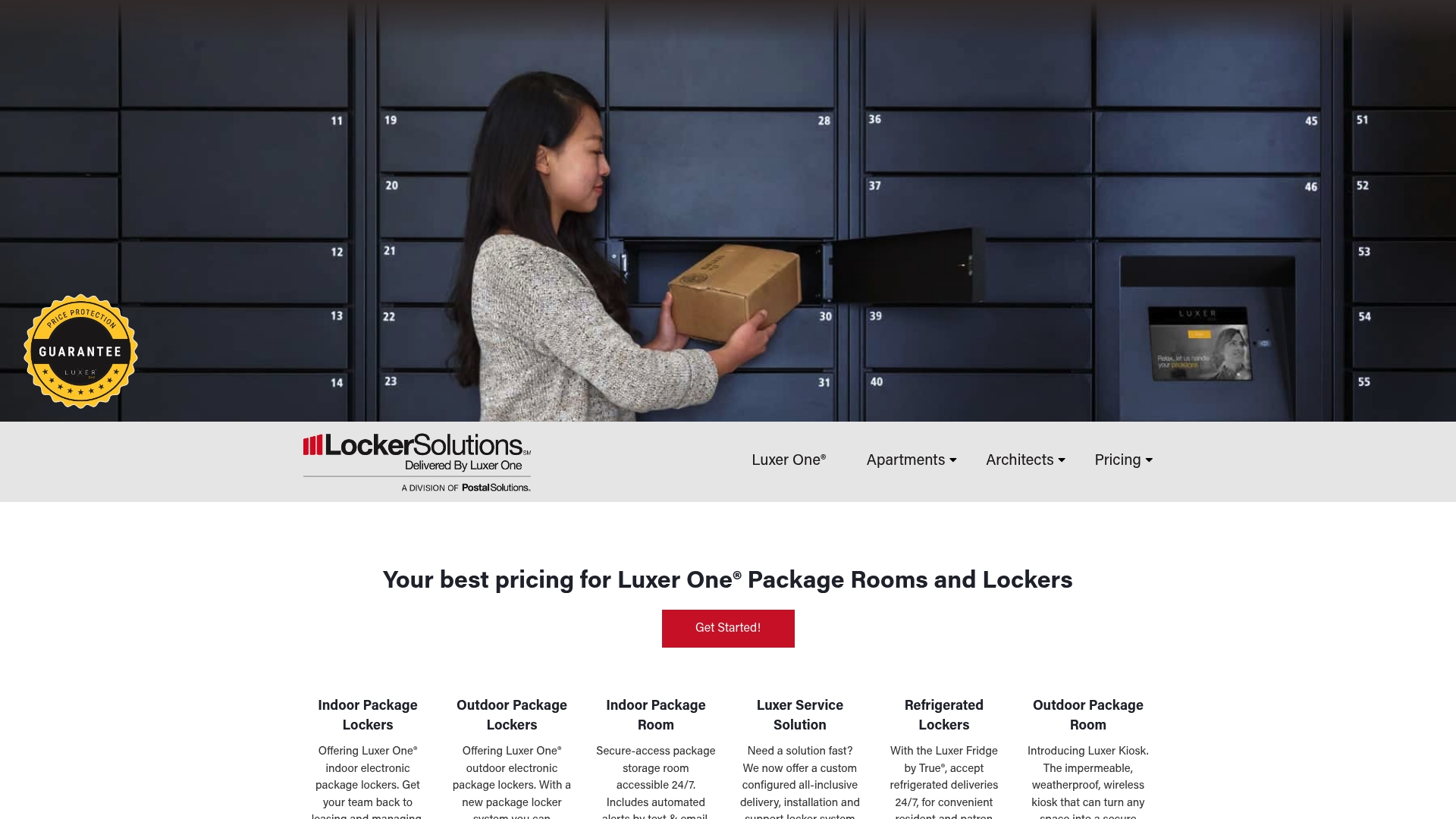
If you’re evaluating a locker or access control upgrade, request a site survey through our Luxer Access page to see what configuration fits your property.
FAQ
What makes a locker system “unified access control”?
A unified access control locker system ties package pickup credentials and building or unit access into one platform, so a resident uses a single login or badge for both. This reduces the number of separate credentials a property has to issue and manage.
How do access control lockers handle a loss of internet connection?
Well-designed systems cache a short list of valid credentials locally through an edge controller, allowing basic unlock functions to continue during a brief outage. Cellular backup, recommended for outdoor kiosks in particular, provides a secondary connection path when the primary network fails.
What security standards should a locker vendor follow?
Look for short-lived, cryptographically verifiable credentials, hardware-backed key storage, and continuous token monitoring, all recommended in NIST IR 8587. Multi-factor authentication for administrative accounts and detailed audit logs are additional baseline expectations.
How long does installing a unified access control locker system take?
Timelines depend heavily on site readiness and how early property management system API credentials are requested. Installation timelines typically range from two to six weeks when site prep and integration credentials are confirmed ahead of time.
Can one locker system serve both multifamily and campus-style properties?
Yes, the same underlying architecture, connectivity, credentialing, and cloud management, applies across property types, though configuration differs. Multifamily properties typically prioritize refrigerated compartments and lease-tied credentialing, while campuses often tie access to existing ID card systems.
Sources
For deeper technical detail, see NIST’s token protection guidance, NIST’s zero trust architecture guidance, and our ADA locker requirements guide.
- Protecting Tokens and Assertions from Forgery, Theft, and Misuse: Implementation Recommendations for Agencies and Cloud Service Providers
Recommended
Ready for a Luxer One® package locker quote?
Tell us your unit count and we'll send right-sized pricing with a fast response time.
Get my free quote