October 29, 2026
How to Choose a Video Intercom for an Apartment Building
A practical checklist for choosing an apartment video intercom, from resident app features and audit trails to carrier access, integrations and who supports it after install.
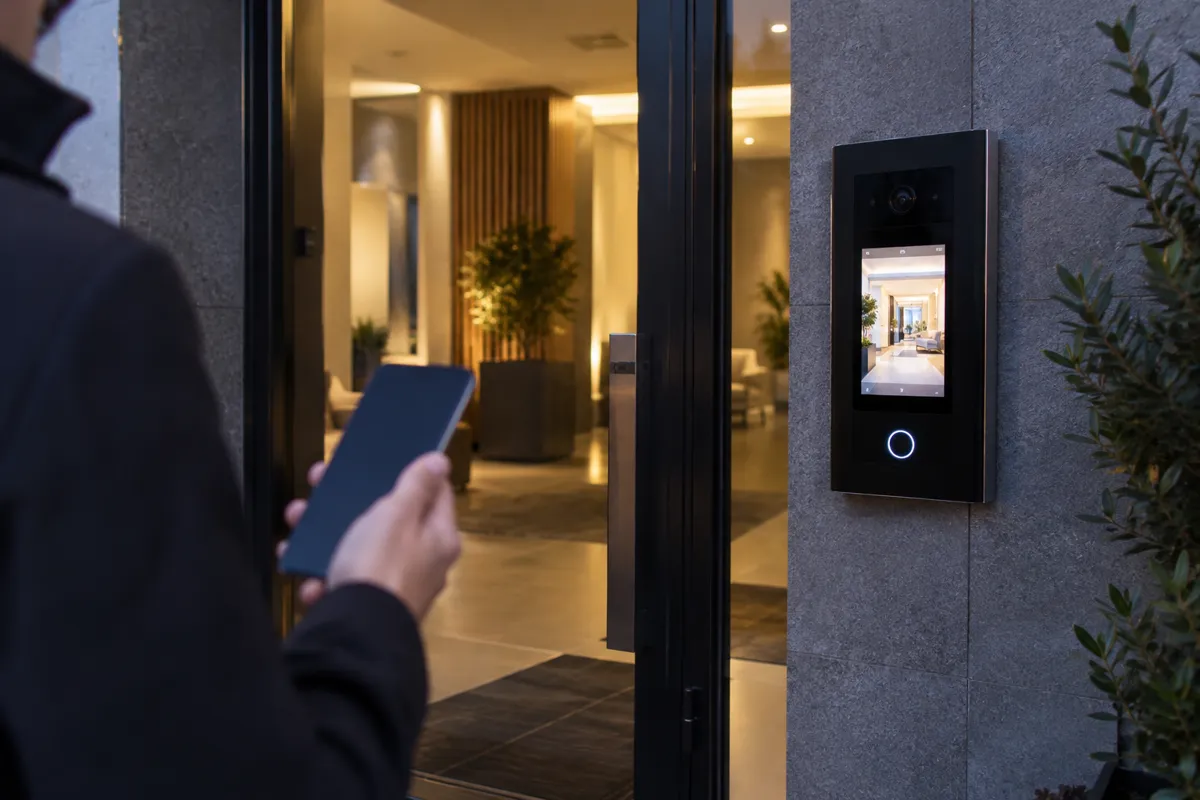
The front-door intercom is the piece of building technology residents use most. Guests use it, delivery drivers use it, and residents judge the whole building by how well it works. Picking a new one is a bigger decision than it looks, because the system you choose shapes daily life at the property for years.
This guide follows the checklist in Luxer One's guide to modern intercom systems, reorganized for apartment owners and property managers, plus the questions worth settling before you sign.
What a modern video intercom does
A visitor at the entrance selects a unit. The resident's phone rings with live video, they talk to the visitor, and they unlock the door from wherever they are. Older systems needed a wired panel in every apartment or a landline phone. A modern system runs over the building's network and the resident's smartphone, so there is no in-unit hardware to maintain.
What residents want
- Video before they open the door. Clear video, including night vision for low light, is now a baseline expectation.
- Remote unlock from anywhere. A resident at work or on a trip can still let in a family member, a dog walker or a repair technician.
- Guest codes. Recurring access for regular visitors and time-limited codes for one-off visits mean residents don't have to be on call.
- One app. Separate apps for the intercom, doors, amenities and packages frustrate residents. A single app that handles all of it feels like part of a well-run building.
The Luxer Access resident app covers each of these. Residents answer intercom calls in the app, unlock doors remotely, share guest access codes, get package notifications and see their own access history.
What property managers need
A complete audit trail
Every call, door release and access event should be logged and searchable. When someone asks who entered the building and when, you should be able to answer quickly.
Cloud administration
Adding a resident to the directory, fixing a credential or pulling an entry log shouldn't require a trip to the site. Look for a cloud dashboard that works from any internet-connected device and covers every access point, not only the front door.
A directory that keeps itself current
Ask whether the intercom integrates with your property management software. A good integration adds residents at move-in and removes them at move-out, so nobody updates the directory by hand and former residents don't stay listed.
Carrier and delivery access
Deliveries cause more daily friction at the front door than anything else. Drivers wait at a locked door, call the office or leave packages outside. An intercom that is part of a wider access platform can give verified carriers temporary entry to the areas they need, with no staff involvement. Residents can also issue one-time codes for a specific delivery or service visit.
Integrations with property management software and package lockers
A standalone intercom adds another login, another directory and another set of records that don't match. Before you choose, ask how the system connects to your property management software and to the rest of your access control. Luxer Access lists integrations with many of the leading property management platforms, so confirm that yours is one of them.
If your building already has Luxer One package lockers, Luxer Access works with them in the same resident app, and carriers set up on the lockers can automatically get access to the delivery areas they need. That connection is a convenience, not a requirement. Luxer Access is a complete intercom and access control system whether or not the property has lockers.
Hardware built for a building entrance
An entry panel lives outdoors, gets used all day and takes the occasional bump. Look for hardware designed for multifamily entrances, with a published weather and dust rating. The Luxer Access video intercom, for example, is listed with an IP65 ingress protection rating, a touchscreen directory, and entry by facial recognition, QR code or PIN, along with cards and fobs (some features vary by model).
What to avoid
- Proprietary lock-in. Hardware and software that only work inside one vendor's ecosystem make it hard to expand or switch later. Ask about compatibility before you sign.
- No integration plan. If a vendor can't explain how the intercom talks to your property management software and access control, expect manual work and scattered data.
- Consumer video doorbells. Doorbells built for single-family homes sometimes get pitched to apartment buildings. They aren't made for the traffic, durability or management needs of a main entrance.
- Unclear support. When the intercom goes down, every resident notices. Know who you call, how fast they respond and whether resident calls go to the vendor or to your office.
If you're weighing systems side by side, our Luxer Access vs. ButterflyMX comparison walks through the differences.
One accountable team from quote to ongoing support
That last warning sign is where many intercom projects go wrong. The hardware comes from one company, an electrician installs it, and when something breaks nobody owns the problem. Luxer Access is set up to avoid those hand-offs. As a National Luxer One® Premier Partner, we run the project with you from first walk-through to go-live:
- Site walk and quote. We look at every entrance, your unit count and your current system, including whether existing wiring and door hardware can stay, then put together a Luxer Access plan and quote for the building.
- Installation. We handle the install and cutover from your old intercom, planned so residents aren't locked out while the new system goes in.
- Training. We get your team comfortable with the dashboard, resident onboarding and guest access before go-live.
- Support after go-live. You keep a local team that knows your building, backed by Luxer's 24/7 support by phone and live chat, with dedicated support for package carriers.
The same approach works for any building: replacing an aging intercom, adding secured access to a property that never had it, or planning a system for new construction.
FAQ
Do residents need an intercom panel in their apartment?
No. Calls go to the resident's smartphone through the app, with video and a button to unlock the door. That removes in-unit handsets and the landlines older systems relied on.
Do we need Luxer One package lockers to use Luxer Access?
No. Luxer Access works on its own as an intercom and access control system. If you have Luxer One lockers, the two connect in the same resident app, which is a bonus rather than a requirement.
Can a video intercom let delivery drivers in without staff?
Yes. A connected system can grant verified carriers temporary access to delivery areas, and residents can share one-time codes for individual deliveries.
Can Luxer Access replace our existing intercom?
Yes. Luxer Access is used to retrofit existing buildings as well as in new construction. Tell us what you have today and we'll walk the site, scope the replacement and handle the install and staff training, with Luxer's 24/7 support behind it.
How do we get a quote?
Tell us about your entrances, the number of units and what you have today. We'll put together a Luxer Access plan and quote for your building.
Ready to upgrade the front door? Learn more about Luxer Access and ask for a quote for your building.
Ready for a Luxer One® package locker quote?
Tell us your unit count and we'll send right-sized pricing with a fast response time.
Get my free quote