May 17, 2026 · Staci Skufca, Luxer One Locker Specialist
Apartment package solutions terminology guide
Master the industry terminology for apartment package solutions with our essential guide. Simplify your package management and enhance decision-making!
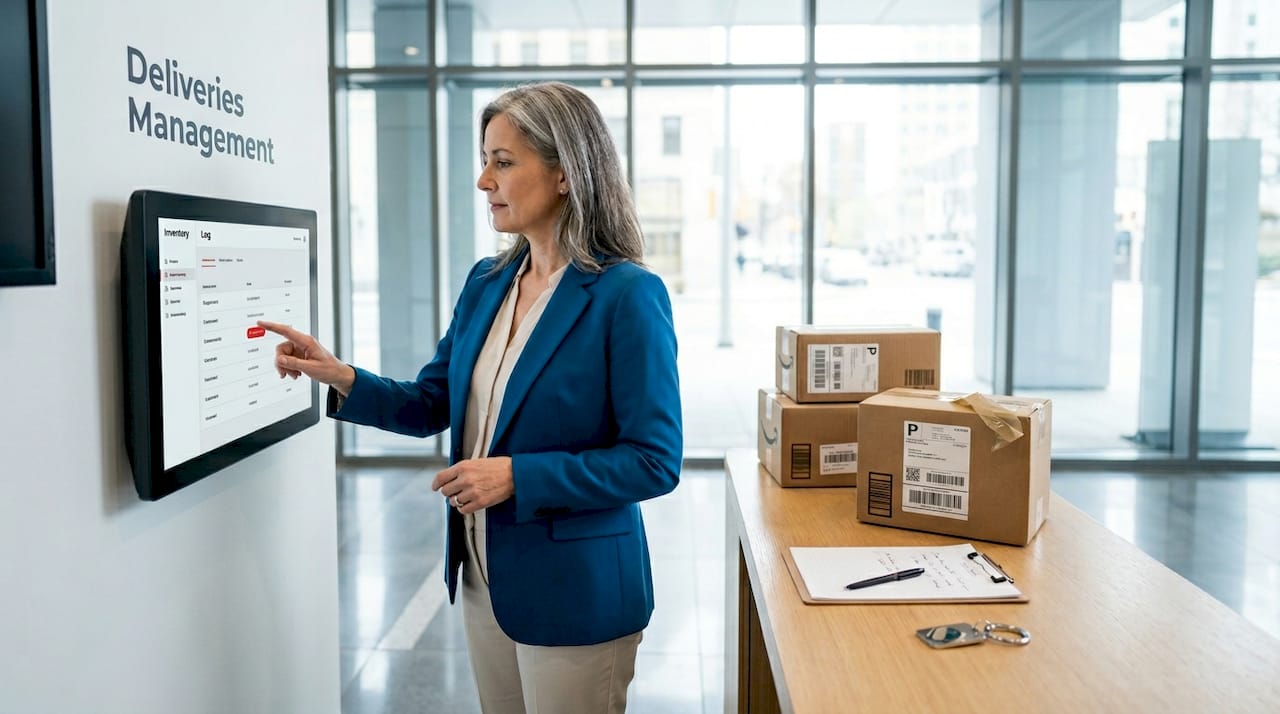
Package management in multifamily properties has never been more complicated. The industry terminology for apartment package solutions has multiplied alongside the technology itself, leaving many property managers and developers using inconsistent vocabulary that creates real operational friction. Call it a “package room” in your spec document and your vendor reads “storage closet.” Say “automated system” in an RFP and you might get three completely different products. This guide cuts through that confusion, defines the terms that actually matter, and gives you a practical vocabulary to make smarter decisions for your property.
Table of Contents
- Understanding core terminology in apartment package solutions
- Comparing package room solutions: lockers, rooms, and automated workflows
- Integrating package solutions with multifamily technology ecosystems
- Applying terminology in construction documents and specifications
- Summary of essential industry terminology and best practices
- Why evolving terminology reflects a deeper shift in multifamily package management
- Explore Luxer One solutions to enhance your apartment package management
- Frequently asked questions
Key Takeaways
| Point | Details |
|---|---|
| Clarify terminology | Understanding key terms like package rooms, lockers, and workflow automation helps improve communication and operations. |
| Compare solutions | Recognizing differences between solution types aids in selecting the right package management system for your property. |
| Integrate systems | Integrating package management with other property technologies enhances efficiency and resident experience. |
| Use precise specs | Applying standardized terminology in construction documents prevents miscommunication and supports smooth implementation. |
| Embrace automation | Shifting from manual processes to semi-automated systems with clear terminology optimizes workflows and resident satisfaction. |
Understanding core terminology in apartment package solutions
Before you can evaluate vendors, write specifications, or train staff, you need a shared language. The industry terminology in package delivery solutions has evolved faster than most operators realize, and the gap between what terms mean to vendors versus what property managers assume often causes expensive misalignment.
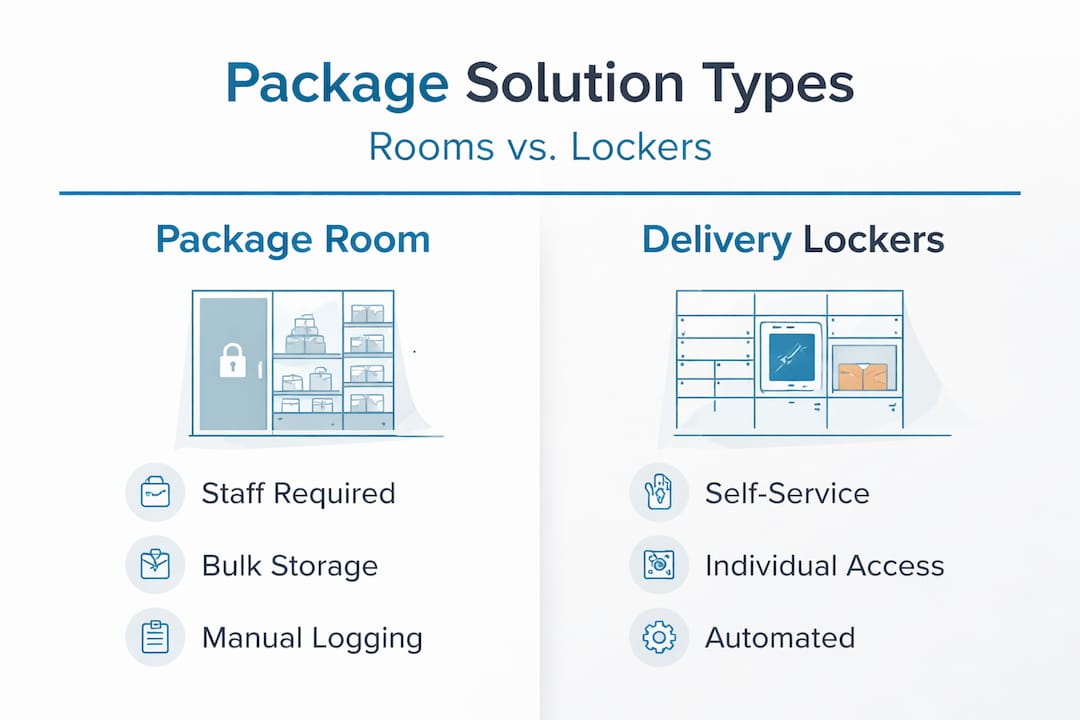
Package room refers to a dedicated, secured space within a building where deliveries are received and stored until residents collect them. This is not a mail room. A package room is purpose-built for parcel volume, not letters and flats. The distinction matters when you are specifying square footage in architectural plans.
Delivery lockers are individual, secured compartments that assign a specific slot to each incoming package. Residents receive a PIN or QR code and retrieve their package independently, without staff involvement. The package rooms and lockers distinction is critical: one requires a human intermediary, the other does not.
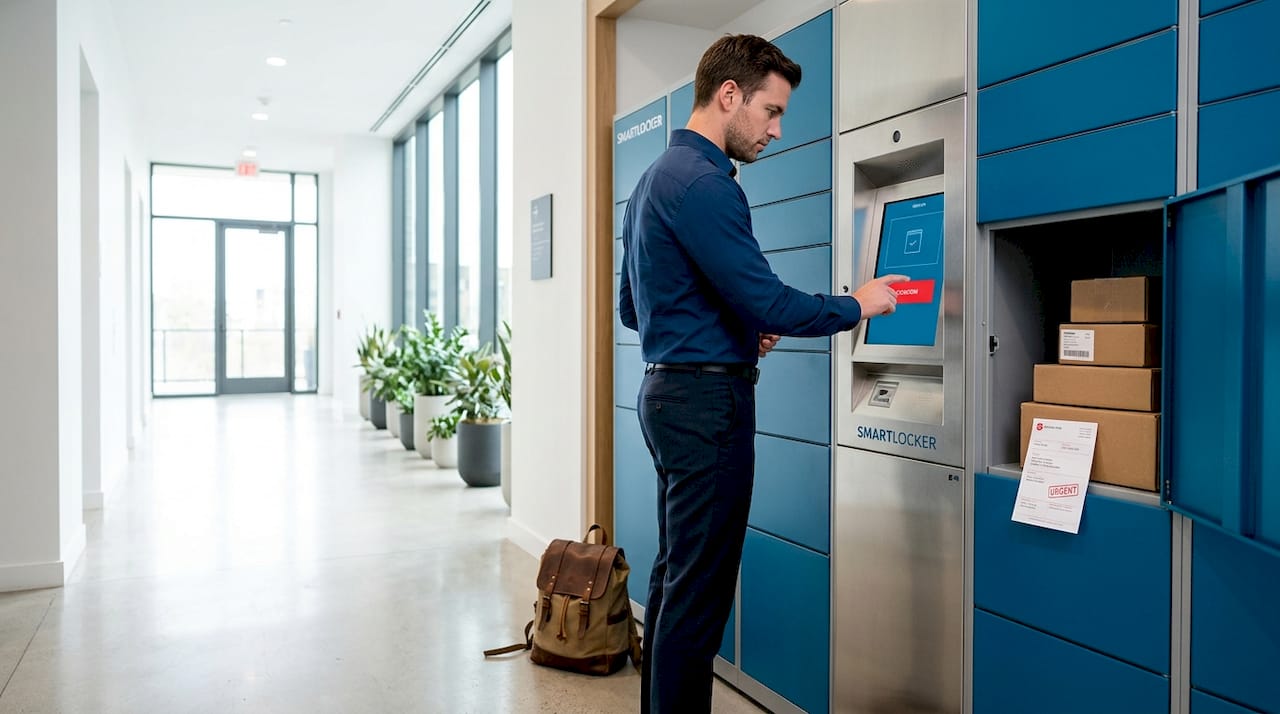
Automated package management system (APMS) is the broader term for any technology-driven workflow that reduces manual handling from intake to retrieval. An APMS typically combines hardware (lockers or monitored rooms) with software (notifications, logging, reporting).
Other foundational terms you need to know:
- Intake scanning: The process of recording a package upon receipt using barcode or label scanning
- Automated notifications: System-generated alerts (email, text, app push) sent to residents when a package arrives
- Self-serve retrieval: The resident-facing process of picking up a package without staff assistance
- Chain of custody: The documented trail of who handled a package from receipt to pickup, critical for liability purposes
- Capacity planning: Calculating how many lockers or how much room space a property needs based on unit count and average daily delivery volume
TapHero notes that automated systems replace manual workflows by streamlining intake and key processes, which is exactly why the shift in terminology from “package handling” to “package management” signals a real operational upgrade.
Comparing package room solutions: lockers, rooms, and automated workflows
Not every package solution is the same, and the vocabulary differences reflect meaningful functional distinctions. When you are comparing options, knowing the right package management terms prevents you from comparing apples to oranges.
| Solution type | Staffing requirement | Resident access | Automation level |
|---|---|---|---|
| Traditional package room | High (staff required) | Staff-mediated | Low |
| Monitored package room | Medium (oversight only) | Self-serve with camera | Medium |
| Locker system | Low to none | Fully self-serve | High |
| Automated package room | None at scale | Self-serve with AI intake | Very high |
Traditional package rooms require staff to receive, log, and hand off every package. The vocabulary here includes terms like signature log, manual intake, and staff-assisted retrieval. This model creates liability exposure because the chain of custody depends entirely on staff consistency.
Monitored package rooms add video surveillance and access control to a shared storage space. Key terms include access-controlled entry, camera-monitored storage, and audit trail. Residents access the room with a credential but packages are not assigned to individual compartments.
Locker-based systems use individual compartments with electronic access. Relevant terms include dynamic allocation (the system automatically assigns the next available locker), oversized compartments, and first-in-first-out (FIFO) retrieval logic.
When it comes to automation features, these are the terms that matter most:
- OCR scanning (Optical Character Recognition): Technology that reads shipping labels and auto-populates package records without manual data entry
- Batch intake: Processing multiple packages in a single scanning session rather than one at a time
- Digital notification trigger: The system event that fires an alert to the resident the moment a package is logged
- Liability protection mode: Logging features (photo capture, timestamp, recipient confirmation) designed to protect operators from loss claims
Vendors offering AI-powered intake replace manual bottlenecks with batch-based scanning, which cuts intake time significantly in high-volume buildings. For a 300-unit property receiving 80 packages a day, that difference can add up to hours of reclaimed staff time weekly.
For exterior applications, outdoor package kiosks introduce additional terminology including weatherproof enclosures, UV-resistant housing, and tamper-evident locking.
Pro Tip: When comparing vendors, ask them to define “automated” in their proposal. A system that still requires a staff member to assign lockers manually is not truly automated, even if it sends digital notifications.
Integrating package solutions with multifamily technology ecosystems
Modern package management does not operate in isolation. Understanding the integration layer is essential, because the terms used here directly affect how you evaluate vendors and write contracts.
Tech stack refers to the full collection of software and hardware platforms a property uses to operate. Your tech stack might include a property management system (PMS), an access control platform, a resident communication app, and a package management system. Each of these needs to communicate reliably.
API (Application Programming Interface) is the connection mechanism that allows two software systems to exchange data. When a vendor says their system is “API-enabled,” they mean it can push and receive data from your other platforms. Real-time data syncing means changes in one system (a package arriving) are reflected instantly across connected systems (the resident portal shows the alert).
Key terms in multifamily integration:
- Single sign-on (SSO): Residents and staff log in once to access package tracking, amenity booking, and payment portals through one credential
- Access control integration: The package system triggers door or locker unlocking based on verified resident identity
- Resident portal: A web or app-based dashboard where residents view package status, pickup history, and notifications
- Webhook: A real-time data push from one system to another when a specific event (package delivered, package picked up) occurs
Integrated tech stacks connect package systems with access control, security, and resident services on a single platform. The operational implication is significant: when your package system knows who the resident is, it can deny access to unauthorized individuals automatically, with no staff involvement required.
When speccing integrations, use this vocabulary to design efficient package rooms that are built for connectivity from day one, not retrofitted awkwardly later.
Applying terminology in construction documents and specifications
This is where terminology confusion causes the most expensive problems. Vague or inconsistent language in construction documents leads to wrong equipment, missed code requirements, and change orders that eat your contingency budget.
Here is a numbered checklist of what to specify, and the exact terminology to use:
- Locker type designation: Specify whether the unit is indoor electronic locker, outdoor weatherproof locker, or refrigerated locker. Do not simply write “package locker.”
- Compartment configuration: State the number and mix of compartment sizes (small, medium, large, oversized) based on your capacity planning data.
- Power and data requirements: Specify low-voltage electrical supply, ethernet or Wi-Fi connectivity, and UPS (uninterruptible power supply) backup if required.
- Security features: Use terms like encrypted access credentials, tamper-evident housing, integrated camera module, and audit log retention period.
- Environmental rating: For exterior applications, always include the IP (Ingress Protection) rating and operating temperature range in specifications.
- Integration requirements: List the platforms the system must connect to and state whether API documentation must be provided by the vendor.
- ADA compliance language: Specify accessible compartment height, tactile keypad, and audio notification capability for any ADA-required units.
Indoor package solutions have different spec requirements than weatherproof lockers designed for exterior installation. Conflating the two in a spec sheet is one of the most common (and costly) errors in multifamily construction documents.
Pro Tip: Add a definitions section to your specification document that explicitly defines each key term as you intend it. This eliminates ambiguity and gives you legal protection if a vendor delivers something that does not match your intent.
Summary of essential industry terminology and best practices
Here is a consolidated glossary of the terms covered in this guide, followed by the practices that make them actionable.
| Term | Definition |
|---|---|
| Package room | Dedicated secured space for parcel storage within a multifamily building |
| Delivery locker | Individual secured compartment with resident-controlled electronic access |
| APMS | Automated Package Management System; technology-driven intake-to-retrieval workflow |
| OCR scanning | Label reading technology that auto-populates package records |
| Chain of custody | Documented record of package handling from delivery to resident pickup |
| Dynamic allocation | System-assigned locker compartment selection based on availability |
| API | Software connection enabling data exchange between platforms |
| Batch intake | Processing multiple packages in a single scanning session |
| IP rating | Ingress Protection rating indicating resistance to water and dust |
| Refrigerated locker | Temperature-controlled compartment for perishable deliveries |
The most successful package management teams eliminate manual bottlenecks by adopting semi-automated workflows with integrated notifications and verification protocols. That shift starts with using precise language internally before you ever issue an RFP.
Best practices for property managers and developers:
- Standardize your terminology across leasing, operations, and maintenance teams
- Use vendor-agnostic terms in spec documents, then map vendor-specific language in a separate reference doc
- Update your SOPs whenever you add new technology, and revise the language accordingly
- Align your resident-facing language (in apps, signage, and emails) with the same terms your system uses
You can find a detailed breakdown of efficient package room solutions that match these terminology standards, with product options for properties of every size.
Why evolving terminology reflects a deeper shift in multifamily package management
Here is the insight most guides skip: the vocabulary your team uses for package management is a direct indicator of where your operations actually stand. Properties still saying “package log” and “staff sign-off” are describing a 2010 workflow. Properties saying “batch intake,” “automated custody transfer,” and “resident portal sync” are operating in a different decade entirely.
This is not semantic posturing. When your SOPs use outdated language, staff train to the old model. When your spec documents use imprecise terms, vendors bid to different standards. When your resident communications say “stop by the office to pick up packages,” you are signaling an experience gap that leasing prospects notice.
The workflow shift from data entry to verification as systems move to AI-powered batch intake is a good example of how terminology signals real operational change. “Data entry” implies a person typing. “Verification” implies a person confirming what a system already captured. That is a fundamentally different staffing model, training model, and liability model.
The practical implication: if your team cannot articulate the difference between “monitored package room” and “automated package room,” they cannot evaluate competing products accurately. Terminology precision is a management competency, not just a procurement formality.
Future-proofing your property starts with knowing what questions to ask. If a vendor cannot explain their system using the terms covered in this guide, that is a red flag. Great technology comes with great documentation, and great documentation starts with precise language.
Understanding secure package delivery as a concept, not just a feature checklist, is what separates reactive operators from those who build for the next decade.
Explore Luxer One solutions to enhance your apartment package management
The terminology in this guide reflects real operational decisions, and Luxer One’s product line maps directly to those decisions. Whether you are specifying an automated package room for a 500-unit development or selecting weatherproof outdoor lockers for a suburban mid-rise, the vocabulary you now have gives you the tools to match the right product to the right need.
Explore the full range of Luxer One package rooms and lockers, including indoor electronic units, outdoor kiosks rated for harsh climates, and refrigerated lockers for grocery and meal kit deliveries. Each product comes with integration support, maintenance coverage, and the documentation your spec team needs. You have the language. Now you can put it to work.
Frequently asked questions
What is the difference between a package room and delivery lockers?
Package rooms are dedicated spaces for bulk package storage, often requiring staff involvement for retrieval, while delivery lockers are individual secured compartments that residents access directly using a PIN or QR code. Automated systems provide 24/7 self-serve retrieval without any staff interaction.
How does terminology impact package management efficiency?
Clear, standardized terminology reduces training errors, aligns vendor expectations, and ensures that workflows match the actual capabilities of your technology. Clear terminology helps streamline SOPs and staff training as systems move from manual to automated processes.
Are package management systems compatible with existing property technology?
Most modern package management systems are built with API connectivity and can integrate with your current access control, resident portals, and security infrastructure. Integrated tech stacks allow package solutions to connect across access control, security, and resident services on one unified platform.
What should be included in construction documents regarding package solutions?
Spec documents should include locker type designation, compartment configuration, power and data requirements, IP rating for exterior units, ADA compliance language, and explicit integration requirements using standardized terminology to eliminate ambiguity during bidding and installation.
Can automated package management improve resident satisfaction?
Yes, because automation reduces wait time, delivers instant notifications, and gives residents 24/7 access to their packages without depending on office hours. Residents experience faster notifications and higher transparency with automated systems, both of which directly improve retention.
Recommended
- Master apartment package logistics terms for better delivery - Luxer One Locker Solutions
- Automated package rooms: A guide for multifamily properties - Luxer One Locker Solutions
How each term maps to what you actually buy
The fastest way to end a vocabulary argument is to translate the term into the physical thing being installed. This table is the crosswalk we use on live projects when a spec sheet, an RFP, and a vendor quote all describe the same asset differently.
| Term you'll see | What it physically is | Typical fit |
|---|---|---|
| Parcel locker / package locker / smart locker | A bank of electronically controlled compartments with a carrier-facing screen and a resident pickup code | Indoor lobby or mailroom locker banks in properties with a secured interior wall and a nearby circuit |
| Outdoor locker / parcel kiosk / exterior locker | The same locker logic in a weather-rated, sealed enclosure on a pad or slab | Outdoor parcel lockers for garden-style, townhome, and no-lobby buildings |
| Package room / smart room / secure room | An existing room with access control on the door, cameras, and a scan-in/scan-out workflow — no compartments | Smart package rooms where oversize volume outpaces any realistic door count |
| Cold locker / refrigerated locker / grocery locker | Insulated, actively cooled compartments with temperature logging | Refrigerated grocery lockers at properties with heavy meal-kit and grocery delivery |
| Concierge / staffed package handling / on-site package management | People, not hardware: trained staff receiving, logging, and releasing parcels | On-site package management as a standalone service or a complement to an existing locker bank |
| Access control / gate and door credentialing | Credentials, readers, and permissions governing who opens which door | Luxer Access control for amenity doors, gates, and package areas |
If you want the plain-language version of the underlying hardware before you write any of these terms into a document, start with what a parcel locker is and then read how parcel lockers work step by step.
Spec and RFP language you can copy
Vague nouns are where scope creep begins. These phrasings remove the ambiguity that causes mid-project change orders, and they are the ones our install crews can price without follow-up calls.
- Instead of "package solution" write "electronically controlled parcel locker bank, [N] total compartments, mixed small/medium/large/oversize distribution, indoor-rated."
- Instead of "package room" write "access-controlled package room: existing room, credentialed entry at door, camera coverage, resident self-retrieval with logged scan events."
- Instead of "carrier access" write "carrier credentialing for USPS, UPS, FedEx, Amazon, and DHL using each carrier's existing handheld scanner — no property-issued keys or fobs."
- Instead of "notifications" write "automated resident notification by app push, SMS, and email at deposit, with configurable reminder cadence and staff-visible aging report."
- Instead of "installed and supported" write "installation by manufacturer-authorized crew, resident launch materials included, 24/7 support SLA with remote diagnostics prior to any dispatch."
Six terms vendors define differently — and the question that settles it
- "Oversize." Ask for the interior dimensions in inches, not the label. One vendor's oversize is another's large.
- "Coverage." Ask whether the locker count is sized to peak-week volume or average-day volume. Those numbers differ dramatically in November and December.
- "Integrated." Ask which specific property management platform, which direction data flows, and whether resident sync is automatic on move-in and move-out.
- "24/7 support." Ask who answers at 2 a.m., whether remote diagnostics happen before a truck roll, and what the on-site response window is in your market.
- "Warranty." Ask separately about parts, labor, software, and the resident app — they are frequently covered on different terms.
- "Turnkey." Ask what site prep is excluded: electrical, low-voltage pathway, wall backing, concrete pad, and permits are the usual carve-outs.
Once the vocabulary is settled, the practical next decision is usually hardware versus a room versus staff. We compare those side by side in package room vs. package lockers, and the budget side lives in apartment package locker cost and ROI.
Before you send the document
Run this four-line check on any spec, RFP, or board memo: every product noun names a physical asset, every count is tied to peak volume, every service word has an SLA attached, and every exclusion is written down. Documents that pass this check get comparable bids back. Documents that don't get bids you cannot line up next to each other.
Want the terminology applied to your actual building rather than a generic example? Send us your unit count and delivery volume and a Luxer One® specialist will translate it into a configuration and a written scope.
Ready for a Luxer One® package locker quote?
Tell us your unit count and we'll send right-sized pricing with a fast response time.
Get my free quote